App Library
Explore our massive collection of ready-to-deploy appsSearch
Find the perfect app for your needs
MySQL (MariaDB)
MariaDB Foundation
MySQL and MariaDB are closely related relational database systems sharing common SQL roots, with MariaDB originating as a community fork of MySQL. Both are commonly used in web stacks and support transactional workloads, replication, and broad tooling ecosystems. Features SQL relational model with ACID-capable storage engines Indexes, views, stored routines, and replication capabilities Widespread language/framework support across web ecosystems Operational tooling for backups, monitoring, and migration MariaDB provides drop-in compatibility for many MySQL-oriented workloads Ideal For General-purpose web application databases Teams needing mature operational and hosting support Workloads that benefit from established SQL ecosystems Good to Know Feature behavior diverges between MySQL and MariaDB over time Engine/tuning choices significantly affect performance and consistency

SeAT
SeAT
SeAT (Simple EVE API Tool) is a self-hosted management platform for EVE Online corporations and alliances using ESI/SSO data. It centralizes character, corporation, and alliance intelligence into dashboards and role-based internal tools. Features EVE SSO/ESI integration for corp/alliance data ingestion Role-based access control with configurable permission structures Dashboards for assets, finance, structures, and operational visibility Extensible package/plugin ecosystem for alliance-specific workflows Deployment options including Docker-based installations Ideal For EVE Online corporations and alliances needing centralized intel Groups that require controlled member access to strategic data Admins comfortable running a self-hosted web platform Good to Know Requires EVE API/SSO setup Data completeness depends on granted scopes and character auth coverage

Serposcope
SerpHacker.com
Serposcope is a self-hosted rank-tracking tool for monitoring keyword positions in search engine results. It focuses on SEO visibility tracking by project, keyword, and search engine location/device settings. Features Keyword position tracking across configured search contexts Historical rank monitoring and trend visualization Project/website organization for multi-site tracking Proxy and third-party integration options for SERP collection Self-hosted deployment for local data control Ideal For SEO practitioners wanting self-hosted rank tracking Small agencies monitoring multiple client sites Users preferring local control over third-party SaaS dependence Good to Know SERP scraping methods can break as search engines change defenses

Docmost
Docmost
Docmost is an open-source, self-hosted collaborative documentation and wiki platform. It is designed as an internal knowledge base alternative to hosted team docs tools. Features Collaborative team documentation with spaces/projects Rich editor experience Permission and access-control model Version history and knowledge base navigation/search Self-hosting deployment path Ideal For Teams wanting internal docs under their own infrastructure control Organizations replacing SaaS wiki tools

Gogs
Gogs
Gogs is a simple, self-hosted Git service designed to be lightweight and easy to deploy. It provides core repository hosting features such as web UI, issue tracking, pull requests, and basic CI integration hooks. Compared with larger platforms, it focuses on low operational overhead. Features Lightweight self-hosted Git repository management Web-based code browsing, issue tracking, and pull requests User/org/repo permissions with SSH and HTTP(S) Git access Webhook support for external automation and CI systems Simple single-binary deployment model Ideal For Small teams needing private Git hosting Users preferring simple Git workflows over full DevOps suites Good to Know Feature set is narrower than GitLab or GitHub Enterprise Project velocity/ecosystem is smaller than major alternatives

ERPNext
Frappe Technologies
ERPNext is an open-source enterprise resource planning platform that combines accounting, CRM, inventory, HR, projects, and operations into one system. Features Full accounting with ledgers, invoicing, and reports CRM, sales, purchasing, inventory, and fulfillment workflows HR, payroll, projects, and helpdesk modules Custom DocTypes, forms, and automation through Frappe Multi-company, role-based permissions, and audit trails Ideal For Small and medium businesses that want one integrated ERP Teams replacing spreadsheets or disconnected business tools Technical operators needing a self-hosted ERP stack Good to Know First startup can take several minutes because the site and database are initialized. This Appbox package runs ERPNext and MariaDB inside one container.

Chatto
ChattoCorp GmbH
Chatto is a fast, self-hosted communication platform for communities and teams that want control over their conversations and files. It combines real-time messaging with voice and video calls in a dedicated Appbox-hosted deployment. Features Rooms, direct conversations, threads, reactions, and arbitrary file attachments Voice and video calls with screen sharing through bundled LiveKit Fine-grained roles and permissions for teams and communities Embedded NATS JetStream storage with no separate database service Automatic first-owner setup without requiring SMTP Restricted SSH access for approved Chatto operator commands Ideal For Communities looking for a private, self-hosted Discord alternative Teams wanting messaging, file sharing, and calls in one deployment Organizations that prefer control over application hosting and persistent data Good to Know SMTP is optional and can be configured later in chatto.toml Chatto has a smaller bot, integration, moderation, and client ecosystem than Discord Restricted SSH does not provide an interactive shell, port forwarding, or SFTP

AlmaLinux VPS
AlmaLinux
A full AlmaLinux virtual private server running on Appbox. AlmaLinux is a community-driven enterprise OS designed as a 1:1 compatible replacement for RHEL. You get root access, dedicated resources, and complete control over a stable, enterprise-grade system. Features Full root SSH access with dedicated CPU, RAM, and disk AlmaLinux base with binary compatibility to RHEL DNF package manager with access to EPEL and community repositories SELinux enabled by default for hardened security KVM/QEMU virtualisation with VirtIO drivers for near-native performance Accessible via SSH, or through a web-based console Ideal For Production workloads that need RHEL-compatible stability without a subscription Migrating from CentOS to a long-term community-supported enterprise Linux Running enterprise software that certifies against RHEL

Hugo & git
gohugo
Hugo is a static site generator commonly used with Git-based workflows for content versioning and deployment. It compiles Markdown and templates into static assets with very fast build times. Features Very fast static site builds Markdown-first content model with front matter metadata Theme and template system with taxonomies and shortcodes Native multilingual and section support Clean Git integration for version control and deployment automation Ideal For Developer teams publishing documentation or marketing sites Projects that prefer GitOps-style content workflows

Vaultwarden
dani-garcia
Vaultwarden is a lightweight, self-hosted password manager compatible with all official Bitwarden clients. Written in Rust, it provides a full-featured alternative to the official Bitwarden server that's ideal for self-hosted deployments. Features Full Bitwarden client compatibility (browser extensions, mobile apps, desktop apps, CLI) Personal vault with unlimited passwords, notes, cards, and identities Organizations with collections, member roles, groups, and event logs Bitwarden Send for secure file and text sharing Two-factor authentication (TOTP, FIDO2 WebAuthn, YubiKey, Duo, email) Emergency access and admin password reset File attachments and website icon fetching Built-in admin panel for server management SQLite database — no external database required Ideal For Users who want full control over their password vault Teams and families needing a shared, self-hosted password manager Anyone migrating from cloud-based Bitwarden to a self-hosted solution Good to Know Your admin account is created automatically during installation. Public registration is disabled by default. The admin panel is accessible at /admin using the auto-generated token shown during installation. All official Bitwarden clients work with Vaultwarden — just point them to your instance URL.

Plane
makeplane
Plane is an open-source project management platform for tracking issues, planning sprints, and organizing team work. It offers a clean, modern interface similar to tools like Jira, Linear, or Monday. Features Issues, cycles, and modules for structured project planning Pages for team documentation and knowledge sharing Customizable views, filters, and dashboards Multi-workspace support for organizing different projects Ideal For Teams who want a self-hosted project and issue tracker Organizations looking for an open-source alternative to Jira or Linear Good to Know First startup may take a few minutes to initialize Sign in with the admin email and password set during install

Fedora VPS
Fedora
A full Fedora virtual private server running on Appbox. Fedora is a community-driven distribution sponsored by Red Hat, known for shipping recent stable software with strong defaults for security and developer tooling. You get root access, dedicated resources, and complete control. Features Full root SSH access with dedicated CPU, RAM, and disk Fedora Server base with DNF package manager and up-to-date packages SELinux enabled by default for strong security posture KVM/QEMU virtualisation with VirtIO drivers for near-native performance Accessible via SSH, or through a web-based console Ideal For Developers who want recent toolchains (GCC, LLVM, Python, Go, Rust, etc.) Users preparing for or mirroring RHEL-based production environments Workloads that benefit from modern kernel features and systemd integration

EmDash
emdash-cms
EmDash is a full-stack TypeScript CMS built on Astro. It takes the ideas that made WordPress dominant — extensibility, admin UX, a plugin ecosystem — and rebuilds them on modern, type-safe architecture. Plugins run in sandboxed Worker isolates, solving the fundamental security problem with WordPress's plugin architecture. Features Rich admin panel with visual schema builder, media library, and navigation menus Structured content using Portable Text (JSON), decoupled from presentation Passkey-first authentication (WebAuthn) with magic link and OAuth fallbacks Sandboxed plugin system with capability-based permissions Full-text search (FTS5), revisions, drafts, and scheduled publishing WordPress migration wizard (import posts, pages, media, taxonomies) Built-in CLI and MCP server for AI-assisted content management Role-based access control: Admin, Editor, Author, Contributor, Subscriber Included Plugins **Audit Log** — track content changes across the admin panel **Forms** — embeddable form builder with submissions dashboard **SEO Toolkit** — meta tags, Open Graph, sitemaps, and structured data **Reading Time** — word count and estimated reading time on posts **Callout Blocks** — info, warning, tip, and danger callouts in the editor **Table of Contents** — auto-generated TOC from headings **Short Links** — short URLs for posts with admin management page **Share Post** — share buttons for Twitter, LinkedIn, WhatsApp, Bluesky, and email **Heart Post** — like/heart button with per-post counter **Autobuild** — trigger Cloudflare Pages, Netlify, or Vercel deploys on publish Templates Choose from four starter templates at install time: **Blog** — posts, categories, tags, search, and RSS feed **Marketing** — landing page, pricing section, and contact form **Portfolio** — project grid, case studies, and tag filtering **Starter** — minimal blog with basic pages and posts Good to Know EmDash uses passkey authentication (WebAuthn) instead of passwords. After installation, visit the Admin Panel to complete the Setup Wizard and register your passkey. The first user created is always an Administrator. Content types are defined in the database via the admin UI — no code changes needed.

Restic REST Server
restic
Restic REST Server provides a high-performance HTTP backend for the restic backup program. It turns your Appbox server into a remote backup destination that any machine running the restic client can back up to — securely and efficiently over HTTPS. Features High-performance HTTP REST backend for restic backup repositories Authentication via username and password (htpasswd) Private repositories — each user can only access their own backup data Encrypted at rest — restic encrypts all data client-side before upload Append-only mode available for ransomware protection Lightweight Go binary with minimal resource usage Compatible with all restic clients on Linux, macOS, Windows, and BSD Ideal For Self-hosters who want a private backup server instead of relying on cloud storage Backing up multiple machines (desktops, laptops, other servers) to one central location Users who want an alternative to S3, Backblaze B2, or other commercial backup targets Security All backup data is encrypted **client-side** using AES-256 before it ever reaches this server. The encryption key is derived from a password you set on your restic client — it never touches the server. Even with full access to the storage volume, backup data is useless without the client-side password. The server only stores opaque encrypted blobs. Good to Know This is a backup **server** (storage backend). You need the restic client installed on each machine you want to back up. To connect from a restic client, use: restic -r rest:https://USERNAME:PASSWORD@YOUR-DOMAIN/ init
Ubuntu Container
Canonical
Ubuntu Container provides a managed Ubuntu 24.04 userspace on Appbox with selectable MATE and Xfce desktop versions. Both desktop variants are delivered through Selkies for browser-based remote desktop access, alongside SSH, sudo inside the container, persistent storage, and shared Appbox data access. Features Ubuntu 24.04 LTS package ecosystem Choose MATE or Xfce as the app version Selkies remote desktop for both desktop environments SSH access with a generated external port Persistent home and config storage Shared Appbox data mounted at /APPBOX_DATA Sudo access inside the container for package installs and administration Ideal For Development shells and remote Linux workspaces Browser-based Ubuntu desktop sessions Users who prefer either the classic MATE desktop or the lightweight Xfce desktop Running Ubuntu CLI tools, scripts, and admin workflows Good to Know This is an OS container, not a KVM VPS MATE and Xfce are both remote desktop sessions streamed through Selkies It does not provide a separate kernel, nested Docker, Snap, or kernel module support Use an Ubuntu VPS when you need full virtual machine behavior

Rallly
Rallly
Rallly is an open-source group scheduling and availability polling app for teams that want a simple way to choose meeting times without a vendor-hosted scheduling service. Features Create meeting polls and event invitations Collect participant availability from shareable links Email/password login with Better Auth on Rallly v4 Required SMTP settings for sign-in emails, invitations, and notifications Bundled local PostgreSQL 14 database and Garage S3-compatible object storage Appbox-managed HTTPS reverse proxy with internal-only backing services Ideal For Teams coordinating meetings across several people Communities planning events or office hours Self-hosters who want scheduling poll data on their own Appbox instance Good to Know SMTP must be configured during install. Rallly uses email for login, invitations, and notifications. Appbox handles the public HTTPS route; PostgreSQL and Garage are bundled with the app and bind internally.

AFFiNE
ToEverything
AFFiNE is an open-source knowledge workspace that brings documents, databases, whiteboards, and visual planning together in one collaborative app. It gives individuals and teams a self-hosted alternative to services such as Notion and Miro while keeping workspace data under their control. Features Create collaborative documents and connected knowledge pages Switch between structured page editing and edgeless whiteboards Organize information with database-style collections Synchronize work across users and devices in shared workspaces Store documents, attachments, configuration, and uploads on persistent Appbox storage Create and verify the initial administrator automatically during installation Run with bundled PostgreSQL 16, pgvector, Redis 7, migrations, and local file storage Ideal For Individuals building a private knowledge base or visual planning workspace Teams combining documentation, brainstorming, databases, and project knowledge Users looking for a self-hosted alternative to Notion, Miro, or similar workspace tools Organizations that want workspace data on a dedicated Appbox instance Good to Know Public registration and OAuth signup are disabled by default. Local file storage works immediately. SMTP, OAuth, AI providers, and external S3-compatible or Cloudflare R2 storage require separate credentials and configuration after installation. This package allocates 4 GB of RAM because AFFiNE, PostgreSQL, Redis, migrations, and background services run together. Backups should include PostgreSQL, AFFiNE configuration, and local upload storage.

Rocky Linux VPS
Rocky Linux
A full Rocky Linux virtual private server running on Appbox. Rocky Linux is a community-driven enterprise OS designed as a 1:1 compatible replacement for RHEL. You get root access, dedicated resources, and complete control over a stable, enterprise-grade system. Features Full root SSH access with dedicated CPU, RAM, and disk Rocky Linux base with binary compatibility to RHEL DNF package manager with access to EPEL and community repositories SELinux enabled by default for hardened security KVM/QEMU virtualisation with VirtIO drivers for near-native performance Accessible via SSH, or through a web-based console Ideal For Production workloads that need RHEL-compatible stability without a subscription Migrating from CentOS to a long-term community-supported enterprise Linux Running enterprise software that certifies against RHEL

Matterbridge
42wim
Matterbridge is an open-source chat relay that bridges messages between multiple messaging platforms. It is used to keep channels synchronized across tools such as IRC, Matrix, Slack, Discord, and Mattermost. Features Cross-platform message relaying across many chat backends Gateway-based routing configuration for multi-room bridging Username/avatar mapping and message formatting controls Support for attachments/media handling in many connectors Single binary deployment Ideal For Communities split across multiple chat ecosystems Ops teams consolidating incident channels across platforms Good to Know Feature parity differs by connector API capabilities Message loops and permission issues require careful design

n8n
n8n
n8n is a workflow automation platform for connecting apps, APIs, databases, and internal tools. It gives teams a visual editor for building automations while still allowing code, custom HTTP calls, and self-hosted control over workflow data. Features Build automations with a visual workflow editor Connect to hundreds of apps and services Trigger workflows from schedules, webhooks, forms, and app events Store workflows, credentials, executions, and encryption keys on persistent Appbox storage Use JavaScript or Python code nodes when a workflow needs custom logic Ideal For Teams replacing hosted automation tools with a self-hosted workflow engine Developers connecting internal APIs and operational systems Users who want automation data to stay inside their Appbox environment Good to Know This Appbox package uses n8n's default SQLite database for a single-container deployment. For larger team or high-volume production deployments, validate the workload carefully before relying on SQLite.

Uptime Kuma
louislam
Uptime Kuma is a self-hosted monitoring tool similar to Uptime Robot. It provides a modern dashboard for tracking the availability of your services with rich notification support. Features Monitor uptime for HTTP(s), TCP, HTTP(s) Keyword, Ping, DNS, and more Notifications via Telegram, Discord, Gotify, Slack, Pushover, Email, and 90+ services Fast, reactive UI with real-time status updates Multi-language support Status pages with custom domain support Proxy and certificate monitoring for HTTPS endpoints Ideal For Monitoring personal or team infrastructure without a third-party service Self-hosters who want a lightweight, all-in-one uptime dashboard Users who need flexible alerting across many notification channels

RocketChat Hubot
RocketChat
RocketChat Hubot refers to using Hubot bots with Rocket.Chat through the hubot-rocketchat adapter. It enables chatops-style automation, scripted commands, and integrations inside Rocket.Chat rooms. Features Hubot adapter for connecting bots to Rocket.Chat Scripted command handling for operational chat automation Environment-variable based deployment and bot auth config Works with Hubot script ecosystem and custom scripts Ideal For Teams already invested in Hubot-based bots Lightweight chat command automation in Rocket.Chat Good to Know Hubot path is less strategic than Rocket.Chat Apps-Engine for new builds Long-term maintenance depends on community/project activity

Twenty
Twenty
Twenty is an open-source customer relationship management platform for organizing contacts, companies, opportunities, tasks, notes, and team workflows. This Appbox package includes Twenty v2.20.0, PostgreSQL 16, Redis, local file storage, database migrations, and automatic initial administrator and workspace setup. Features Manage people and company records in one shared CRM workspace Track opportunities and sales activity through customizable views Keep tasks, notes, and customer context connected to CRM records Create the initial administrator and workspace automatically during installation Store Twenty, PostgreSQL, Redis, and package state on persistent Appbox storage Access the web interface through an Appbox-managed HTTPS domain Ideal For Teams looking for a modern self-hosted CRM Organizations that want customer and sales data in their own Appbox environment Users seeking an open-source alternative to vendor-managed CRM platforms Good to Know This package is configured for one Twenty workspace and includes its own PostgreSQL and Redis services. Back up the complete /app/data volume before updating so application data, backing services, and package state remain together. Appbox generates the initial administrator password during installation.

Mautic
Mautic
Mautic is an open-source marketing automation platform focused on campaign orchestration and lead management. It provides tools for email marketing, forms, landing pages, and contact segmentation. Features Campaign builder with conditional logic and event-triggered actions Lead/contact management with tags, scoring, and segmentation Email composer with personalization and reporting Landing pages and forms for lead capture API and plugin ecosystem for CRM integrations Ideal For Marketing teams needing self-hosted automation Organizations with strict data residency requirements Good to Know Deliverability setup needs careful DNS/SMTP configuration Complex campaigns can demand ongoing technical tuning

Arch Linux VPS
Arch Linux
A full Arch Linux virtual private server running on Appbox. Arch follows a rolling-release model, so you always have access to the latest packages. You get root access, dedicated resources, and complete control over the system. Features Full root SSH access with dedicated CPU, RAM, and disk Rolling-release model with access to the latest upstream software Pacman package manager and access to the Arch User Repository (AUR) KVM/QEMU virtualisation with VirtIO drivers for near-native performance Accessible via SSH, or through a web-based console Ideal For Users who want the latest software versions without waiting for release cycles Developers and power users who prefer a minimal, build-it-yourself Linux Learning and experimenting with Linux internals Good to Know Rolling releases mean updates can occasionally require manual intervention Best suited for users comfortable with hands-on system administration

Immich
FUTO
Immich is a high-performance, self-hosted photo and video management solution. It provides a modern, mobile-friendly interface for backing up, organizing, and browsing your personal media library — similar to Google Photos but fully under your control. Features Automatic photo and video backup from iOS and Android apps Timeline view, map view, and album organization Multi-user support with fine-grained sharing controls External library support for indexing existing photo collections EXIF/metadata extraction and display Live photo and RAW file support Versions **Standard (1.137)** — Lightweight variant without machine learning. Includes all core photo/video management features. Uses 2 GB RAM and 1 app slot. Ideal if you just need backup and organization without AI features. **ML (1.137-ml)** — Includes machine learning for facial recognition, smart search (search by description/scene), and duplicate detection. ML models (~1.5 GB) are downloaded on first use. Uses 6 GB RAM and 2 app slots. Ideal For Users migrating away from Google Photos or iCloud who want full data ownership Families and teams who want a shared, private photo library Self-hosters looking for a polished, actively developed media solution Good to Know Initial setup requires creating an admin account via the web UI credentials you provide during installation. Mobile apps are available on the App Store and Google Play — point them at your Immich URL to enable automatic photo backup.

Chatwoot
Chatwoot
Chatwoot is an open-source customer engagement platform for managing live chat, email, social messaging, and support tickets in one inbox. It is commonly positioned as a self-hosted alternative to SaaS helpdesk tools. Features Shared team inbox with assignment, labels, and status workflows Multi-channel support including website chat widget and email Automation rules, canned responses, and macros Customer profiles and conversation history REST APIs and webhooks for integrations Ideal For Support teams wanting self-hosted customer messaging Organizations needing channel consolidation into one workspace Good to Know Some channel integrations may require extra setup

Mattermost
Mattermost Inc
Mattermost is an open-source collaboration and messaging platform often used in technical and regulated environments. It supports self-hosted deployment, extensibility, and workflow automation for engineering and operations teams. Features Team messaging with channels, threads, and direct messages Self-hosted and enterprise deployment options Plugin/apps framework and webhook integrations Playbooks and incident-response style workflow tooling Granular admin controls and authentication integrations Ideal For Engineering and DevOps teams needing internal chat control Organizations with compliance or data-sovereignty constraints Teams integrating collaboration with incident workflows Good to Know Edition differences affect feature availability

Icecast
Xiph.Org Foundation
Icecast is an open-source streaming media server from the Xiph.org ecosystem. It is used to distribute live or pre-recorded audio streams over the internet, often for internet radio. Features Audio stream distribution with mountpoints and source clients Support for multiple listeners and relay configurations Authentication controls for sources and admin operations Metadata support for stream titles and track information Operational metrics via status pages and logs Ideal For Internet radio operators and community broadcasters Projects needing self-hosted live audio streaming Good to Know Requires compatible source encoder and stream format planning

The Lounge
thelounge
The Lounge is a self-hosted web IRC client that keeps users connected to IRC networks through a persistent server-side session. It lets users access IRC from a browser while preserving logs and connection state when the browser closes. Features Persistent IRC connections that stay online server-side Browser-based interface with multiple networks and channels Built-in user authentication and multi-user support Message history and configurable notifications Plugin and theming support Ideal For Users who want IRC access from any device via browser Communities running private IRC gateways Good to Know Still depends on IRC network reliability and policy limits

OpenProject
OpenProject
OpenProject is an open-source project management and team collaboration platform for classical, agile, and hybrid workflows. It includes work package tracking, timelines, and collaboration features. Features Work package management with custom fields and workflows Agile boards and sprint planning with Gantt-style scheduling Time and cost tracking linked to project artifacts Wiki/docs, forums, and project-level collaboration tools Role-based access control with audit-friendly administration Ideal For Organizations managing portfolios with governance needs Teams combining agile and traditional planning methods Good to Know Advanced setup and permission modeling can be time-consuming

Debian 12 Minimal (small)
Debian
Debian 12 Minimal (small) refers to a lean Bookworm installation with only base packages and minimal extras. It prioritizes low footprint and operator-controlled layering of services. Features Minimal install path with small initial package set Debian stable release cadence Strong base for custom server builds and automation Lower baseline resource usage Extensive official installer documentation Ideal For Operators building hardened custom server images Resource-constrained VMs/containers Good to Know More manual setup effort than preconfigured images Missing convenience tools until explicitly installed

OnlyOffice
OnlyOffice
ONLYOFFICE provides web-based document, spreadsheet, and presentation editors, often deployed as ONLYOFFICE Docs (Document Server). It is commonly integrated with platforms such as Nextcloud. Features Browser editors for documents, spreadsheets, and presentations Real-time collaborative editing with comments and track changes Support for common Microsoft Office formats Integration connectors for collaboration platforms Docker-based deployment options Ideal For Teams needing self-hosted online office editing Organizations integrating office docs into existing collaboration stacks

Madsonic
Madevil
Madsonic is a Java-based media streaming server historically positioned as a fork in the Subsonic ecosystem. It provides browser/mobile-accessible streaming for self-hosted music and media libraries with jukebox-style controls. Features Web-based media library browsing and streaming Support for large local media collections and playlisting Transcoding support for bandwidth-constrained clients Subsonic-compatible API patterns used by some third-party clients Runs on common platforms with Java runtime support Ideal For Users maintaining a personal self-hosted media/audio server Environments already familiar with Subsonic-style workflows Good to Know Project activity and ecosystem momentum are lower than newer alternatives Client compatibility and modern feature coverage can vary

PufferPanel Minecraft management
PufferPanel
PufferPanel is an open-source game server management panel that supports Minecraft and other game servers. It provides a web UI for provisioning, starting, stopping, and monitoring server instances. Features Web-based panel for multi-server lifecycle management Template-driven game server provisioning Built-in daemon architecture Docker-based installation path Role and user management for remote administration Ideal For Community admins hosting Minecraft/game servers Homelab users wanting easier server operations Good to Know Backups and update strategy remain operator responsibility

OpenClaw
OpenClaw
OpenClaw is an open-source personal AI assistant that runs entirely on your own infrastructure. Talk to it through WhatsApp, Telegram, Discord, Slack, Signal, or iMessage — it remembers you, learns your preferences, and can actually do things on your behalf. Features Chat via WhatsApp, Telegram, Discord, Slack, Signal, iMessage, and more Persistent memory that makes it uniquely yours over time Full browser control — browse the web, fill forms, extract data File system access and shell command execution SSH access as the UID 1000 node user for running the OpenClaw CLI directly Guided CLI onboarding with openclaw onboard for model providers, API keys, channels, health checks, and skills Extensible with 50+ community skills or build your own Works with Anthropic Claude, OpenAI GPT, OpenRouter, Google, xAI, and local models Scheduled tasks, cron jobs, and proactive reminders Multi-agent routing for specialized workflows Web-based dashboard for configuration and monitoring Ideal For Power users who want a private, self-hosted AI assistant Teams needing a shared AI agent with persistent context Developers building custom AI workflows and automations Anyone who wants "Jarvis" without giving their data to a third party Good to Know After installation, the recommended setup path is to copy the SSH command from the app detail page and run openclaw onboard Your Gateway Token is auto-generated and visible on the app detail page — use it to log into the dashboard and as the SSH password SSH login uses the non-root UID 1000 node user inside the container If you cannot use SSH, you can still add provider credentials through the dashboard under Config > Secrets > Raw Chat channel connections (WhatsApp, Telegram, etc.) can be configured through the CLI onboarding wizard or dashboard after installation

Teamspeak 3 Server
Teamspeak
TeamSpeak 3 Server is a low-latency voice communication server commonly used by gaming and community groups. It is self-hosted and managed through permissions, channels, and server query interfaces. Features Low-latency VoIP optimized for group voice channels Granular permission system for users, groups, and channels ServerQuery interfaces for administration and automation File transfer and channel-based organization Cross-platform TS3 client ecosystem Ideal For Gaming clans and communities needing persistent voice servers Organizations requiring strict channel/permission control

Navidrome
Navidrome
Navidrome is an open-source self-hosted music server and streaming platform. It emphasizes lightweight deployment and compatibility with Subsonic/OpenSubsonic clients. Features Subsonic/OpenSubsonic API compatibility Web-based music library browsing and streaming On-the-fly transcoding options Multi-user management and playback state tracking Low-resource deployment profile Ideal For Users streaming personal music collections Homelab setups needing lightweight media services Good to Know Metadata/library quality depends on source tagging Advanced DSP/library curation may need external tooling
Windows 11 Pro VPS
Microsoft
A full Windows 11 Pro virtual private server running on Appbox. The image ships with VirtIO drivers, QEMU Guest Agent, and Remote Desktop enabled out of the box, deploy and connect in minutes. Features Full Windows 11 Pro environment with administrator access Remote Desktop (RDP) enabled and firewall-configured on deploy KVM/QEMU virtualisation with VirtIO drivers pre-installed Choose your CPU, RAM, and disk allocation Ideal For Running Windows-only applications and development tools .NET, Visual Studio, or other Windows-native development workflows Remote desktop workstation accessible from any device Good to Know **Licensing** -- this image does not include a product key. Windows will run unactivated with a persistent watermark, limited personalisation settings, and periodic activation reminders, but is otherwise fully functional. To remove these restrictions, activate with a valid Windows 11 Pro key. We recommend purchasing one from WinCDKey (~€6).

File Browser Quantum & Webdav
filebrowserquantum
FileBrowser Quantum is a web-based self-hosted file management platform with documented built-in WebDAV support. It extends browser file operations with protocol interoperability so clients can mount or sync via WebDAV endpoints. Features Web UI for file management and sharing workflows Native WebDAV endpoints for remote file access Documented API surface for integration and automation Configurable user permissions and access control patterns Self-hosted deployment model Ideal For Users needing web file manager plus native WebDAV access Small teams exposing storage to mixed desktop/client tools

ZNC
ZNC
ZNC is an IRC bouncer that stays connected to IRC networks and relays messages to clients when they reconnect. It is commonly used to maintain persistent IRC presence and playback missed conversations. Features Persistent IRC connectivity independent of client uptime Playback buffers for missed messages Support for multiple users and multiple networks Module system for added functionality and integrations Web admin and command-line configuration options Ideal For IRC users needing always-on connectivity Self-hosters wanting centralized IRC session management Communities running multi-user IRC bouncer infrastructure Good to Know Module quality/security can vary by source

audiobookshelf
audiobookshelf
Audiobookshelf is a self-hosted media server focused on audiobooks and podcasts. It offers library management, metadata enrichment, and per-user listening progress tracking. Features Audiobook and podcast library hosting in one interface Metadata and cover-art matching with editable metadata Per-user progress sync, bookmarks, and playback state Podcast discovery and episode handling Mobile app ecosystem with offline listening support Ideal For Users with personal audiobook collections Self-hosters wanting podcast + audiobook consolidation Good to Know Metadata quality depends on file tagging and external matches

Resilio Sync
Resilio
Resilio Sync is a peer-to-peer file synchronization tool built around direct device-to-device transfer rather than centralized cloud storage. It is used for replicating folders across personal or team devices with selective sync controls. Features Peer-to-peer syncing without mandatory central cloud repository Selective sync and device-level folder permissions LAN and internet transfer support with relay/fallback mechanisms Versioning and conflict-handling options depending on edition Cross-platform clients for desktop, server, and mobile environments Ideal For Teams needing fast replication between offices/devices Users preferring P2P sync over third-party cloud storage Large-file workflows where direct transfer is beneficial Good to Know Always-on source peers improve reliability and availability Enterprise features and governance controls may require paid plans

Kodbox
kodcloud.com
Kodbox is a web-based file management and browser IDE platform descended from the KODExplorer ecosystem. It provides a cloud-drive style UI for managing files and editing code from a browser. Features Web file manager with upload/download and sharing workflows Browser-based code editing for remote development tasks Multi-user model suited for private cloud-style access Self-hosting options including container images Derived from KODExplorer lineage Ideal For Users wanting web-based file management plus inline editing Small teams needing private cloud-like internal file portals

Jitsi
Jitsi
Jitsi (commonly Jitsi Meet) is an open-source video conferencing platform that can be self-hosted or used via public instances. It provides browser-based meetings without mandatory client installs for many use cases. Features Web-based video meetings with screen sharing and chat Self-hostable stack for data/control ownership Moderation features including lobby/password controls Recording/streaming integrations Extensible via APIs and integrations Ideal For Organizations wanting open-source conferencing Teams needing self-hosted meeting infrastructure

Nextcloud
Nextcloud
Nextcloud is a self-hosted collaboration platform focused on file sync, sharing, and privacy-controlled data ownership. Beyond storage, it can be extended with apps for calendars, contacts, office collaboration, and more. Features File sync clients for desktop and mobile Granular sharing controls with expiration and passwords WebDAV access for broad client/tool interoperability Admin policies for quotas and security hardening App ecosystem for collaboration modules Ideal For Teams needing self-hosted file collaboration Organizations with data residency/compliance requirements

Rocket Chat
RocketChat
Rocket.Chat is an open-source team communication platform for chat, channels, and collaboration workflows. It is available as self-hosted and cloud offerings, with emphasis on customization, integration, and data control. Features Channels, direct messages, threads, and file sharing Self-hosting options for data residency and control Integrations, bots, and webhook-based automation Omnichannel/contact-center capabilities in broader product tiers Role/permission model and enterprise governance features Ideal For Organizations requiring self-hosted team chat Security-conscious teams needing deployment control Ops-heavy teams integrating chat with tooling/workflows Good to Know Some enterprise/admin features depend on commercial plans

Debian VPS
Debian
A full Debian 12 (Bookworm) virtual private server running on Appbox. Debian is known for its rock-solid stability and extensive package archive. You get root access, dedicated resources, and complete control over the operating system. Features Full root SSH access with dedicated CPU, RAM, and disk Debian 12 Stable base with long-term security support KVM/QEMU virtualisation with VirtIO drivers for near-native performance Access to the full Debian package archive (60,000+ packages) Accessible via SSH, or through a web-based console Ideal For Production workloads that prioritise stability and predictability Servers, databases, and backend services Users who prefer minimal, no-frills Linux with conservative defaults
GitLab
GitLab Inc
GitLab is a comprehensive DevSecOps platform that combines source control, CI/CD, security scanning, and project management. It can be deployed self-managed or consumed as a hosted service. Features Git repository hosting with merge requests and code review Built-in CI/CD pipelines and runners Integrated issue tracking, boards, and project planning Security and compliance tooling Container registry and package management integrations Ideal For Engineering teams wanting an all-in-one DevOps platform Organizations with compliance/audit requirements Good to Know Feature depth adds administrative and learning complexity

Jupyter Notebook
Jupyter Notebook is an interactive web environment for combining executable code, narrative text, and visual output in a single document. It is widely used for data science, education, and exploratory analysis. Features Interactive code execution with inline outputs and visualizations Notebook documents mixing Markdown, code, and math notation Kernel architecture supporting many languages Export/share workflows Ecosystem integration with JupyterLab and JupyterHub Ideal For Data analysis and exploratory programming Teaching and reproducible technical documentation Good to Know Notebook reproducibility can degrade without environment pinning
Ubuntu VPS
Canonical
A full Ubuntu virtual private server running on Appbox. Choose between a minimal headless server, Xfce or KDE Plasma desktops available through Selkies in the browser, or a GNOME desktop exposed through the standard RDP protocol. Available versions are shown in the install modal, including Ubuntu 24.04 LTS and Ubuntu 26.04 LTS. You get root access, dedicated resources, and complete control over the operating system. The Xfce and KDE Plasma options use custom Selkies webtop builds developed for Appbox VPSes, while the GNOME option is built for native RDP clients. Because these variants run on real VMs rather than containers, you get full desktop environments with no container limits -- install Snaps, Flatpak, Docker, systemd services, or anything else you need. Features Full root SSH access with dedicated CPU, RAM, and disk Minimal variant for headless server workloads Xfce desktop variant with browser-based remote desktop via Selkies KDE Plasma desktop variant with browser-based remote desktop via Selkies GNOME desktop variant with remote access via RDP Ubuntu LTS base images available in the install modal, including 24.04 and 26.04 KVM/QEMU virtualisation with VirtIO drivers for near-native performance Full VM freedom -- run Snaps, Flatpak, Docker, and systemd services without container limitations Accessible via SSH, web console, Selkies webtop, or RDP depending on the selected image Ideal For Running custom services or stacks that are not available as one-click apps A lightweight browser desktop with Xfce and Selkies A polished KDE Plasma browser desktop through Selkies A GNOME desktop workstation reachable from an RDP client Development, testing, and staging environments Self-hosting infrastructure that needs full OS-level control

Calibre
Kovid Goyal
Calibre is an open-source e-book management application for organizing, converting, and transferring digital book libraries. It supports many e-book formats and metadata workflows used by personal and professional readers. Appbox's Calibre app includes both Calibre (the desktop app) and Calibre-WebUI which are integrated together. Features Library management with metadata editing, tagging, and search Format conversion across common e-book formats Device sync and transfer support for many e-readers Built-in content server for browser/mobile access News download and e-book generation from online sources Ideal For Individuals managing large personal e-book collections Users needing reliable e-book format conversion Good to Know Conversion quality can vary by source format Large libraries need careful backup strategy

Tautulli
Tautulli
Tautulli is a monitoring and analytics tool for Plex Media Server activity. It tracks playback history, user behavior, stream details, and server health indicators, and can send notifications based on events. Features Detailed Plex playback history and user activity dashboards Stream/session analytics (resolution, transcode/direct play, bandwidth) Event-triggered notifications (start/stop/errors/new media) Library and user statistics reporting Remote API/web interface for admin visibility Ideal For Plex admins needing usage observability Households or communities with multiple Plex users Good to Know Depends on Plex APIs/behavior and is not a standalone media server

Firefox
Mozilla
Firefox is an open-source web browser developed by Mozilla and based on the Gecko/Quantum engine stack. It emphasizes web standards, privacy controls, and a large extension ecosystem. This is Firefox running on Appbox and accessible via your web browser. Features Strong privacy tooling Cross-platform sync for tabs, bookmarks, and credentials Large add-on ecosystem Regular security updates and enterprise policy controls Developer tools integrated for web debugging/performance Ideal For Users prioritizing privacy and open-web principles Developers needing strong built-in browser tooling Good to Know Certain sites optimize primarily for Chromium and may behave differently Extension quality varies and should be vetted

Wordpress
Wordpress
WordPress is an open-source content management system used for blogs, marketing sites, and many plugin-driven web applications. It combines a PHP-based core with a large ecosystem of themes, plugins, and managed hosting options. Features Block editor and publishing workflow for non-developers Large plugin/theme marketplace for rapid feature extension Role-based user management and editorial permissions REST API and extensible hook system for custom development Broad hosting compatibility with mature operational tooling Ideal For Content-heavy websites needing fast time-to-publish Teams relying on off-the-shelf plugins/themes Organizations that need many hosting/vendor choices Good to Know Plugin/theme sprawl can create performance and security risk Regular core/plugin updates are necessary for safe operation, the user is responsible for updates

AzuraCast
AzuraCast
AzuraCast is an open-source web radio management suite that combines station automation, streaming, and administration in a browser-based interface. Features Station management dashboard for playlists and scheduling Integrated automation pipeline using Liquidsoap Streaming support through Icecast and compatible backends Role-based account access and web-based DJ controls API and webhook support for integrations Ideal For Internet radio operators wanting an all-in-one self-hosted stack Community stations managing multiple DJs and schedules

Syncthing
Syncthing
Syncthing is a decentralized, peer-to-peer file synchronization tool that keeps folders in sync across trusted devices. It uses encrypted transport and device identity verification without requiring a central cloud account. Features Peer-to-peer sync with end-to-end encrypted transport No central server requirement; direct device trust model Cross-platform clients with web-based admin UI Versioning options and conflict handling controls Selective folder sharing and per-device sync configuration Ideal For Users wanting private sync without third-party cloud lock-in Multi-device personal or small-team file replication Good to Know Sync is not the same as full backup strategy Conflicts can occur when files are edited concurrently

SFTPGo
SFTPGo
SFTPGo is a self-hosted file transfer server supporting SFTP, FTP/S, HTTP/S, and WebDAV. It is designed for configurable multi-user access with multiple storage backends and policy controls. Features Multi-protocol support: SFTP/SCP, FTP/S, HTTP/S, and WebDAV Pluggable storage backends including local filesystem and object storage Per-user restrictions, virtual folders, quotas, and bandwidth controls Web admin/API plus event hooks for automation TLS support and detailed audit/logging options Ideal For Organizations consolidating file transfer protocols in one service Teams needing strong policy control over user file access Good to Know Initial configuration is broader than single-protocol servers Policy misconfiguration can expose more access than intended
Lamp Stack
Appbox
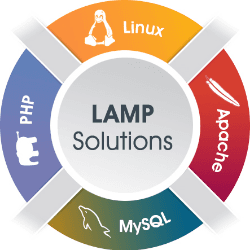
LAMP refers to a classic web stack composed of Linux, Apache, MySQL/MariaDB, and PHP. It remains a common baseline for hosting many legacy and modern PHP-based applications due to broad compatibility and documentation depth. Features Mature reference architecture for PHP web applications Large ecosystem of hosting providers and deployment guides Straightforward component replacement options Well-understood operational patterns for backups and scaling Compatibility with major CMS and custom PHP frameworks Ideal For Traditional server-hosted PHP applications Teams prioritizing stability and abundant operational knowledge Projects needing cost-effective commodity hosting Good to Know Default configurations may require hardening for production security
Debian 12 Minimal (large)
Debian
Debian 12 (Bookworm) Minimal is a stripped-down base OS profile intended for controlled, custom server setups. A large variant with larger default resource template while keeping package selection minimal. Features Stable Debian 12 package base with predictable release behavior Minimal preinstalled package set for tighter control APT ecosystem with extensive repository availability Suitable for infrastructure-as-code and reproducible provisioning Flexible baseline for installing only required services Ideal For Administrators wanting a minimal OS foundation for custom stacks Server environments prioritizing stability Good to Know Minimal images require more manual setup for convenience tooling

File Browser & Webdav
filebrowser
File Browser & WebDAV deployments typically combine a web-based file manager with protocol-based remote file access. This pattern is useful when users need both easy web UI access and standards-based file mounting. Features Browser-based file management for server directories Simple user and permission controls Optional multi-protocol access with WebDAV endpoints Lightweight self-hosted footprint Useful for quick admin and small-team shared storage workflows Ideal For Users needing simple web file operations on a server path Teams that also require client mount access via WebDAV

Debian 12 Remote Desktop
Debian
Debian 12 Remote Desktop generally refers to a Debian Bookworm environment configured for GUI access over remote desktop protocols. It combines Debian’s stable base with a desktop environment and remote access services. Features Debian 12 stable package base RDP server support via xrdp packages Can be paired with lightweight desktops Standard Debian security updates and package management Compatible with common remote desktop clients Ideal For Remote Linux desktop access for admin/dev tasks Users preferring Debian stability
Nginx & PHP 8.3
Nginx
Nginx & PHP 8.3 is a common web stack pairing the Nginx web server with modern PHP via PHP-FPM. It is widely used to run PHP applications efficiently behind an event-driven HTTP server. PHP 8.3 brings language/runtime improvements while Nginx provides high-performance reverse proxy and static serving capabilities. Features Nginx event-driven architecture for high concurrency PHP 8.3 runtime with OPcache and modern language features PHP-FPM process manager for controlled worker pools Strong TLS/reverse-proxy support for web app frontends Clean separation of static asset serving and PHP execution Ideal For Self-hosted PHP apps and APIs High-traffic sites needing efficient HTTP serving Teams standardizing on modern PHP with Nginx

FileZilla Client
Tim Kosse
FileZilla Client is a cross-platform FTP/FTPS/SFTP desktop file transfer application. It provides a GUI for managing remote files, queued transfers, and site profiles. This is FileZilla running on Appbox and accessible via your web browser, you can use it for logging into remote FTP servers and transferring data between them and Appbox. Features Supports FTP, FTPS, and SFTP protocols Drag-and-drop GUI with directory comparison and transfer queue Bookmark/site manager for reusable connection profiles Resume support for interrupted large file transfers Cross-platform availability Ideal For Admins and developers needing occasional GUI-based file transfers Users managing website files on remote hosting Good to Know Plain FTP is unencrypted; prefer SFTP or FTPS

Rclone
Appbox
Rclone is a command-line tool for syncing, copying, and mounting files across cloud object stores and remote filesystems. It supports many providers and is widely used for backup, migration, and data movement workflows. Features Large provider support (S3, Google Drive, Backblaze, Dropbox, etc.) High-performance copy/sync/move with checksum verification Optional mount mode to expose remote storage as a filesystem Encryption backend for protecting remote data Bandwidth, transfer, and retry controls for resilient jobs Ideal For Cross-cloud migrations and scheduled backups Automated data pipelines and batch file movement Good to Know Incorrect sync flags can delete or overwrite data at scale Rate limits and API quotas vary by provider

Flood
jesec
Flood is a modern web UI for controlling torrent backends such as rTorrent, Transmission, and qBittorrent. It focuses on responsive design, multi-client support, and a cleaner experience than many legacy torrent web interfaces. Features Appbox only currently support Flood with rTorrent Responsive touch-friendly interface for desktop and mobile Filtering, sorting, and torrent action workflows Authentication/session model suitable for remote hosting Theming and localization support Ideal For Users who want a modern frontend over existing torrent daemons

qBittorrent
qBittorrent
qBittorrent is an open-source BitTorrent client with a desktop UI and an optional web interface for remote management. It supports standard torrent workflows such as magnet links, tracker management, and queue control. Features Web UI for remote torrent management and monitoring Torrent search support via plugin architecture Queueing, bandwidth scheduling, and per-torrent limits RSS feed and filter automation IP filtering and protocol options for transfer control Ideal For Users needing a self-hosted torrent client with remote UI Automation-oriented setups using RSS and category rules

Wireguard VPN
Cylo
WireGuard is a modern VPN protocol and software implementation focused on simplicity, performance, and strong cryptography. It is widely adopted for site-to-site links, remote access, and lightweight secure tunnels. Features Modern cryptographic design with a small codebase High performance and low overhead Simple peer-based configuration using key pairs Cross-platform clients Supports point-to-point and hub-and-spoke topologies Ideal For Secure remote access to private infrastructure Site-to-site tunneling between servers or offices Fast, easy and compatible VPN setups

Emby
Emby
Emby is a media server platform for organizing and streaming personal media libraries across devices. It provides metadata management, user profiles, remote streaming, and client apps. Features Centralized library management for movies, TV, music, and photos Multi-user accounts with parental controls and profiles Remote streaming with transcoding support Metadata fetching, artwork, and library indexing Broad client support Ideal For Users wanting polished media server UX with many clients Families needing managed user access and profiles Good to Know Some features require Emby Premiere subscription
Pure-FTPd (FTP Server)
Frank Denis
Pure-FTPd is a security-focused FTP server implementation designed for Unix-like systems. It supports modern authentication and encryption options while aiming for straightforward deployment and low resource overhead. Features TLS/SSL support for encrypted FTP sessions Multiple virtual users via the Appbox dashboard Chroot and privilege-separation security-oriented design Ideal For Environments needing traditional FTP/FTPS workflows Admins who want a lightweight, security-aware FTP daemon Legacy integrations that still depend on FTP protocols Good to Know Plain FTP without TLS is insecure and should be avoided FTP can be harder to firewall/NAT-manage than SFTP-based alternatives

Transmission
Transmission
Transmission is a lightweight open-source BitTorrent client known for a minimal interface and low resource usage. It supports desktop use as well as headless server deployments via transmission-daemon and web/RPC control. Features Low-overhead BitTorrent client with straightforward UI Daemon mode for remote/headless operation Web interface and JSON-RPC for automation/integration Support for encryption, magnet links, DHT, and PEX Fine-grained bandwidth scheduling and queue controls Ideal For Users wanting a simple, efficient torrent client Server setups needing a stable daemon with API access Good to Know Advanced automation often requires external tooling

OpenVPN
Cylo
OpenVPN is a VPN technology and software suite used to create encrypted tunnels over untrusted networks. It is widely adopted for site-to-site links and remote-access VPN deployments in both self-managed and commercial offerings. Features TLS-based encrypted tunneling over UDP/TCP Certificate and key-based authentication options Cross-platform clients for major desktop and mobile systems Routing and bridging support for varied network topologies Operational controls for ciphers, renegotiation, and access policies Ideal For Organizations needing mature, configurable VPN infrastructure Remote workforce access to private networks Admins requiring broad platform compatibility Good to Know Performance and latency can vary by cipher choice and transport mode WireGuard in many cases is a better choice (compatibility, speed, easy of setup)

Jellyfin
Jellyfin
Jellyfin is a fully open-source media server for organizing and streaming personal media libraries. It originated as a fork of Emby and is community-driven. Features Fully open-source server and client ecosystem Library management for movies, shows, music, and live TV workflows User profiles, access controls, and watch history Transcoding support for remote and device-specific playback Plugin architecture and active community contributions Ideal For Users wanting a fully open-source media server Setups avoiding subscription lock-ins Good to Know Client polish/features can vary by platform

Deluge
Deluge
Deluge is an open-source BitTorrent client with a daemon-plus-UI architecture that supports local and remote control. Its plugin system and multiple interfaces (GTK, web, console) make it flexible for desktop and server usage. Features Daemon mode for headless operation and remote management Plugin system for extending behavior Encryption, DHT, PEX, and magnet link support Per-torrent controls for bandwidth, queueing, and seeding policies Ideal For Users wanting one torrent backend with multiple control interfaces

Plex
Plex, Inc
Plex is a media server platform that organizes personal video, music, and photo libraries and streams them to many client devices. It also offers optional ad-supported streaming content and remote access features through a centralized Plex account system. Features Automatic library indexing with metadata, artwork, and subtitles Streaming clients for web, mobile, smart TVs, and streaming boxes Remote streaming outside the home network via Plex account linking Multi-user support with managed users and profile-level controls Live TV/DVR support with compatible tuners (feature availability depends on plan) Ideal For Home media collections with mixed device playback Users who want polished metadata and cross-device sync Families needing separate watch histories and profiles Good to Know Some advanced features require Plex Pass subscription Remote performance depends on server upload bandwidth and transcoding capacity Restarting the app will upgrade Plex to the latest version automatically

ruTorrent
Novik
ruTorrent is a web interface primarily designed for rTorrent, providing browser-based torrent management. It is widely used because it adds a plugin-based UI layer on top of rTorrent's RPC/SCGI control model. Features Web UI for managing rTorrent downloads and sessions Plugin architecture for extending functionality Built-in autodl-irssi & file manager among other plugins Support for labels, RSS workflows, and automation plugins Ideal For Users who want plugin-driven customization