
Password vault you control
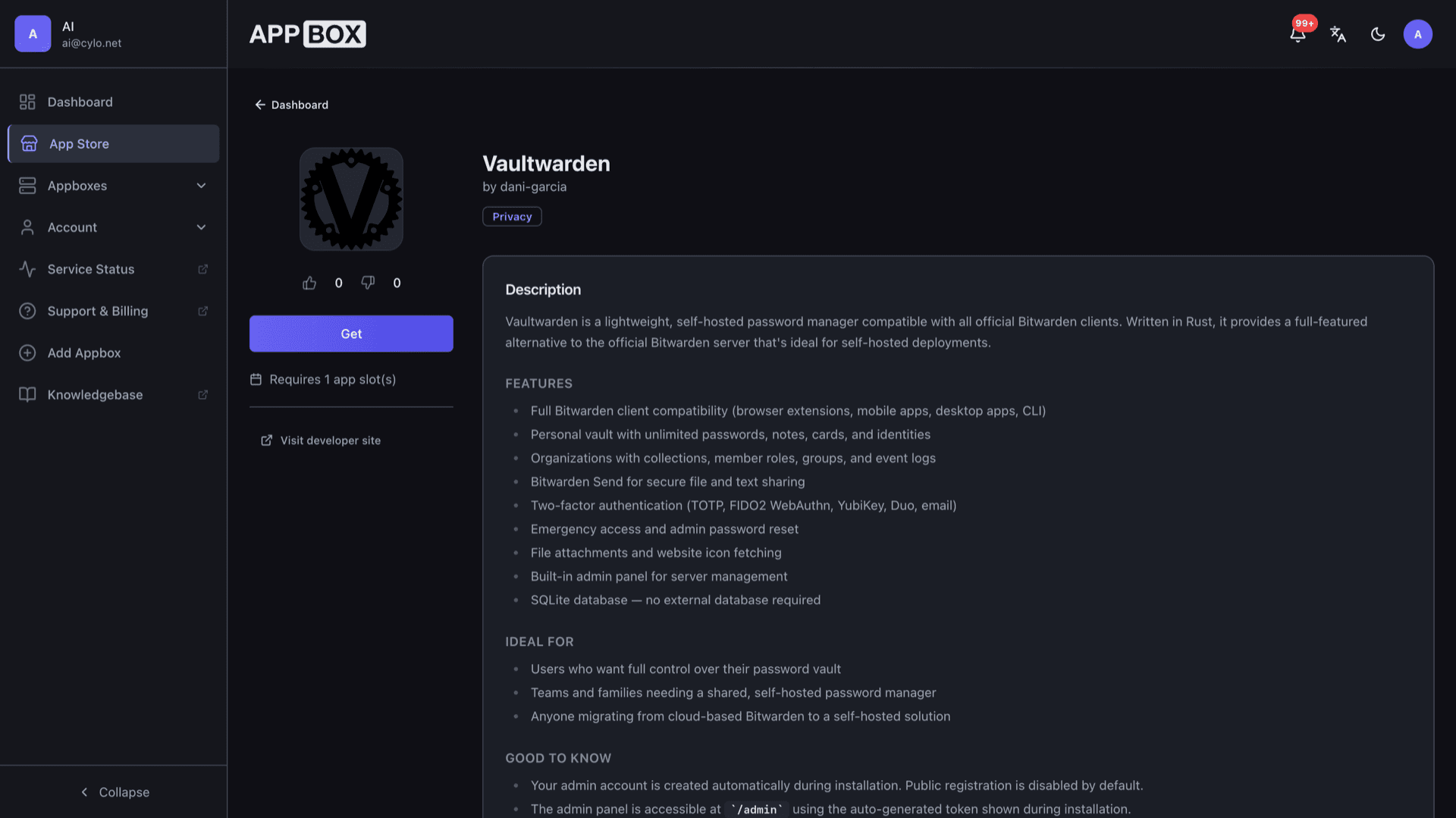
Vaultwarden hosting on Appbox. Run a Bitwarden-compatible server with the web app, browser extensions, and mobile clients pointed at your own HTTPS URL.
What you get with Vaultwarden hosting
Core password management features with data on your Appbox instance, not a vendor cloud.
Bitwarden-compatible API
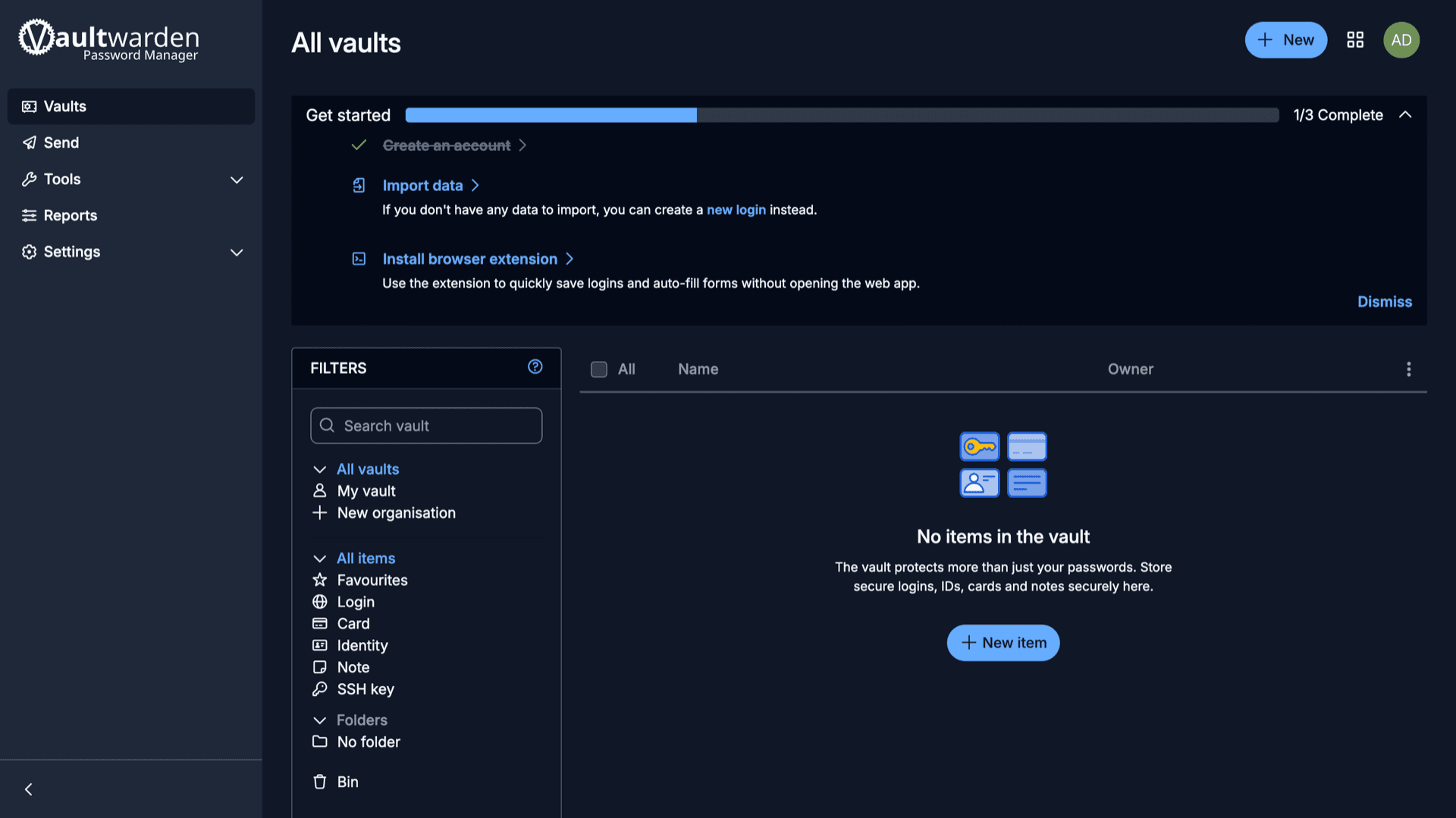
Use official Bitwarden browser extensions, desktop and mobile apps, and CLI against your instance. The web vault matches the familiar Bitwarden layout.
Vaults and items
Store logins, secure notes, cards, identities, and SSH keys. Organize with folders, favorites, and the recycle bin from the web UI.
HTTPS on your hostname
Appbox provisions TLS for your app subdomain. Open the Login URL from Overview so clients and bookmarks use the same hostname.
Accounts at install
Install supplies your email, master password, and a generated admin token. Public registration stays off unless you change it in the admin panel.
Generator and tools
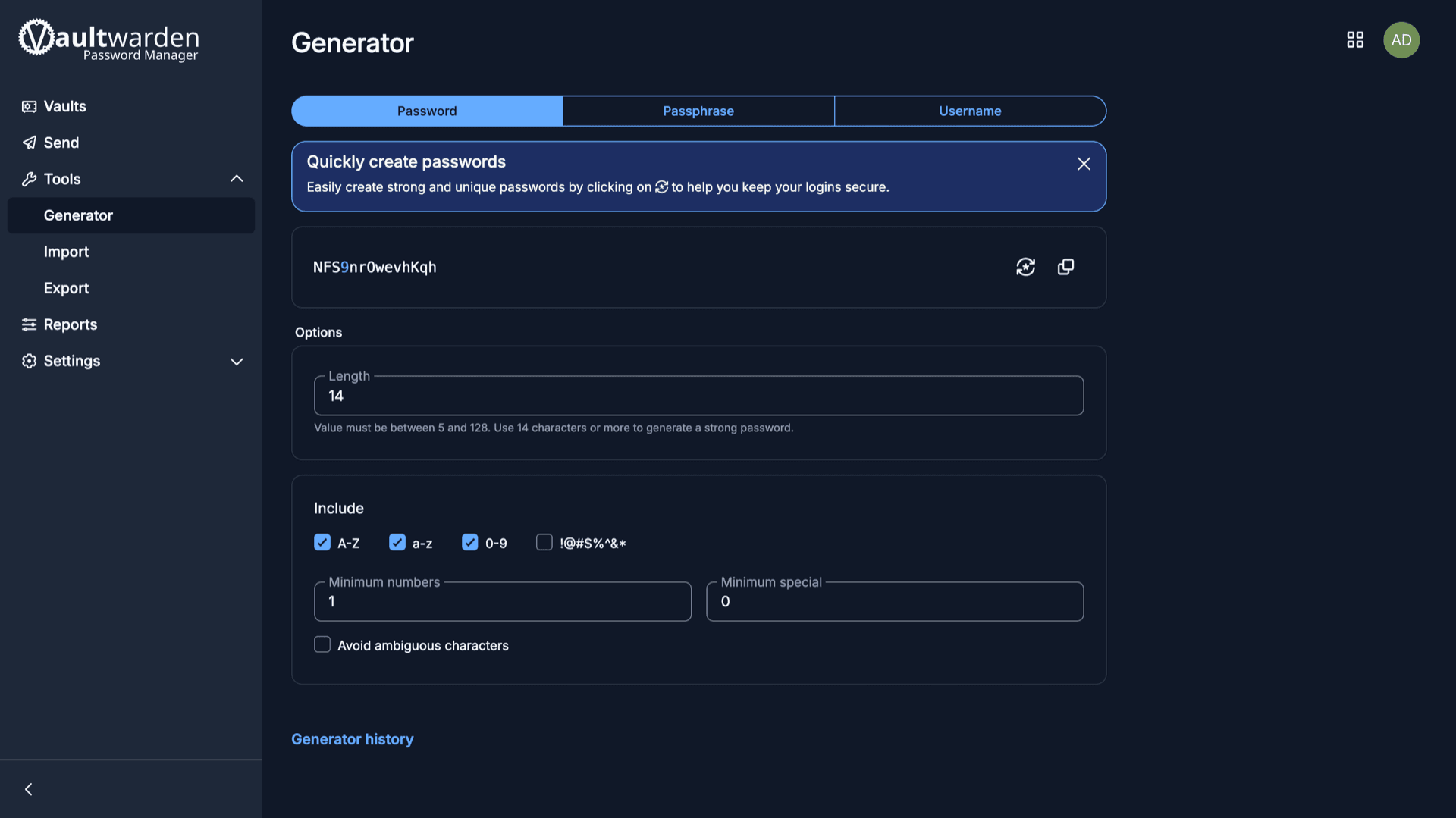
Built-in password, passphrase, and username generators, plus import and export flows from the Tools section after you sign in.
2FA and policies
Support for TOTP, WebAuthn, and other Bitwarden-style second factors depends on upstream settings you enable in your vault and organization.
Vaultwarden on Appbox
Install in seconds
Pick your Appbox, fill in a few fields, and Vaultwarden is live.
Install Vaultwarden
Requires 1 App Slot
This demo shows what the installer looks like after you have an Appbox.
Multiplier
1.4x
Slot Cost
5 / 21
RAM
1.40 GB
CPUs
∞
✓ vaultwarden.steve.appboxes.co
Ready to install? You will need an active Appbox first.
This is a preview of the install form. Choose a plan to create your Appbox and deploy for real.
Operations on Appbox
How the template fits managed hosting and when to add resources.
SQLite by default
The packaged image uses SQLite embedded in the app. No separate database service is required for typical single-tenant use.
Admin panel
Reach /admin with the token from your Configuration fields to manage users, invites, and server settings without sharing your vault master password.
Optional SMTP
Fill SMTP fields at install or later if you want outbound email for verification and notifications. Leave blank if you do not need mail yet.
Per-App Boost
Large organizations or heavy attachment use can need more RAM and CPU. Boost adds capacity in 10% steps per extra slot from the installed app page.
Vaultwarden vs Bitwarden (cloud)
| Feature | Vaultwarden on Appbox | Bitwarden cloud |
|---|---|---|
| Where data lives | Vault and attachments on your Appbox instance | Hosted in Bitwarden-operated infrastructure |
| Billing model | Your Appbox plan covers the app slot and resources | Subscription tiers for premium features and families |
| Server maintenance | You apply updates via Appbox; you control admin and backups | Vendor operates the service and ships updates globally |
| Official clients | Same Bitwarden apps when you set server URL to your domain | Default server URL points to Bitwarden cloud |
Admin token and master password
Frequently asked questions
Run your own password server
Available versions
| Version | App Slots | RAM | CPU | Released | Changes |
|---|---|---|---|---|---|
| 1.36.0 | 1 | 1 GB | Shared | Apr 24, 2026 |
Need more resources? Use Per-App Boost to allocate extra App Slots and increase RAM and CPU by 10% per slot. See the FAQ below for details.