
A private, self-hosted alternative to Discord
Chatto hosting on Appbox gives teams and communities a Discord alternative they control, with rooms, files, roles, voice/video calls, screen sharing, and persistent storage—without depending on SMTP for first login.
What you get with Chatto hosting
A compact self-hosted chat stack with Appbox handling TLS, subdomain routing, and container lifecycle.
Team rooms
Create rooms and communities for real-time conversations, reactions, shared context, and structured group communication.
File sharing
Share attachments and room files from the chat interface while keeping app data on your Appbox-managed storage.
Private by default
Host conversations on infrastructure you control instead of routing team data through a third-party chat SaaS.
Owner bootstrap
The Appbox package creates the first owner account programmatically, so initial access works even when SMTP is not configured.
Embedded storage
Chatto runs with embedded NATS JetStream in this package, keeping the deployment single-container and persistent.
HTTPS URL
Appbox provisions the web route and HTTPS URL, then passes the correct public origin into Chatto at install time.
Operations and limits
What to know before using Chatto as your Appbox chat server.
Single container
This package intentionally uses Chatto's compact single-container path rather than a multi-service Compose stack.
Generated secrets
Cookie, core, and asset-signing secrets are generated during install and stored as Appbox password fields.
No public NATS
NATS stays embedded and internal to the container; only the Chatto web UI is exposed through Appbox routing.
Voice and video included
Bundled LiveKit provides voice/video calls and screen sharing, with Appbox allocating the required WebRTC and TURN ports.
See Chatto in action
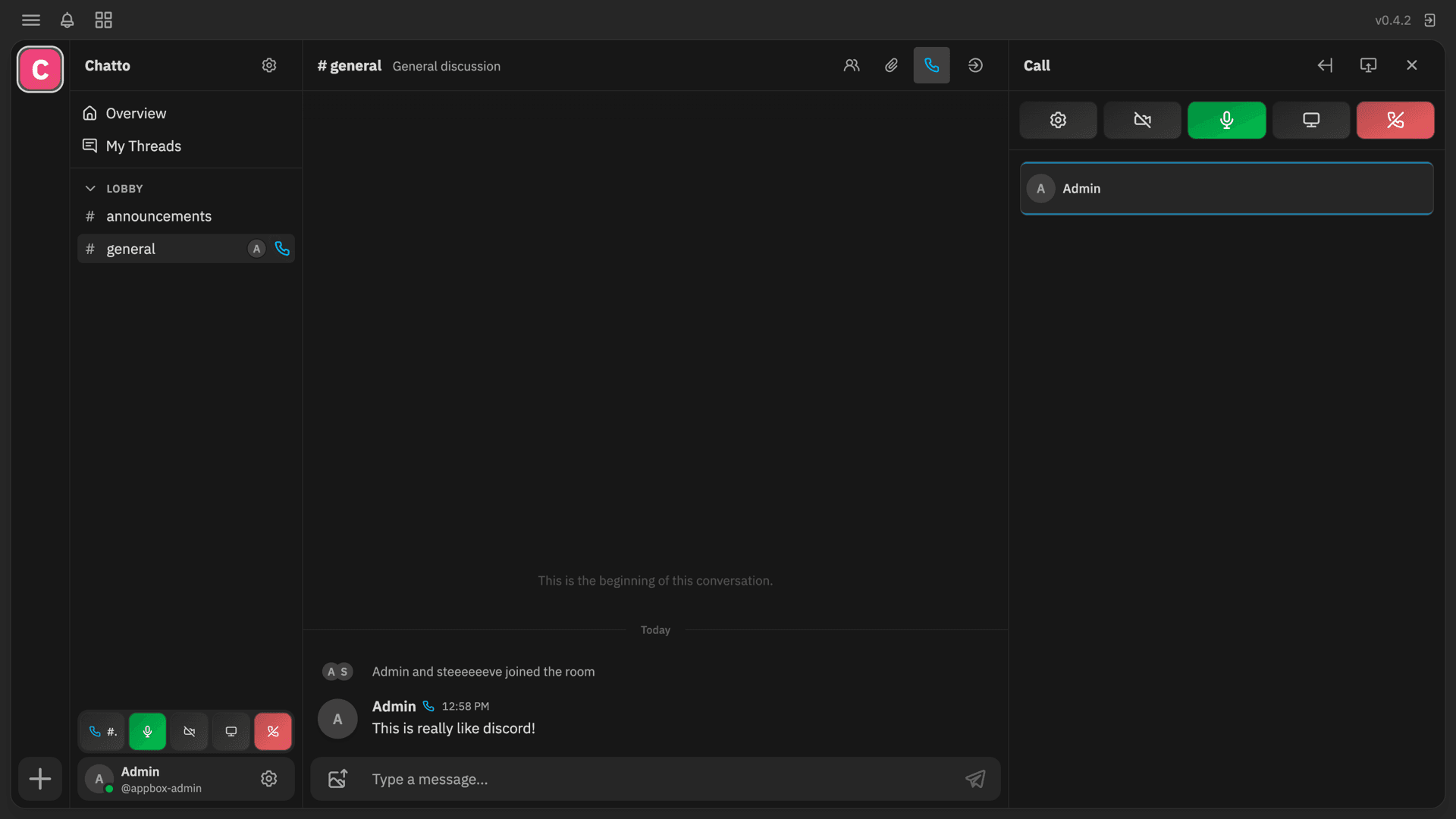
Install in seconds
Pick your Appbox, fill in a few fields, and Chatto is live.
Install Chatto
Requires 1 App Slot
This demo shows what the installer looks like after you have an Appbox.
Multiplier
1.4x
Slot Cost
5 / 21
RAM
∞
CPUs
∞
✓ chatto.steve.appboxes.co
Ready to install? You will need an active Appbox first.
This is a preview of the install form. Choose a plan to create your Appbox and deploy for real.
Chatto vs Discord
| Feature | Chatto on Appbox | Discord |
|---|---|---|
| Deployment | Self-hosted Appbox container | Discord-operated cloud service |
| Data control | Conversations and files stay on infrastructure you control | Data is stored on Discord infrastructure |
| First admin | Created during install without SMTP | Requires a Discord account and vendor signup flow |
| Voice and video | Bundled LiveKit with Appbox-managed networking | Discord-managed calling infrastructure |
| Updates | You control the server and update timing | Discord controls backend and client changes |
SMTP is optional for first login
Frequently asked questions
Deploy Chatto hosting on Appbox
Install a private team chat server with a generated owner account, persistent storage, and an HTTPS URL in one Appbox flow.