
Web file manager plus WebDAV
File Browser & WebDAV hosting on Appbox. One HTTPS site for drag-and-drop uploads in the UI and standards-based mounts for Finder, Explorer, and rclone.
What you get with File Browser & WebDAV
Upstream File Browser semantics behind the platform reverse proxy, with URLs and credentials surfaced in the panel.
Browser file UI
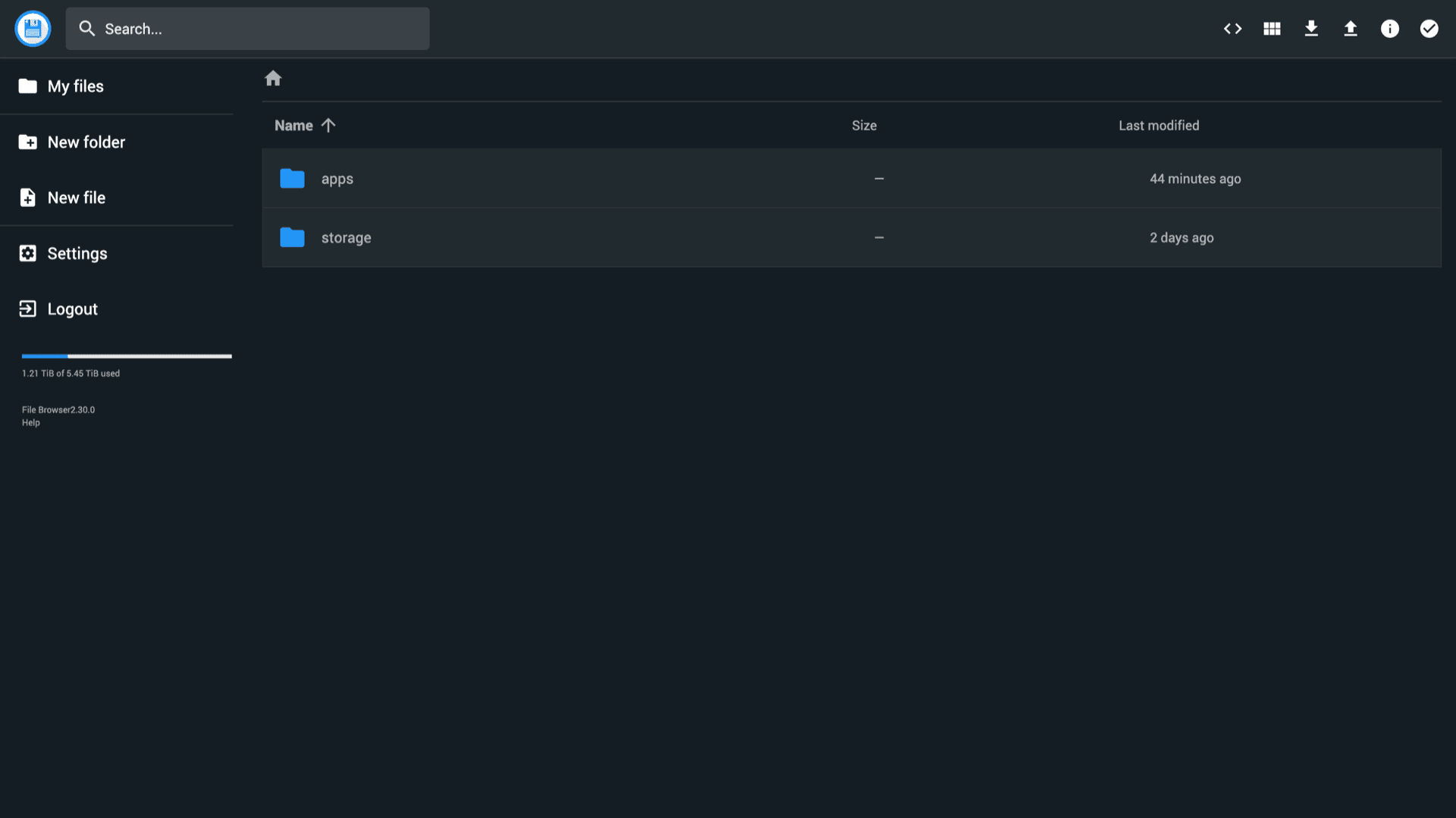
Rename, move, upload, download, and preview from a responsive interface. Search, sort, and multi-select behave like a desktop file manager over HTTPS.
WebDAV endpoint
Mount the same scope your user sees in the UI using the WebDAV URL shown after install. Works with native clients and tools that speak WebDAV over TLS.
Users and scopes
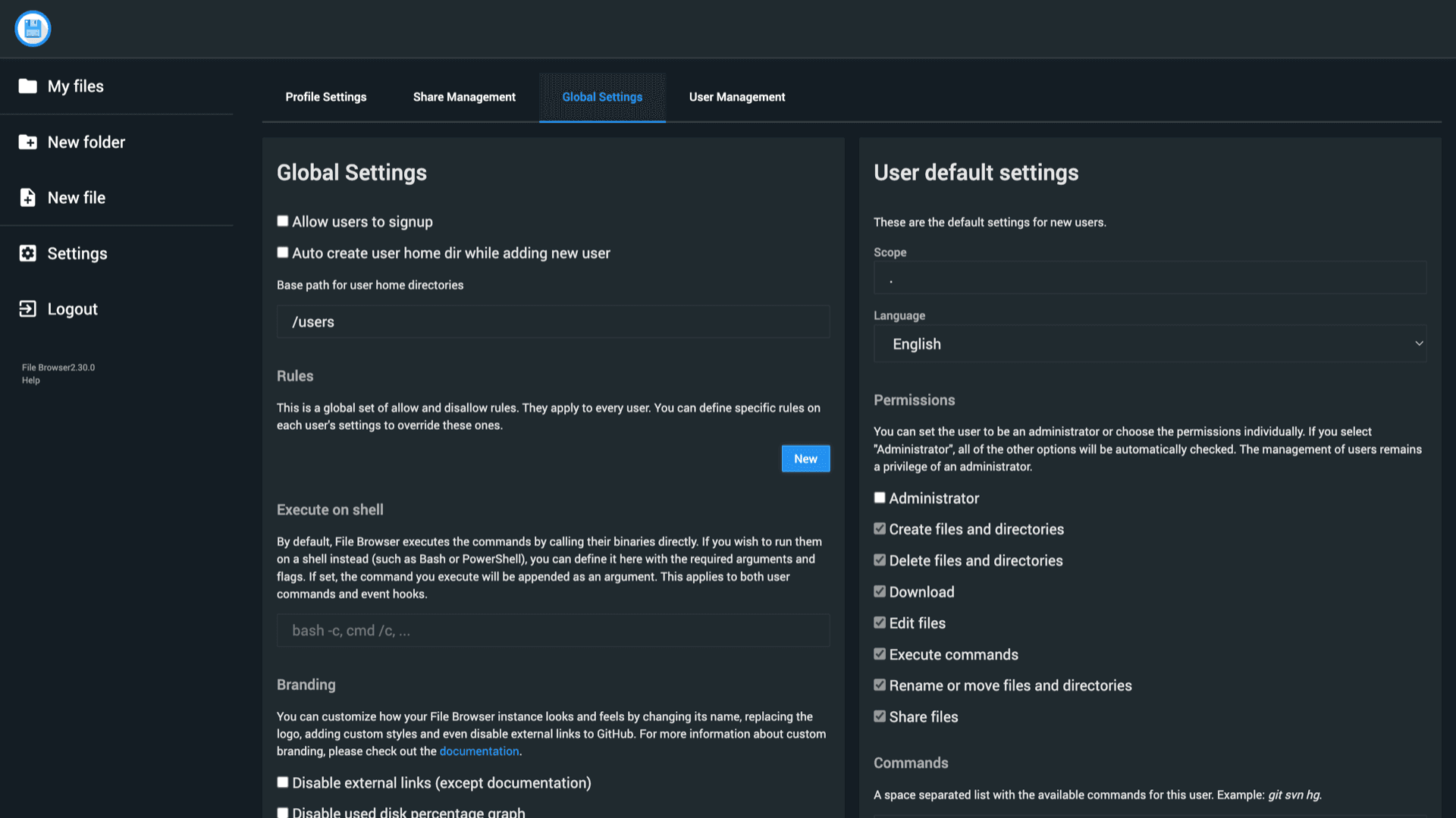
Create accounts with per-user roots and permission bits for create, delete, share, and shell commands when you enable them. Global rules apply before per-user overrides.
HTTPS by default
Appbox terminates TLS at the edge. You sign in to File Browser over HTTPS, and WebDAV clients use the same hostname with basic auth or session semantics the image provides.
Disk usage insight
The sidebar shows how much of the attached storage volume is used so operators can spot growth before jobs fail mid-upload.
Pairs with other apps
Install beside sync, media, or backup apps on the same Appbox account so humans use the web UI while automation writes through WebDAV or shared paths where the platform allows it.
File Browser on Appbox
Install in seconds
Pick your Appbox, fill in a few fields, and File Browser & Webdav is live.
Install File Browser & Webdav
Requires 1 App Slot
This demo shows what the installer looks like after you have an Appbox.
Multiplier
1.4x
Slot Cost
5 / 21
RAM
8.40 GB
CPUs
∞
✓ filebrowser.steve.appboxes.co
Ready to install? You will need an active Appbox first.
This is a preview of the install form. Choose a plan to create your Appbox and deploy for real.
How operators use it
Treat WebDAV like any other remote mount: test permissions before you point production scripts at it.
Panel-supplied URLs
After install, copy the File Browser URL and WebDAV URL from the installed app page. They resolve to your subdomain on Appbox, so you do not hand-edit reverse proxy snippets.
Optional shell hooks
Global Settings exposes command runners for upload, save, rename, and delete events when you need antivirus scans, git commits, or custom notifications.
Shared hosting limits
This runs as a managed Docker app on Appbox, not a KVM VPS. You get root inside the container where the image allows it, but do not expect nested Docker, snapd, or custom host kernels.
Boost heavy transfers
Large uploads, many small files, or aggressive WebDAV sync clients benefit from extra RAM and CPU. Raise Per-App Boost when sustained traffic needs more headroom.
File Browser vs full collaboration suites
| Feature | File Browser & WebDAV | All-in-one cloud workspace |
|---|---|---|
| Primary focus | Files and WebDAV mounts | Docs, chat, mail, and more |
| Footprint | Single lightweight service | Broader stack and plugins |
| Desktop sync | WebDAV or third-party clients | Vendor sync apps |
| Sharing model | Per-user scopes and optional public shares | Team drives and granular ACLs |
| Self-hostable | Often yes, with heavier ops |
Save your WebDAV URL
Frequently asked questions
Deploy File Browser & WebDAV
Stand up a web file manager with WebDAV on Appbox in one click, then connect your clients with the URLs from the panel.
Available versions
| Version | App Slots | RAM | CPU | Released | Changes |
|---|---|---|---|---|---|
| 2.30.0 | 1 | 6 GB | Shared | Jun 12, 2024 |
Need more resources? Use Per-App Boost to allocate extra App Slots and increase RAM and CPU by 10% per slot. See the FAQ below for details.
File Browser & Webdav
by filebrowser