
Your own restic backup endpoint
Restic REST Server hosting on Appbox. Stand up a private HTTPS repository backend for the restic client, with htpasswd auth and per-user isolation on your subdomain.
What you get with Restic REST Server hosting
A small Go service that speaks the restic REST protocol so clients can init, backup, prune, and check against storage you control.
Native restic remote
Point any supported restic client at a rest: HTTPS URL on your Appbox domain. The server stores repository packs and indexes the way upstream restic expects.
Password-backed auth
Install collects a username and password pair used for HTTP basic auth. Each user maps to a private repository path so tenants do not cross-read data.
Client-side encryption
Restic encrypts and deduplicates before bytes leave the client. The repository password never lives on this host, only ciphertext blobs in your volume.
Append-only option
When you enable append-only semantics in your deployment, the backend can resist destructive rewrite patterns that often follow credential theft.
Lightweight footprint
The image ships a focused HTTP front end and leaves CPU for sustained backup streams instead of a full desktop stack you do not need.
HTTPS on Appbox
Appbox terminates TLS at the edge. After install, copy the connection URL from the installed app page and embed it in your restic -r argument.
Restic REST Server on Appbox
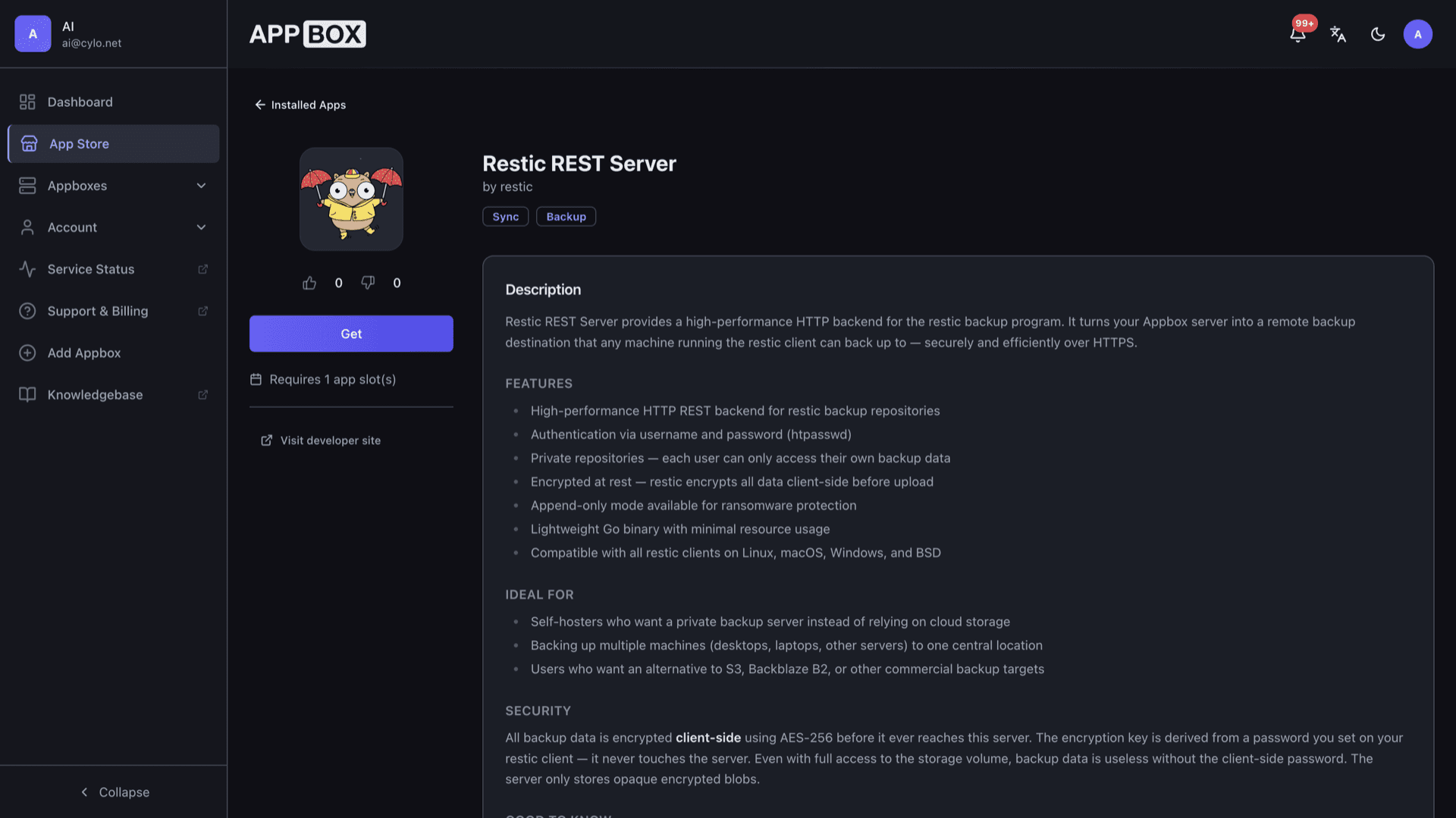
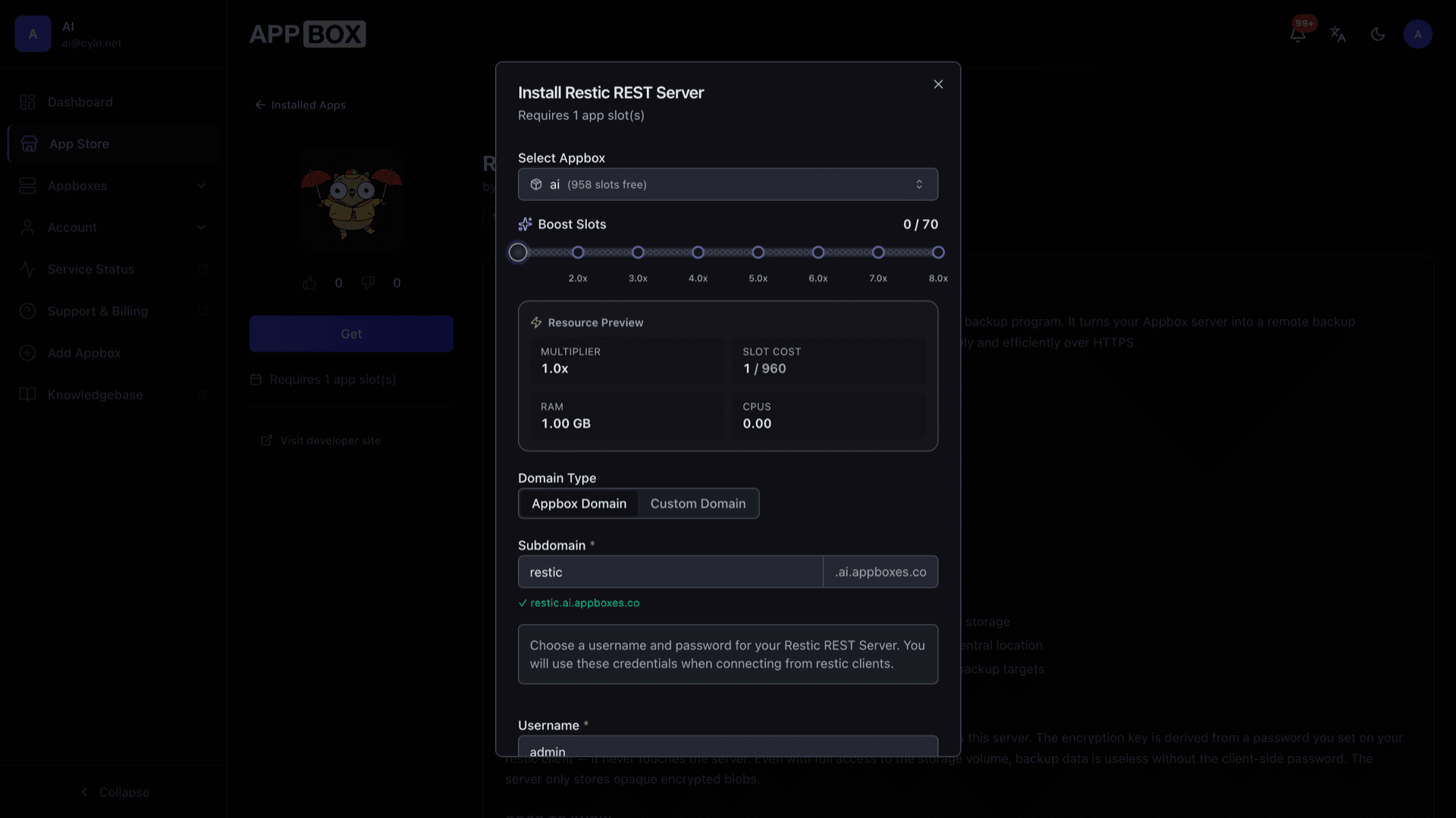
Install in seconds
Pick your Appbox, fill in a few fields, and Restic REST Server is live.
Install Restic REST Server
Requires 1 App Slot
This demo shows what the installer looks like after you have an Appbox.
Multiplier
1.4x
Slot Cost
5 / 21
RAM
1.40 GB
CPUs
∞
✓ restic.steve.appboxes.co
Ready to install? You will need an active Appbox first.
This is a preview of the install form. Choose a plan to create your Appbox and deploy for real.
How teams use the instance
Treat this app as infrastructure: clients connect, the panel tracks health, and you monitor disk like any other backup target.
Panel-first operations
Start, restart, and uninstall from the installed app page. Connection URL, credentials, and resource hints stay next to the actions you already use for other Appbox apps.
CLI workflows
Automation lives in restic backup, forget, and check jobs on each machine. Cron, systemd timers, and CI hooks all reuse the same remote URL once it is configured.
Repository layout
Data lands in the app volume as a normal restic repository tree. Snapshot your volume or replicate it with the same care you use for other primary storage.
Tune with boost
Large hosts backing up in parallel can spike CPU during index uploads. Raise Per-App Boost when sustained throughput needs more headroom than the default slice.
Restic REST on Appbox vs public object storage
| Feature | Restic REST on Appbox | S3-style object storage |
|---|---|---|
| Control plane | Your Appbox account and volumes | Vendor console and IAM policies |
| Transport | HTTPS restic REST on your hostname | HTTPS S3 API |
| Billing model | App slots and storage on Appbox | Per-GB and request metering |
| Egress surprises | Predictable within your plan | Often extra fees for reads |
| Client compatibility | restic rest backend | restic s3 backend |
| Operational load | You patch and monitor the app | Provider handles infra |
You still run the restic client
Frequently asked questions
Point your restic clients home
Deploy Restic REST Server hosting on Appbox, paste the URL into your backup scripts, and keep ciphertext on infrastructure you operate.
Available versions
| Version | App Slots | RAM | CPU | Released | Changes |
|---|---|---|---|---|---|
| 0.14.0-1 | 1 | 1 GB | Shared | Jul 10, 2026 |
Need more resources? Use Per-App Boost to allocate extra App Slots and increase RAM and CPU by 10% per slot. See the FAQ below for details.