
Team docs on your domain
Docmost hosting on Appbox. Deploy a self-hosted workspace for spaces, pages, and shared knowledge behind HTTPS with credentials from your Overview tab.
What you get with Docmost hosting
A full Docmost instance with TLS, subdomain, and connection details in the control panel.
Spaces and pages
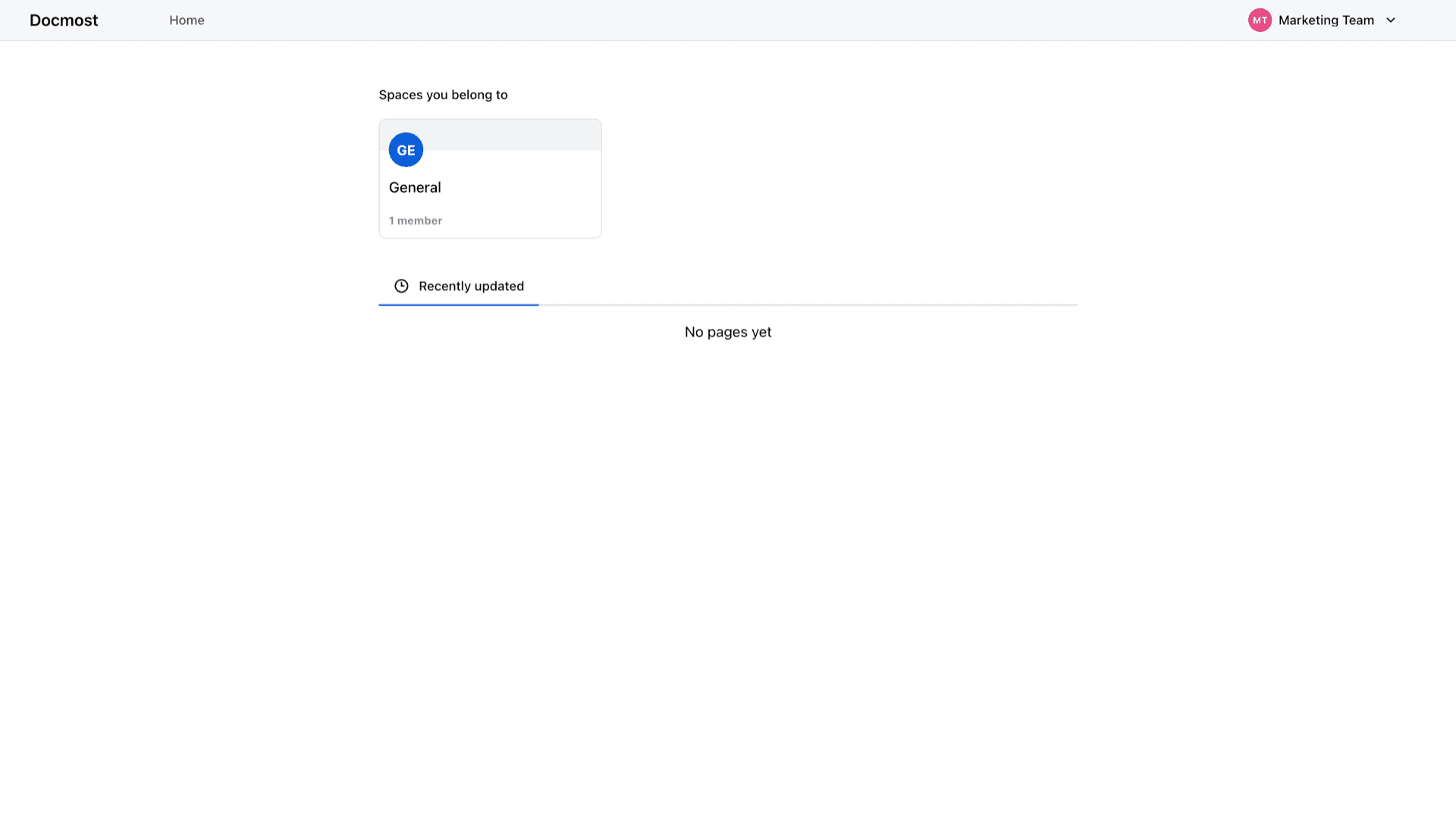
Organize documentation into spaces, then create and browse pages from the web app. The Home view lists spaces you belong to and recently updated content.
Workspace sign-in
Install sets an admin email, password, and workspace name. Open the Web UI link from Overview, sign in with those values, and invite teammates from Docmost.
HTTPS URL
The panel shows your public URL with copy actions so browsers and bookmarks use the same hostname the platform provisions.
Your Appbox instance
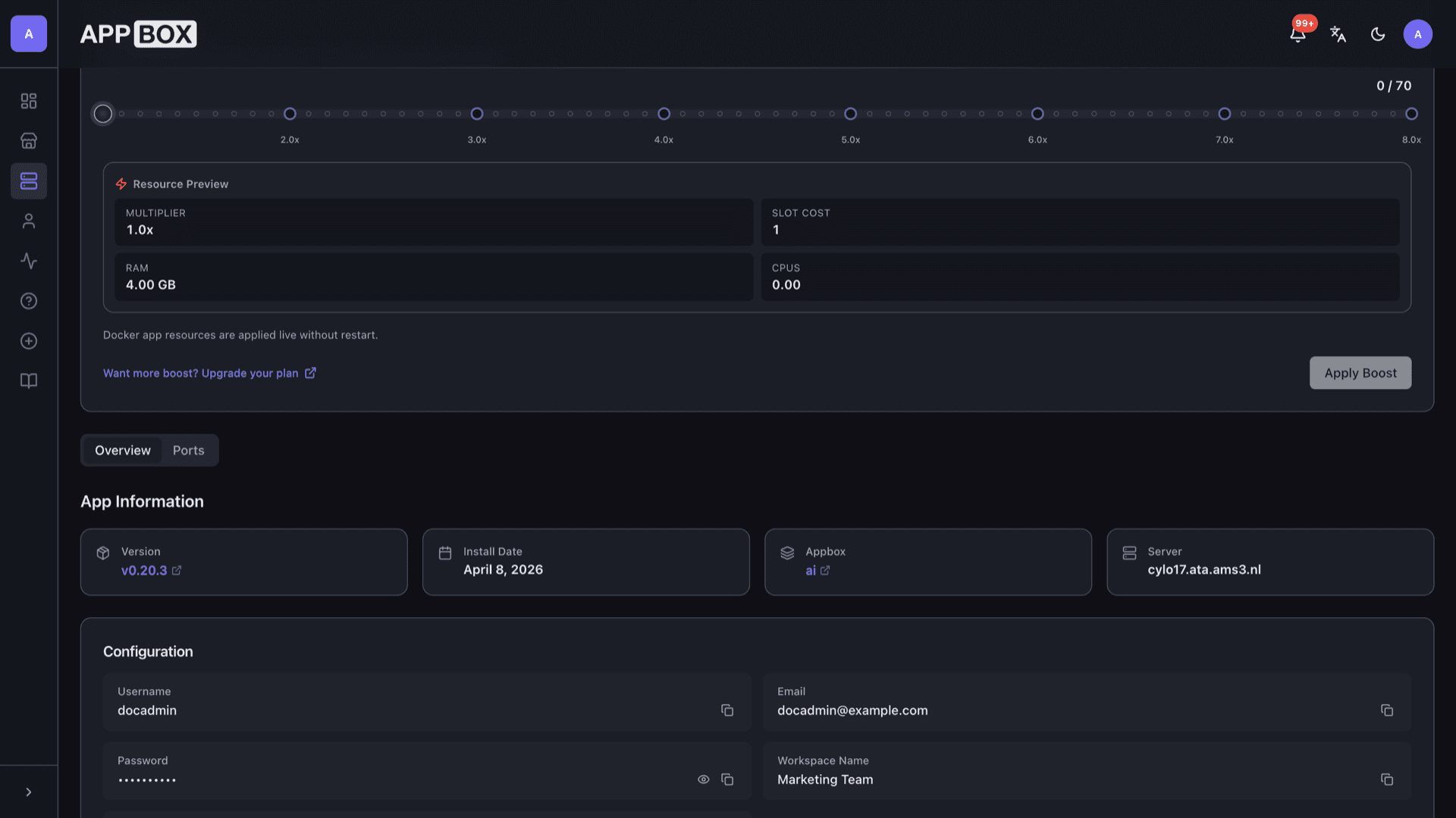
The app runs on your chosen Appbox with resource charts on the installed app page, so you can watch CPU and RAM as usage grows.
Web-first UI
Docmost is built for the browser: sidebar navigation, workspace switcher, and page lists without installing a desktop client.
One-click lifecycle
Install, restart, and upgrade from Actions on the installed app page while Docmost keeps data on persistent volumes between updates.
Docmost on Appbox
Install in seconds
Pick your Appbox, fill in a few fields, and Docmost is live.
Install Docmost
Requires 1 App Slot
This demo shows what the installer looks like after you have an Appbox.
Multiplier
1.4x
Slot Cost
5 / 21
RAM
5.60 GB
CPUs
∞
✓ docmost.steve.appboxes.co
Ready to install? You will need an active Appbox first.
This is a preview of the install form. Choose a plan to create your Appbox and deploy for real.
Operations and planning
How Docmost fits managed hosting and when to add resources.
Ports and proxy
The Ports tab lists what the container exposes. For day-to-day use, the Web UI link on Overview is the path users follow for HTTPS.
Persistent data
Workspace data and uploads live in the app's volumes on Appbox. Back up according to your retention policy before major changes.
Account recovery
If you lose access, use the platform's password tools and Docmost's own recovery flows as documented upstream. Keep install credentials somewhere safe.
Per-App Boost
Heavy concurrent editing or large attachments can use more RAM and CPU. Boost adds capacity in 10% steps per extra slot from the installed app page.
Docmost vs Notion (cloud)
| Feature | Docmost on Appbox | Notion (SaaS) |
|---|---|---|
| Hosting | Self-hosted on your Appbox | Notion-hosted cloud |
| Data control | Data on your volumes and server | Vendor cloud account |
| Billing model | Appbox plan and slots | Notion subscription tiers |
| Custom domain | Appbox subdomain and HTTPS | Custom domains on paid plans |
| Mobile ecosystem | Web UI primary | Strong official mobile apps |
| Open source |
Sign in with install email
Frequently asked questions
Deploy Docmost on Appbox
Get Docmost hosting in one click, open your HTTPS URL, and start building team documentation on a managed instance.
Available versions
| Version | App Slots | RAM | CPU | Released | Changes |
|---|---|---|---|---|---|
| v0.20.3 | 1 | 4 GB | Shared | Apr 29, 2025 |
Need more resources? Use Per-App Boost to allocate extra App Slots and increase RAM and CPU by 10% per slot. See the FAQ below for details.