
Your own TeamSpeak 3 server
TeamSpeak 3 Server hosting on Appbox. Persistent voice channels, granular permissions, and ServerQuery for admins, with HTTPS-friendly control links and published UDP ports.
What you get with TeamSpeak 3 hosting
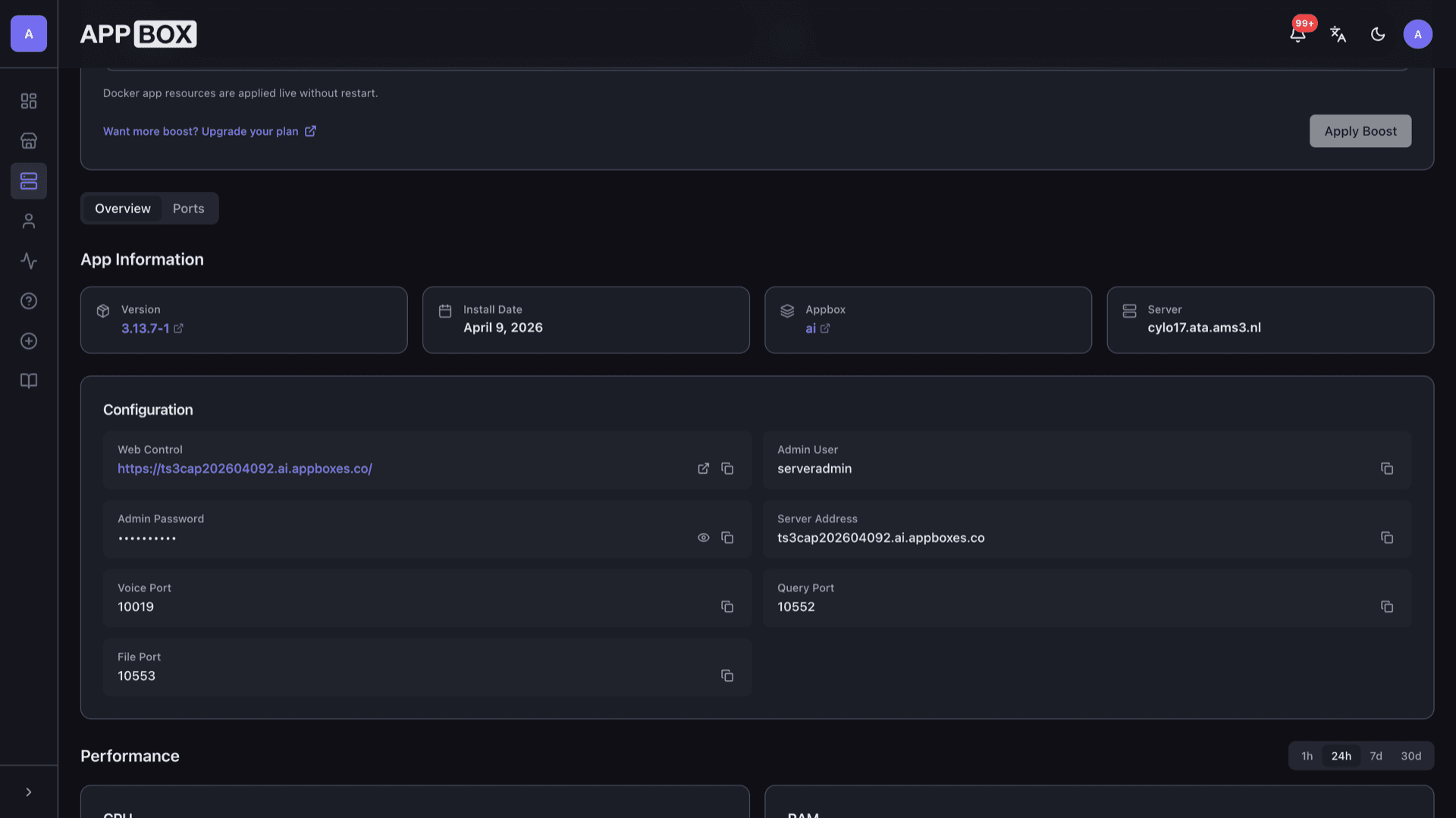
Classic TS3 behavior in an Appbox app: voice, query, and file transfer ports surfaced after install.
Low-latency voice
Dedicated voice UDP port for TS3 clients. Point your squad at the hostname and voice port from the Overview tab.
ServerQuery ready
Query port is listed for automation, monitoring, and admin tools that speak the ServerQuery protocol.
Published ports
Voice, query, and file transfer ports appear as static fields after provisioning so firewall and client setup stay predictable.
Granular permissions
Use TS3's permission system for users, groups, and channels the same way you would on any other dedicated host.
File transfer
Channel file transfer uses the file port shown on your instance. Keep transfers inside policies you define in TS3.
Cross-platform clients
Players connect with official TeamSpeak 3 clients on desktop and mobile using your server address and voice port.
TeamSpeak 3 on Appbox
التثبيت خلال ثوانٍ
اختر Appbox الخاص بك، واملأ بضعة حقول، وسيصبح Teamspeak 3 Server متاحاً.
تثبيت Teamspeak 3 Server
يتطلب 3 من App Slots
يعرض هذا العرض التوضيحي شكل المثبّت بعد أن يصبح لديك Appbox.
المضاعِف
1.4x
تكلفة Slot
7 / 21
RAM
2.80 GB
وحدات CPU
1.40
✓ teamspeak.steve.appboxes.co
جاهز للتثبيت؟ ستحتاج أولاً إلى Appbox نشط.
هذه معاينة لنموذج التثبيت. اختر خطة لإنشاء Appbox ونشر التطبيق فعلياً.
Operations and administration
Day-two tasks admins care about after the server is live.
serveradmin password
You set SERVERADMIN_PASSWORD at install. Use it with ServerQuery clients and initial privilege grants; rotate through TS3 tools when your policy requires it.
Web Control link
The Web Control field opens the HTTPS URL tied to your instance for lightweight status or packaged helpers, alongside the native TS3 client connection.
Channels and groups
Structure lobby, squad, and officer channels, then map server groups so moderators can move clients without sharing full superuser access.
Official TS3 docs
For permission templates, codecs, and anti-flood settings, follow TeamSpeak's own server documentation; Appbox supplies the runtime and networking shell.
Self-hosted TS3 vs Discord voice
| Feature | TeamSpeak 3 on Appbox | Discord (hosted) |
|---|---|---|
| Hosting | Your Appbox instance and ports | Discord-operated cloud |
| Permission depth | TS3 permission matrix | Roles and channel overrides |
| Client | TeamSpeak 3 client | Discord app |
| Video and social | Voice-first server product | Video, DMs, and activity feeds |
| Cost model | App Slots and plan on Appbox | Free tier with Nitro and commercial options |
| Data control | You operate the server process | Provider-controlled infrastructure |
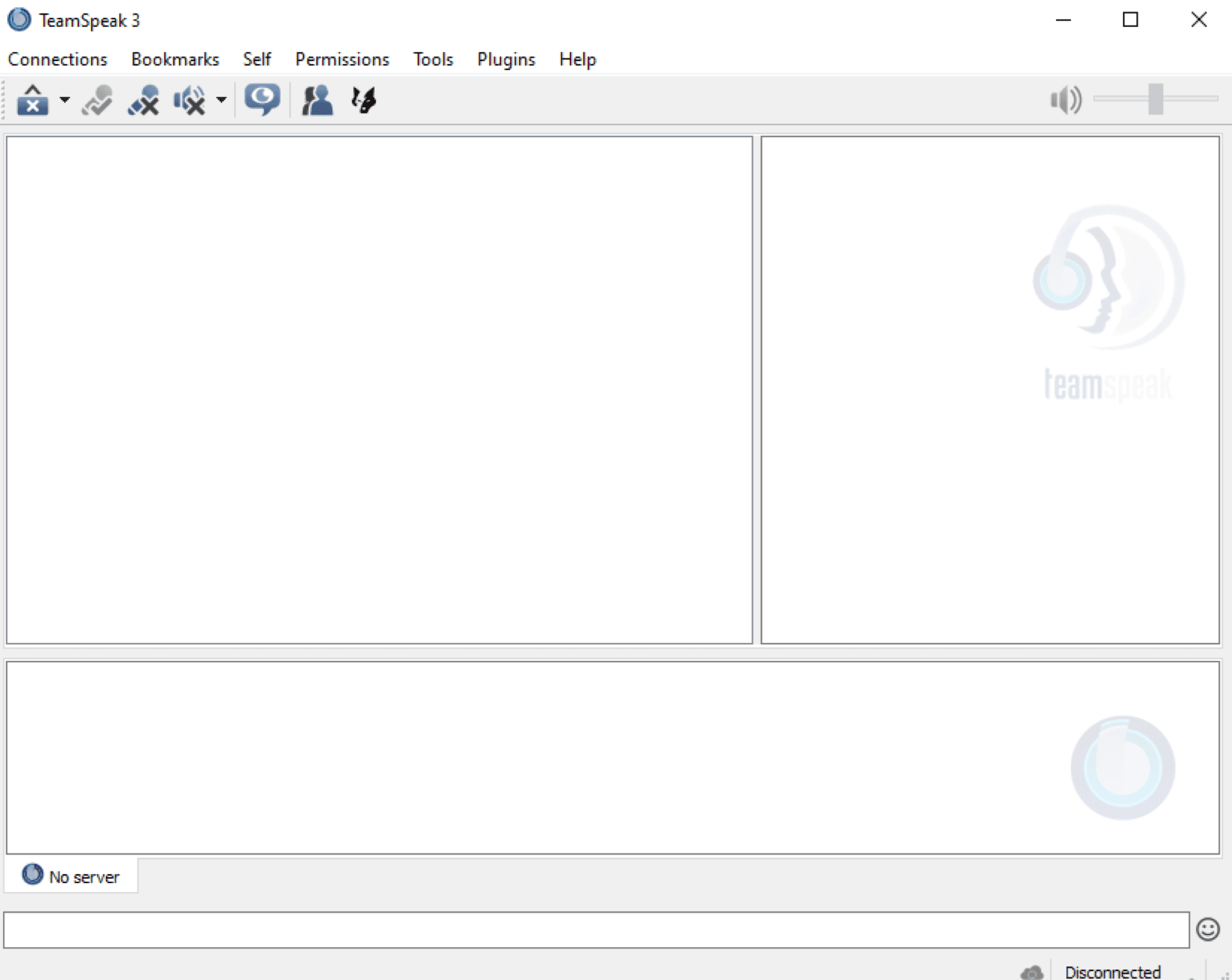
Connect from the TS3 client
Frequently asked questions
Deploy TeamSpeak 3 on Appbox
Stand up a dedicated TS3 voice server with published ports and admin credentials you control.
Available versions
| Version | App Slots | RAM | CPU | Released | Changes |
|---|---|---|---|---|---|
| 3.13.7-1 | 3 | 2 GB | 1 | Nov 2, 2022 |
Need more resources? Use Per-App Boost to allocate extra App Slots and increase RAM and CPU by 10% per slot. See the FAQ below for details.
Teamspeak 3 Server
بواسطة Teamspeak