
RHEL-compatible Linux, full root VM
Rocky Linux VPS hosting on Appbox. A KVM guest with sudo to root, room for Docker and Snap, your own kernel, and SSH plus a browser-based console.
What you get with Rocky Linux VPS hosting
A real Rocky Linux server environment, not a trimmed-down container userspace.
SSH, sudo, and console
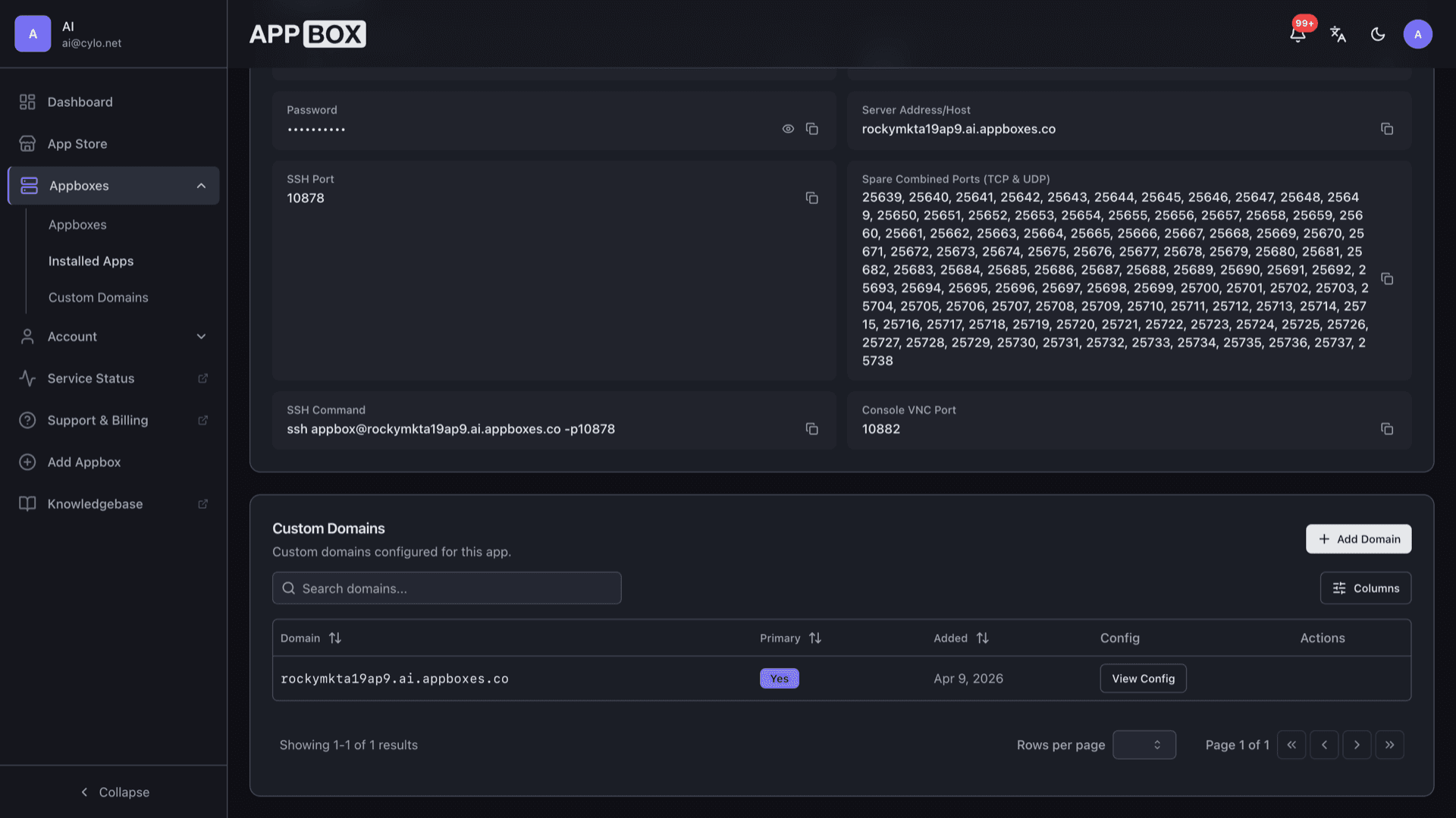
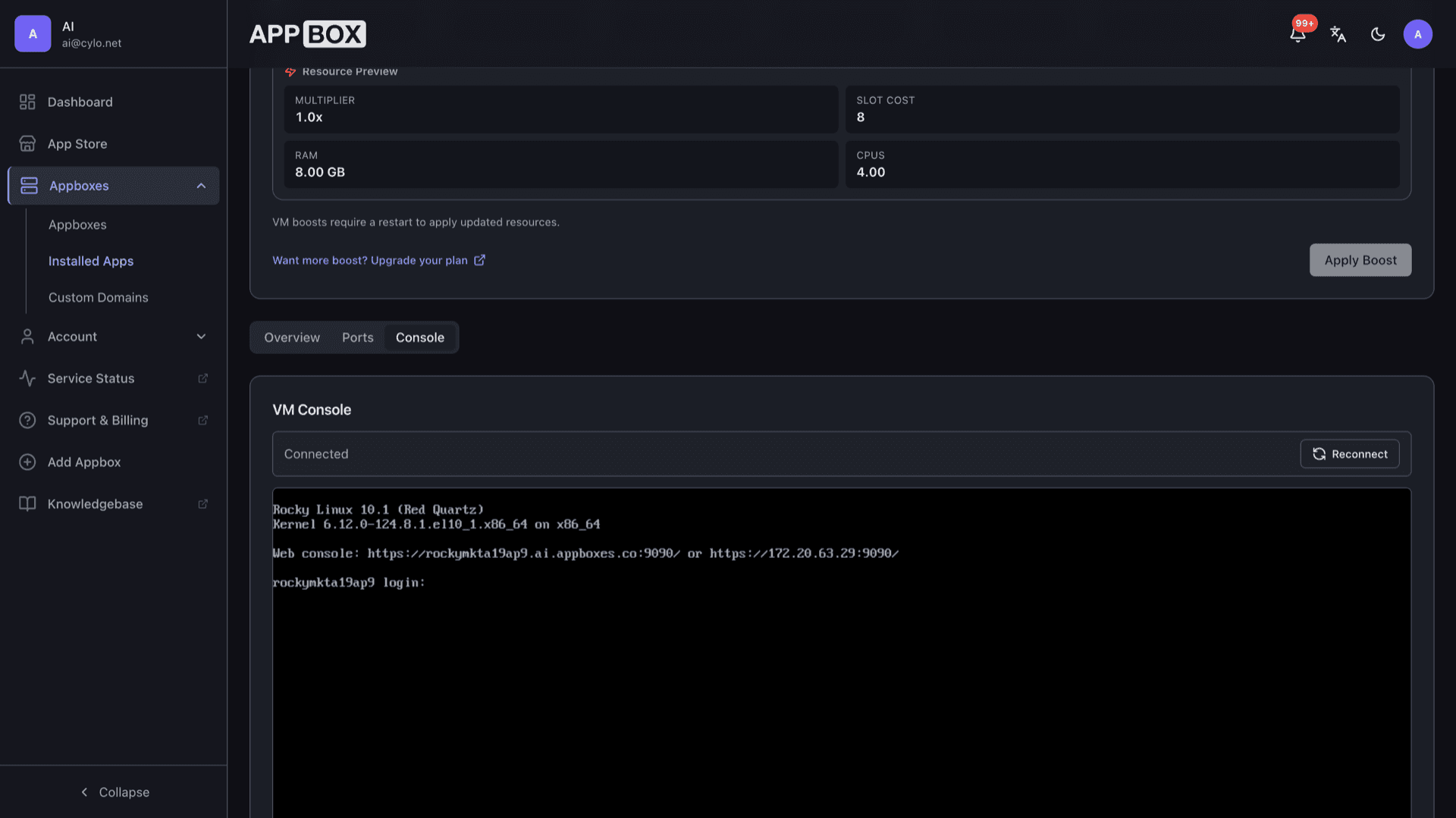
Connect with the credentials on the Overview tab and use sudo for a full root shell. The same page lists a copy-ready ssh command, host, and port. The Console tab gives out-of-band access without SSH once the VM is running.
Docker, Snap, full VM
Run Docker Engine, snapd, privileged services, and kernel modules inside your own guest. This is real KVM, not a single shared container image.
RHEL-compatible userspace
Rocky Linux is built for 1:1 compatibility with RHEL so many enterprise packages and certification paths carry over cleanly.
DNF and community repos
Use DNF with AppStream, CRB, EPEL, and other repositories you expect on a modern enterprise-style Linux.
SELinux enforcing
SELinux stays on by default for a more defensive baseline than a typical permissive setup.
KVM with VirtIO
Runs under KVM/QEMU with VirtIO drivers for disk and network so performance stays close to bare metal.
Rocky Linux VPS running on Appbox
التثبيت خلال ثوانٍ
اختر Appbox الخاص بك، واملأ بضعة حقول، وسيصبح Rocky Linux VPS متاحاً.
تثبيت Rocky Linux VPS
يتطلب 8 من App Slots
يعرض هذا العرض التوضيحي شكل المثبّت بعد أن يصبح لديك Appbox.
المضاعِف
1.4x
تكلفة Slot
12 / 21
RAM
11.20 GB
وحدات CPU
5.60
✓ rocky.steve.appboxes.co
جاهز للتثبيت؟ ستحتاج أولاً إلى Appbox نشط.
هذه معاينة لنموذج التثبيت. اختر خطة لإنشاء Appbox ونشر التطبيق فعلياً.
Running Rocky Linux as your KVM guest
Workflows that fit RHEL-compatible Linux on Appbox.
Patch cadence
Plan dnf upgrade windows the same way you would on premises: snapshot before big changes, read release notes, and keep monitoring after kernel updates.
Layered services
Bind web stacks, databases, or VPN endpoints to forwarded ports with a real Rocky kernel, firewall rules, and systemd units you control.
Vendor RPMs
Install third-party packages that target the RHEL ABI, reuse internal repos, and mirror the compatibility story you expect from Rocky Linux.
Secrets on the guest
Keep deploy keys, TLS material, and automation tokens on the VM disk you own, separate from panel credentials and other apps on the account.
Rocky Linux VPS vs AlmaLinux VPS
| Feature | Rocky Linux VPS on Appbox | AlmaLinux VPS on Appbox |
|---|---|---|
| Upstream model | Rocky mirrors RHEL after CentOS shift | Alma mirrors RHEL with separate governance |
| Package manager | DNF / RPM | DNF / RPM |
| MAC baseline | SELinux enforcing by default | SELinux enforcing by default |
| Typical buyers | CentOS to Rocky migration | CentOS/RHEL-style workloads |
| Full VM freedoms | KVM guest on Appbox | KVM guest on Appbox |
Out-of-band access
Frequently asked questions
Deploy Rocky Linux VPS hosting
Spin up a Rocky Linux VPS on Appbox with one install flow. Sudo to root, Docker and Snap friendly, DNF, SELinux, and a web console included.
Available versions
| Version | App Slots | RAM | CPU | Released | Changes |
|---|---|---|---|---|---|
| Minimal 10 | 8 | 8 GB | 4 | Mar 11, 2026 |
Need more resources? Use Per-App Boost to allocate extra App Slots and increase RAM and CPU by 10% per slot. See the FAQ below for details.
Rocky Linux VPS
بواسطة Rocky Linux