
Stream your music library
Navidrome hosting on Appbox. Deploy a fast Subsonic-compatible music server with a responsive web UI, multi-user access, and official mobile and desktop clients.
What you get with Navidrome hosting
A focused audio server behind Appbox TLS, with the connection details you need on day one.
Web player
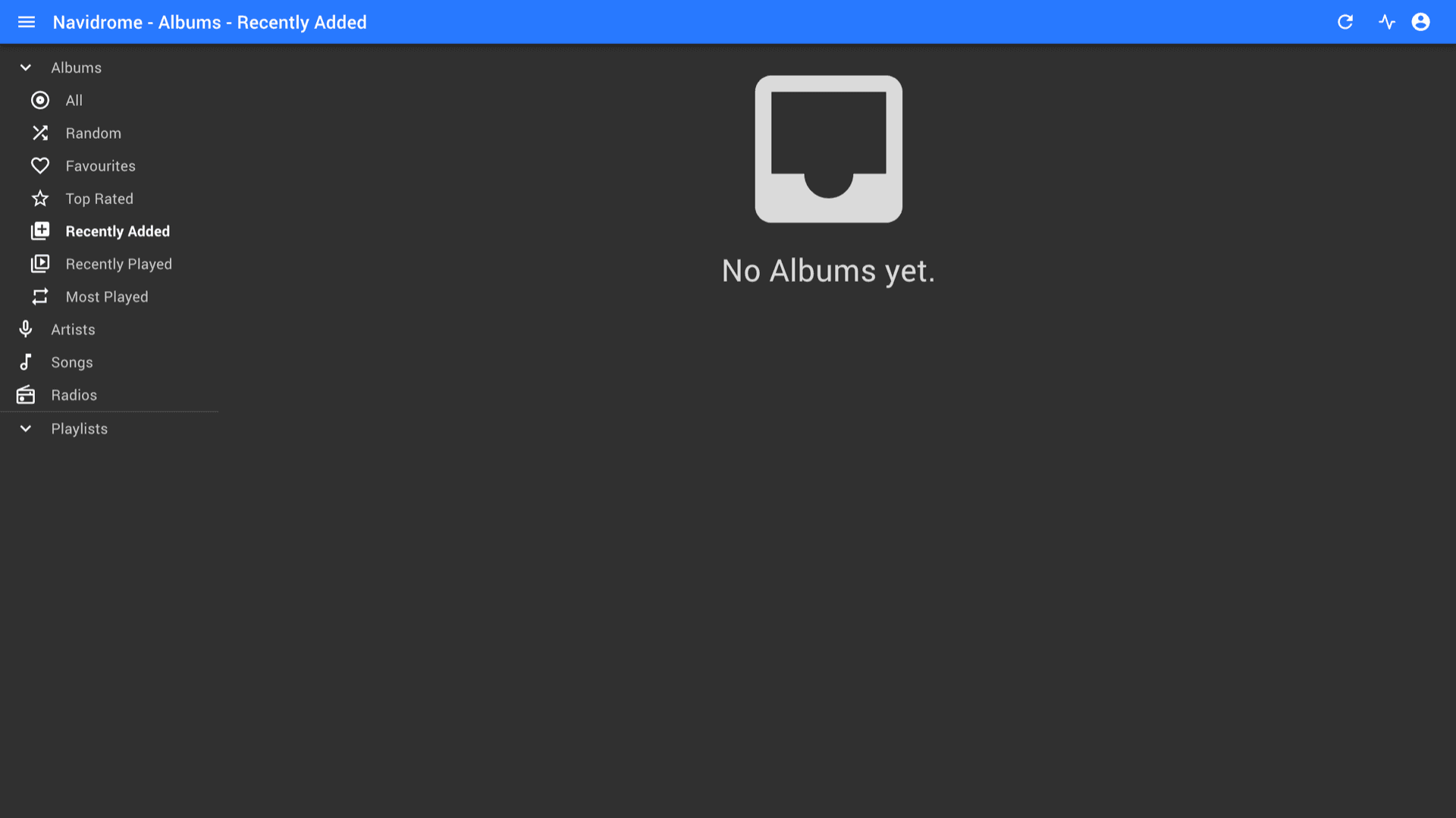
Open the HTTPS URL from the Overview tab, sign in with your install username and password, then browse albums, artists, playlists, and radios from the browser.
Subsonic clients
Point Ultrasonic, play:Sub, DSub, and other Subsonic-compatible apps at your public URL so phones and players stream from your library.
Multi-user server
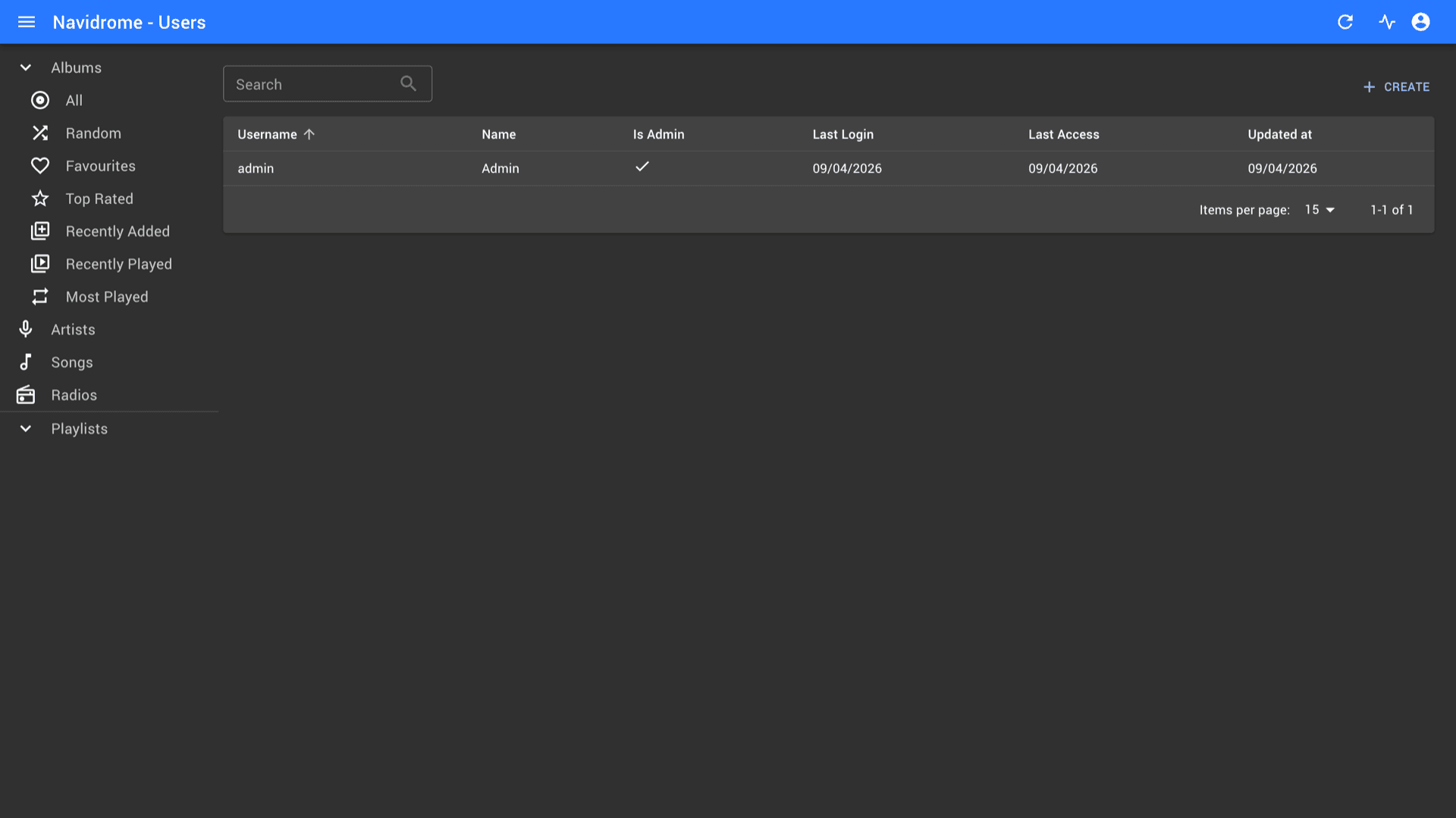
Create accounts from the admin Users screen, grant admin where needed, and keep personal libraries and playback history separated per user.
Scan and playback
Navidrome indexes music under its data path on a schedule, serves metadata and artwork, and supports transcoding profiles you configure when you need smaller streams.
Install credentials
The username and password you set at install protect the UI and APIs. Copy them from the Configuration section on the installed app page when you set up clients.
Public URL field
The ND_BASEURL field resolves to your instance URL so Navidrome generates correct links and client settings for the hostname Appbox provisions.
See Navidrome in the browser
التثبيت خلال ثوانٍ
اختر Appbox الخاص بك، واملأ بضعة حقول، وسيصبح Navidrome متاحاً.
تثبيت Navidrome
يتطلب 1 App Slot
يعرض هذا العرض التوضيحي شكل المثبّت بعد أن يصبح لديك Appbox.
المضاعِف
1.4x
تكلفة Slot
5 / 21
RAM
5.60 GB
وحدات CPU
∞
✓ navidrome.steve.appboxes.co
جاهز للتثبيت؟ ستحتاج أولاً إلى Appbox نشط.
هذه معاينة لنموذج التثبيت. اختر خطة لإنشاء Appbox ونشر التطبيق فعلياً.
Running on Appbox
How this template fits the platform as a single managed app.
Single-container app
Navidrome runs as one Appbox app with RAM and CPU shown on the instance page, not as a VM you SSH into.
Updates via restart
Restarting from the panel pulls the current packaged image so you stay on the supported version track without manual package installs on the host.
Library storage
Keep your audio files on the app volume or paths Navidrome is configured to scan. Large libraries benefit from planning disk and scan time.
Per-App Boost
Heavy libraries, transcoding, or many concurrent streams may need more RAM and CPU. Increase resources with Per-App Boost instead of guessing at limits.
Navidrome vs Jellyfin
| Feature | Navidrome | Jellyfin |
|---|---|---|
| Primary focus | Music-first server and player | Movies, TV, music, and live TV in one stack |
| Subsonic API | Native compatibility for Subsonic clients | Jellyfin clients and APIs, not Subsonic |
| Footprint | Lightweight Go binary and SQLite by default | Full .NET media server with broader features |
| Video libraries | Not the main goal | First-class movies and TV with transcoding |
| Self-hostable on Appbox |
Add your music
Frequently asked questions
Get started with Navidrome
Deploy Navidrome hosting on Appbox in one click and stream your own music with Subsonic-compatible clients.
Available versions
| Version | App Slots | RAM | CPU | Released | Changes |
|---|---|---|---|---|---|
| v0.61.2 | 1 | 4 GB | Shared | May 10, 2026 |
Need more resources? Use Per-App Boost to allocate extra App Slots and increase RAM and CPU by 10% per slot. See the FAQ below for details.