Dedicated MariaDB you connect to anywhere
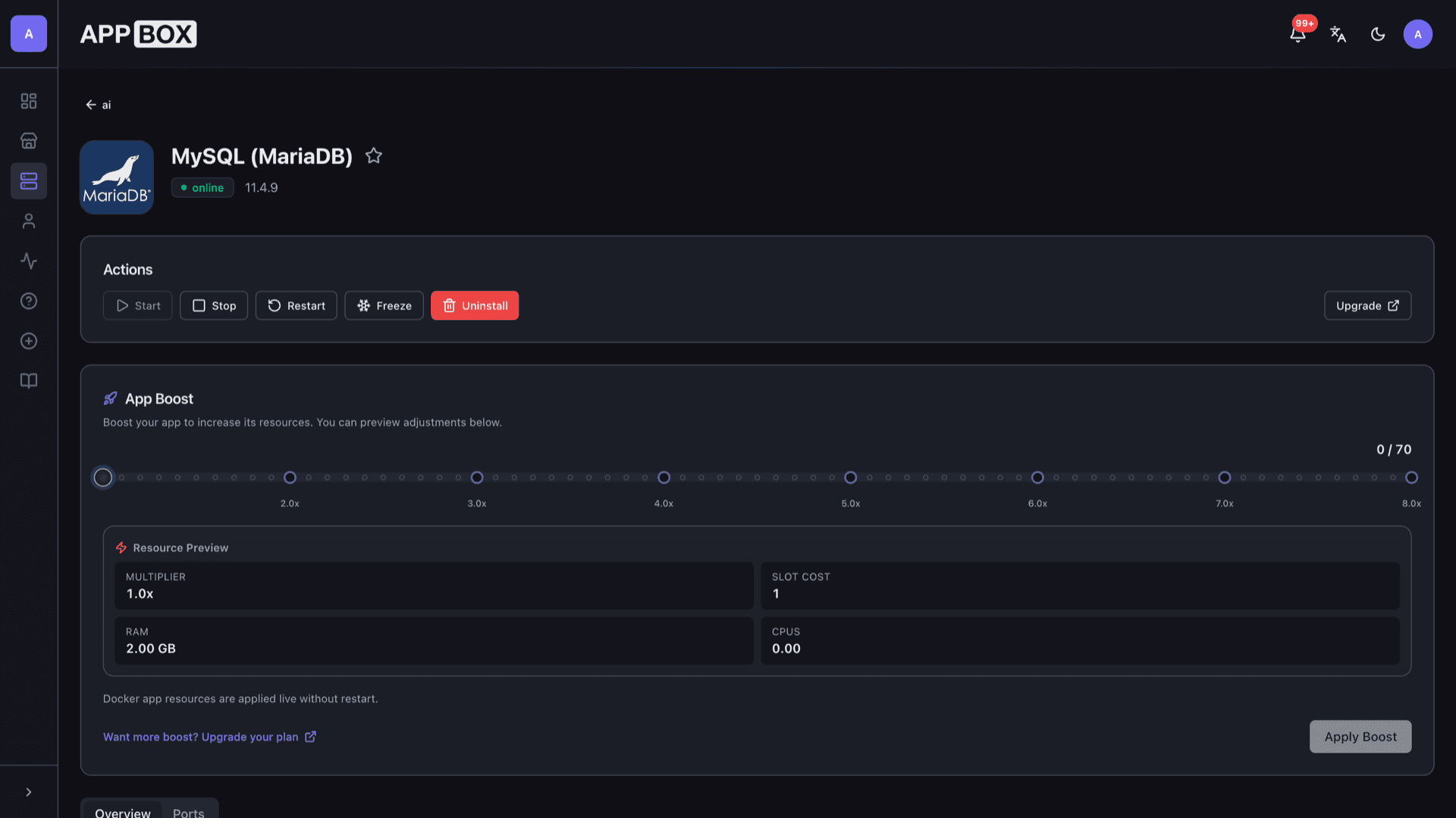
MySQL (MariaDB) hosting on Appbox. Provision a standalone database with root credentials you set at install, a stable hostname, and an external MySQL port for apps and desktop clients.
What you get with MySQL (MariaDB) hosting
A focused database app: wire-protocol access, clear connection fields in the panel, and data that stays on your Appbox storage.
MariaDB wire protocol
Use standard MySQL clients, ORMs, and drivers. The server speaks the familiar protocol so Laravel, WordPress-style stacks, and GUI tools work the same way.
Published MySQL port
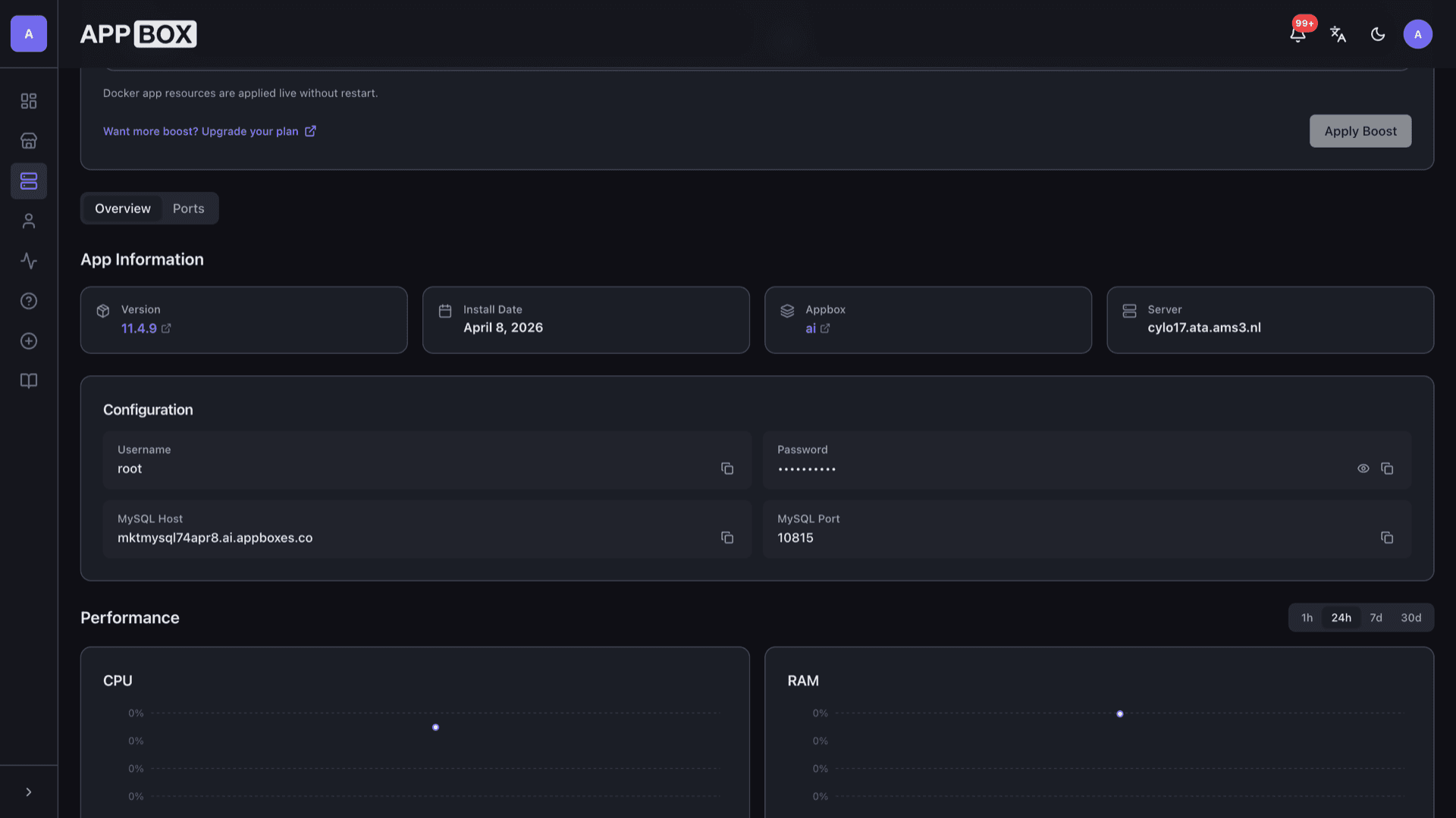
Configuration lists MySQL Host and MySQL Port after install. Point remote tools and other services at that hostname and port using the root password you chose.
Root at install
You set MYSQL_ROOT_PASSWORD during install. The panel shows Username root with copy actions for host, port, and password so onboarding stays quick.
Persistent data
Database files live on Appbox storage tied to the instance. Restarts and upgrades keep the data directory as long as you keep the app installed.
Pick a version line
The store lists supported MariaDB images. Choose the major line that matches your app, then upgrade from the installed app page when a newer build is published.
Isolated instance
Each install is its own app with its own resources and port mapping, instead of sharing one server-wide database with unrelated tenants.
See MySQL (MariaDB) on Appbox
التثبيت خلال ثوانٍ
اختر Appbox الخاص بك، واملأ بضعة حقول، وسيصبح MySQL (MariaDB) متاحاً.
تثبيت MySQL (MariaDB)
يتطلب 1 App Slot
يعرض هذا العرض التوضيحي شكل المثبّت بعد أن يصبح لديك Appbox.
المضاعِف
1.4x
تكلفة Slot
5 / 21
RAM
2.80 GB
وحدات CPU
∞
✓ mysql.steve.appboxes.co
جاهز للتثبيت؟ ستحتاج أولاً إلى Appbox نشط.
هذه معاينة لنموذج التثبيت. اختر خطة لإنشاء Appbox ونشر التطبيق فعلياً.
After provisioning
How teams wire this database into real workloads.
Connect from other apps
Use the hostname and port from Configuration in connection strings for apps on Appbox or elsewhere, subject to your network and firewall rules.
Create databases and users
Log in as root with your tools of choice, then add application databases and least-privilege users the way you would on any MariaDB server.
utf8mb4 by default
Modern stacks expect full Unicode; create schemas with utf8mb4 so emoji and international text store cleanly.
Tune with Boost
Heavy imports or busy seasons need more RAM and CPU. Per-App Boost raises resources in steps so the instance keeps up without moving providers.
Appbox MariaDB vs managed cloud MySQL
| Feature | MySQL (MariaDB) on Appbox | Managed cloud MySQL |
|---|---|---|
| Control plane | Your Appbox dashboard | Provider console and APIs |
| Provisioning | One-click app with shown host and port | Clusters, subnets, parameter groups |
| Credentials | Root password you set at install | Often provider-generated master user |
| Cost model | App Slots and plan limits | Instance class, storage, and IOPS metering |
| High availability | Single-instance app; you design replication if needed | Multi-AZ and failover options |
| Ideal fit | Self-hosted projects on Appbox | Large fleets needing vendor SLAs |
Protect the root password
Frequently asked questions
Deploy MySQL (MariaDB) hosting on Appbox
Spin up a dedicated MariaDB instance with a clear host and port, then point your apps and clients at it in minutes.
Available versions
| Version | App Slots | RAM | CPU | Released | Changes |
|---|---|---|---|---|---|
| 11.4.9 | 1 | 2 GB | Shared | Dec 8, 2025 |
Need more resources? Use Per-App Boost to allocate extra App Slots and increase RAM and CPU by 10% per slot. See the FAQ below for details.
MySQL (MariaDB)
بواسطة MariaDB Foundation