
Web file manager and IDE
Kodbox hosting on Appbox. Deploy a desktop-style file workspace in the browser with uploads, sharing hooks, and inline editing for remote projects.
What you get with Kodbox hosting
A single HTTPS endpoint for files and light development tasks, managed like any other Appbox web app.
Familiar file UI
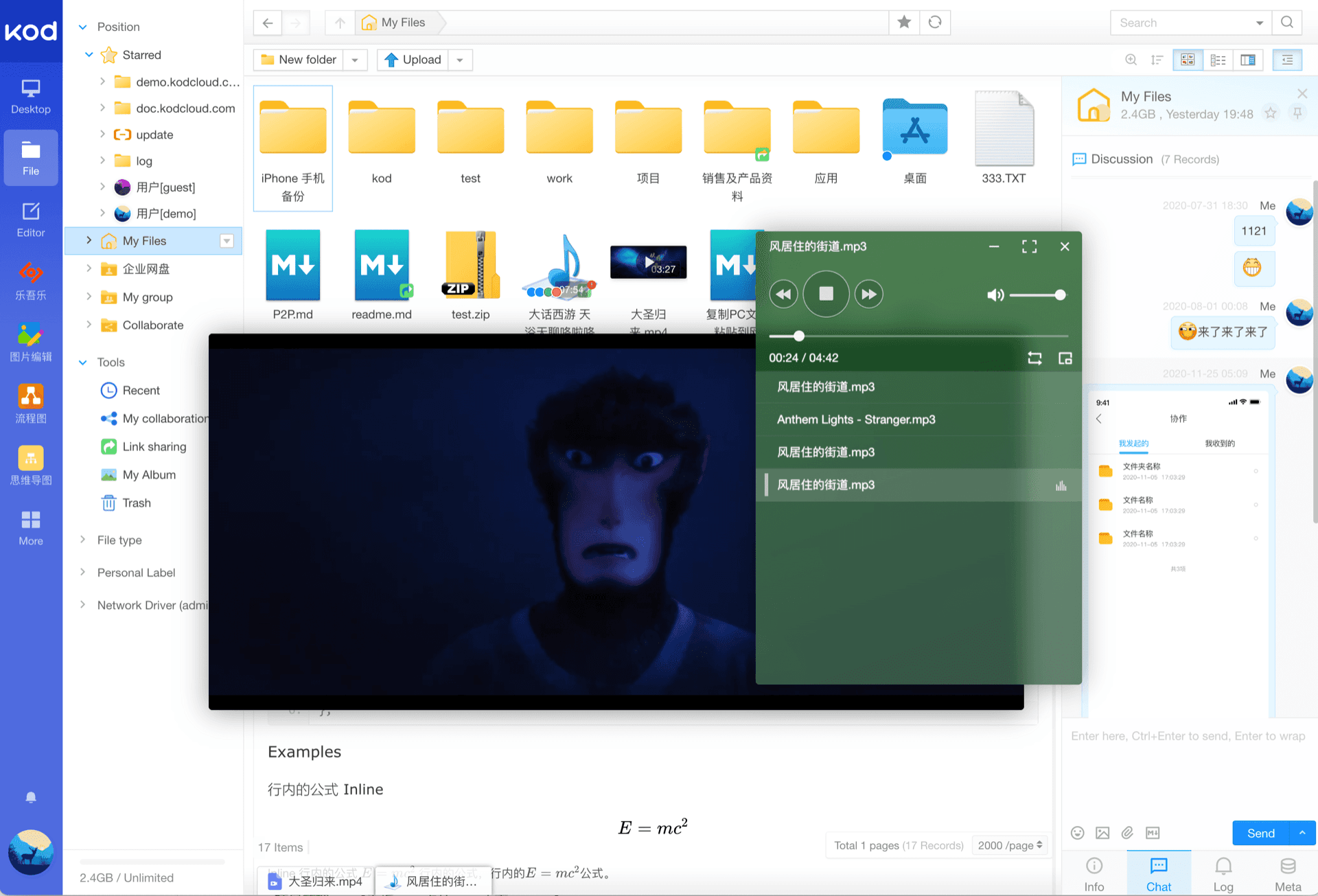
Icon, list, and column views, selection tools, and path navigation that behave like a desktop file manager inside the browser.
Browser code editing
Open and edit text and web assets from the same UI so small fixes and content tweaks do not need a separate SFTP client.
Upload and download
Drag-and-drop uploads, batch operations, and downloads for moving data in and out of your instance storage.
Multi-user ready
Kodbox supports multiple accounts and sharing workflows suited to small teams or a private cloud-style portal.
Storage plugins
Mount additional backends such as FTP, WebDAV, and S3-class object storage when you configure them inside Kodbox.
Install-time password
You set an alphanumeric admin password in the Appbox install modal. After provisioning, sign in through your public URL using the credentials shown on the installed app Overview tab.
See Kodbox on Appbox
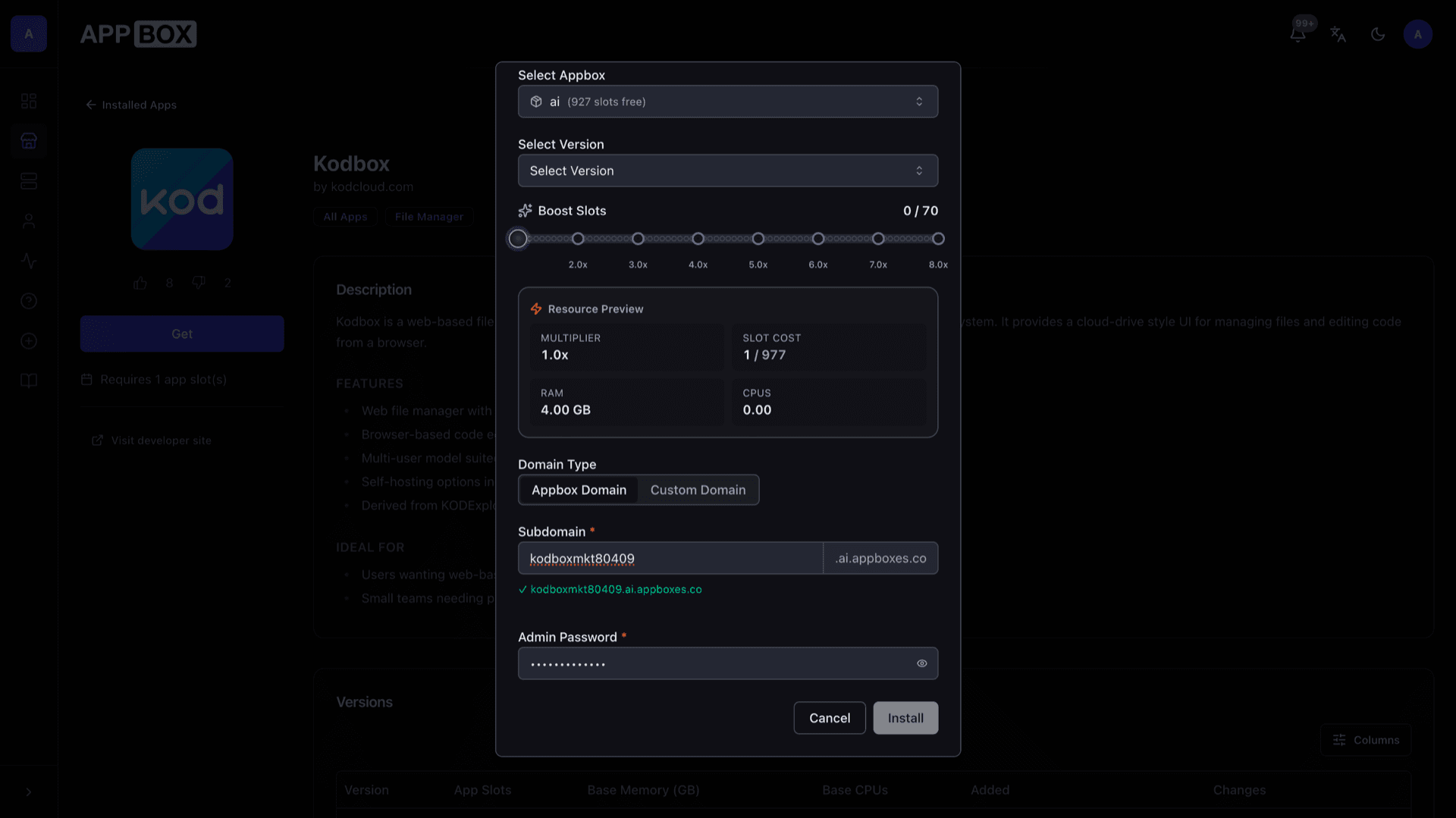
التثبيت خلال ثوانٍ
اختر Appbox الخاص بك، واملأ بضعة حقول، وسيصبح Kodbox متاحاً.
تثبيت Kodbox
يتطلب 1 App Slot
يعرض هذا العرض التوضيحي شكل المثبّت بعد أن يصبح لديك Appbox.
المضاعِف
1.4x
تكلفة Slot
5 / 21
RAM
5.60 GB
وحدات CPU
∞
✓ kodbox.steve.appboxes.co
جاهز للتثبيت؟ ستحتاج أولاً إلى Appbox نشط.
هذه معاينة لنموذج التثبيت. اختر خطة لإنشاء Appbox ونشر التطبيق فعلياً.
Operations and limits
Practical notes for running Kodbox on a managed Appbox container.
HTTPS front door
Appbox terminates TLS. Your Kodbox vhost uses the subdomain you choose at install time, with the full URL on Overview once DNS and routing are active.
PHP application stack
Kodbox ships as a PHP application with its own data layout inside the container. Treat major upgrades like any packaged Appbox image refresh.
Instance storage
Files live on the app volume Appbox provisions. Plan free space the same way you would for any upload-heavy web app.
Appbox-only runtime
This is a managed container on Appbox, not a KVM VPS. You get the Kodbox web stack the image provides, not arbitrary nested Docker or host kernel changes.
Kodbox vs Nextcloud
| Feature | Kodbox | Nextcloud |
|---|---|---|
| Primary focus | File manager and web IDE | Files plus broad collaboration apps |
| App ecosystem | Kodbox plugins and storage drivers | Large app store |
| Office editing | Built around Kodbox viewers and editors | Often Collabora or OnlyOffice |
| Resource footprint | Single PHP app container on Appbox | Heavier stack when many apps enabled |
| Self-hostable |
About the screenshots
Frequently asked questions
Deploy Kodbox on Appbox
Stand up Kodbox hosting with a short install form and an HTTPS URL on your Appbox. Add storage mounts and users from the web UI after the instance is running.
Available versions
| Version | App Slots | RAM | CPU | Released | Changes |
|---|---|---|---|---|---|
| 1.68.10 | 1 | 4 GB | Shared | Jul 1, 2026 | |
| 1.64.05 | 1 | 4 GB | Shared | Nov 30, 2025 |
Need more resources? Use Per-App Boost to allocate extra App Slots and increase RAM and CPU by 10% per slot. See the FAQ below for details.