
Torrent client with a real web UI
qBittorrent hosting on Appbox. Manage magnets, queues, bandwidth, and RSS rules from your browser on a managed instance with a public HTTPS URL.
What you get with qBittorrent hosting
The upstream client behavior you expect, packaged for Appbox with TLS and connection details on the installed app page.
Built-in Web UI
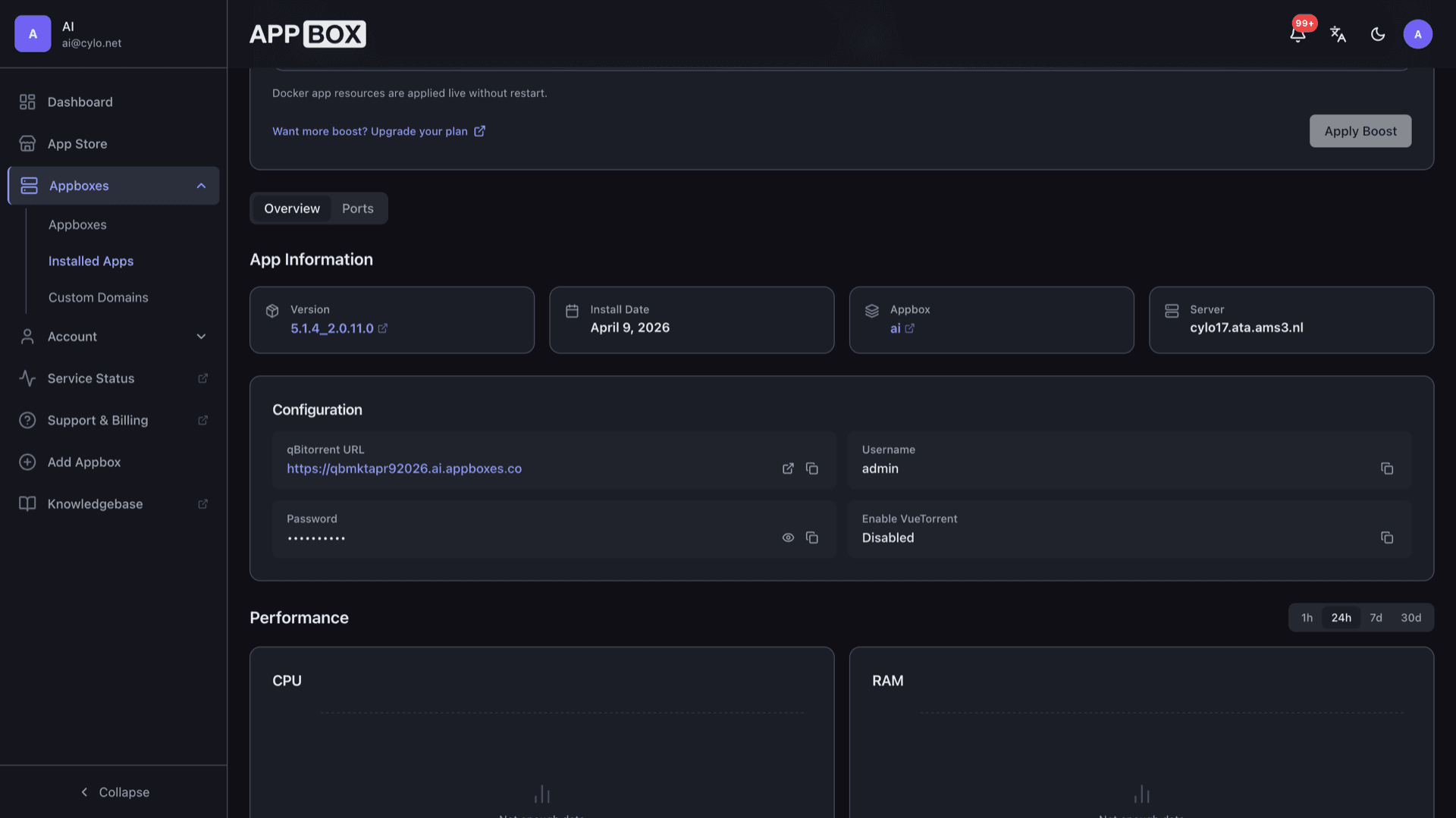
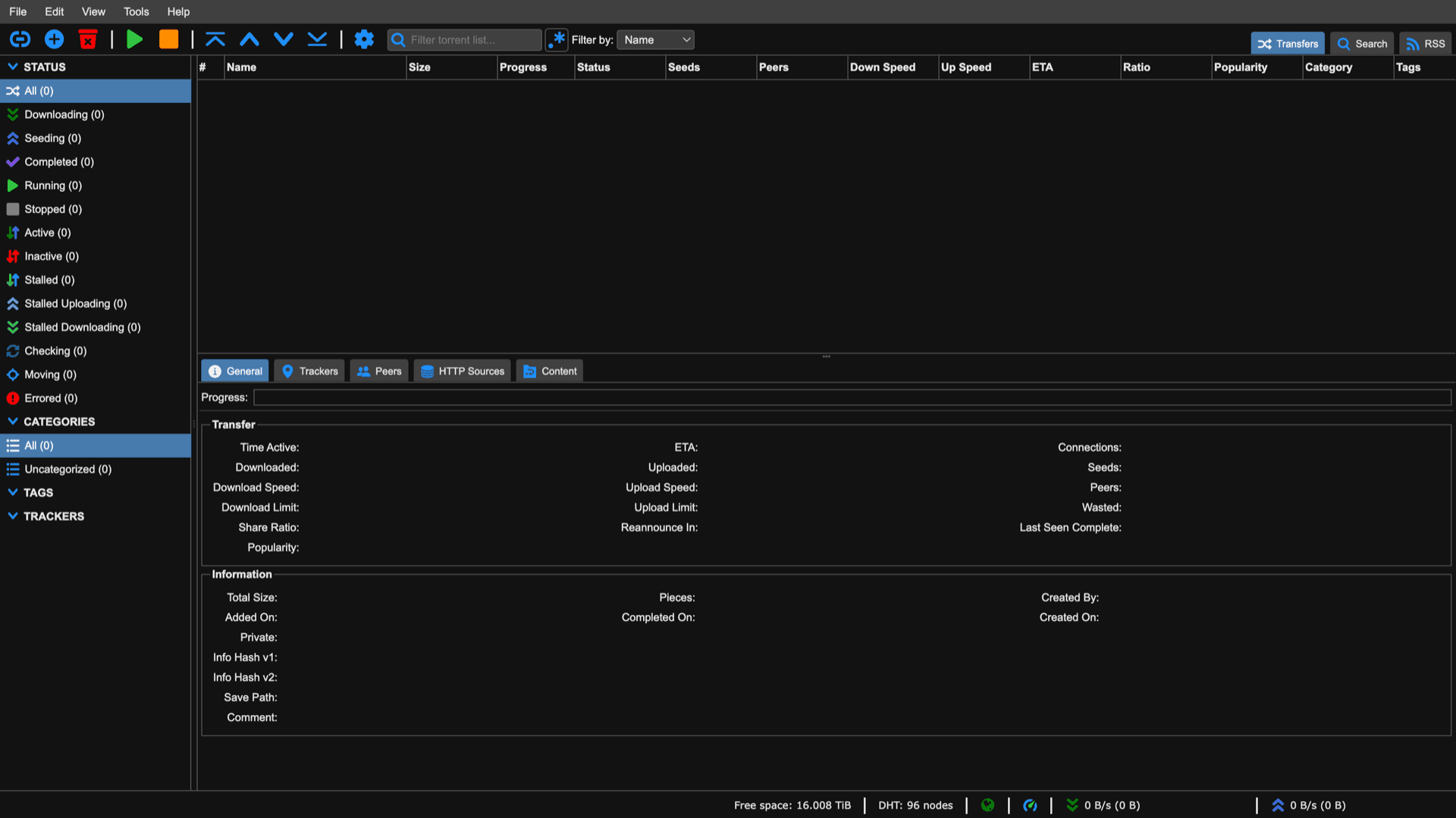
Open the Web UI link from the Overview tab, sign in with the username shown in the panel and the password you set at install, then manage torrents without a desktop session.
Queues and limits
Pause, resume, reorder, set per-torrent and global caps, and tune seeding rules from the same interface you would use on a local install.
Categories and paths
Organize downloads with categories and custom save locations. Point default saves at shared storage paths when you want data outside the app volume.
RSS automation
Subscribe feeds and apply filters so matching releases enqueue automatically, useful for recurring series or tracked indexers.
Magnets and trackers
Add magnet links and torrent files, edit trackers, and use the usual peer, DHT, and encryption settings for public and private swarms.
Optional VueTorrent
Enable the VueTorrent switch at install time if you prefer that alternate web front end. Otherwise you get the classic qBittorrent Web UI.
See qBittorrent on Appbox
Instalacija za nekoliko sekundi
Odaberite svoj Appbox, ispunite nekoliko polja i qBittorrent je online.
Instaliraj qBittorrent
Zahtijeva 1 App slot
Ovaj demo prikazuje kako instalacijski program izgleda nakon što imate Appbox.
Množitelj
1.4x
Trošak slotova
5 / 21
RAM
140.00 GB
CPU-i
∞
✓ qbittorrent.steve.appboxes.co
Spremni za instalaciju? Najprije trebate aktivan Appbox.
Ovo je pretpregled obrasca za instalaciju. Odaberite plan kako biste izradili svoj Appbox i stvarno pokrenuli aplikaciju.
Operations and integrations
How teams usually run qBittorrent next to other Appbox apps.
Web API and automation
qBittorrent exposes its Web API so tools such as Sonarr or Radarr can add torrents and read state when you configure them against your HTTPS URL and credentials.
Shared storage path
To keep downloads in general user storage, set the default save path to /APPBOX_DATA/storage (or another path your workflow uses) inside qBittorrent settings instead of only the app-local volume.
IP filter ready
Load block lists and tune protocol preferences when you need stricter peer policy on shared infrastructure.
Content layout control
Rename, relocate, and enforce subfolder layouts per category so finished media lines up with how your library apps expect files on disk.
qBittorrent vs Transmission
| Feature | qBittorrent | Transmission |
|---|---|---|
| Interface depth | Full web UI with RSS, tags, search plugins | Minimal web UI focused on transfers |
| RSS downloader | Built-in | Not a first-class feature in the daemon UI |
| Resource profile | Heavier feature set | Often lighter footprint |
| Remote workflow | Web UI plus Web API | Web UI and RPC |
| Self-hostable |
Web UI sign-in tip
Frequently asked questions
Deploy qBittorrent on Appbox
Run qBittorrent hosting with HTTPS, clear connection details, and one-click install so you can manage torrents from the web.
Available versions
| Version | App Slots | RAM | CPU | Released | Changes |
|---|---|---|---|---|---|
| 5.2.0_2.0.12.0 | 1 | 100 GB | Shared | May 5, 2026 | |
| 5.1.4_2.0.11.0 | 1 | 100 GB | Shared | Jan 2, 2026 | |
| 4.3.9_2.0.5.0 | 1 | 100 GB | Shared | Jan 1, 2026 |
Need more resources? Use Per-App Boost to allocate extra App Slots and increase RAM and CPU by 10% per slot. See the FAQ below for details.
qBittorrent
autor qBittorrent