
Run your CRM on your terms
Twenty hosting on Appbox gives one workspace a dedicated Twenty v2.20.0 deployment with the database, cache, initial administrator, and persistent storage configured for you.
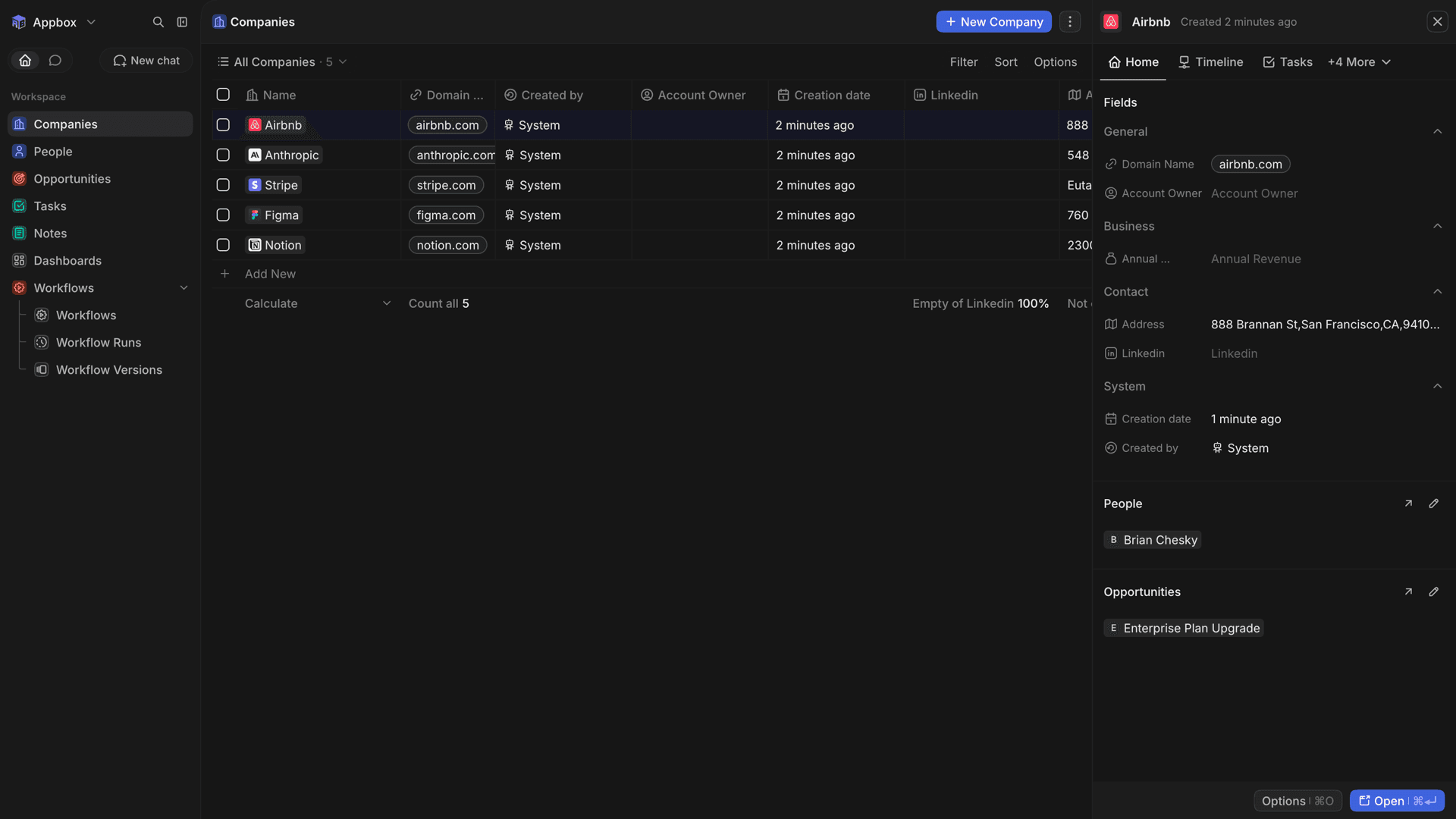
Core CRM work in one place
Organize customer records and sales activity in a modern open-source CRM.
People and companies
Keep people and company records together so teams can work from shared customer context.
Opportunity tracking
Track opportunities through the sales process and keep related customer information close at hand.
Tasks and notes
Record follow-up tasks and notes alongside the CRM records they support.
Flexible workspace
Configure the workspace around the fields and views your team needs instead of relying on a fixed spreadsheet.
Dedicated deployment
Run Twenty in a dedicated Appbox app rather than placing CRM records in a shared vendor-managed SaaS account.
HTTPS web access
Open the Twenty web interface through the HTTPS domain selected for the Appbox installation.
See Twenty in action
Installer på sekunder
Vælg din Appbox, udfyld nogle få felter, og Twenty er live.
Installer Twenty
Kræver 1 App Slot
Denne demo viser, hvordan installationsprogrammet ser ud, når du har en Appbox.
Multiplikator
1.4x
Slotpris
5 / 21
RAM
5.60 GB
CPU'er
∞
✓ twenty.steve.appboxes.co
Klar til at installere? Du skal først have en aktiv Appbox.
Dette er en forhåndsvisning af installationsformularen. Vælg en plan for at oprette din Appbox og udrulle rigtigt.
A complete Twenty package
The application and its backing services share one Appbox lifecycle.
Automated first admin
Choose the administrator email and retain the password generated by Appbox. The package creates the initial account and workspace automatically.
PostgreSQL and Redis
The package includes PostgreSQL 16 and Redis, so this configuration does not require separate database or cache services.
Persistent app data
Twenty, PostgreSQL, Redis, and package state use the persistent /app/data volume.
4 GB baseline
The package is configured with 4 GB of memory for Twenty and its bundled backing services.
Twenty on Appbox vs Salesforce Sales Cloud
| Feature | Twenty on Appbox | Salesforce Sales Cloud |
|---|---|---|
| Hosting model | Dedicated Twenty v2.20.0 Appbox deployment. | Vendor-managed SaaS CRM. |
| Core focus | Open-source CRM for people, companies, opportunities, tasks, and notes. | Broad enterprise sales platform with a large product and partner ecosystem. |
| Initial setup | Appbox creates one workspace and its first administrator during installation. | Salesforce provisions the service and organization after account signup. |
| Operations | The customer controls update timing, backups, and resource sizing. | Salesforce operates infrastructure and platform updates. |
| Best fit | Teams wanting a focused, self-hosted open-source CRM. | Organizations needing Salesforce-specific integrations, enterprise administration, or its wider cloud ecosystem. |
Back up before updates
Frequently asked questions
Start your Twenty workspace
Deploy Twenty hosting on Appbox with one workspace, automated administrator setup, PostgreSQL, Redis, and persistent /app/data storage.
Available versions
| Version | App Slots | RAM | CPU | Released | Changes |
|---|---|---|---|---|---|
| v2.20.0-1 | 1 | 4 GB | Shared | Jul 14, 2026 |
Need more resources? Use Per-App Boost to allocate extra App Slots and increase RAM and CPU by 10% per slot. See the FAQ below for details.