Hosted App Server vs VPS - Which Should You Choose?
Hosted app servers and VPSes solve different problems. Here is how to choose between one-click app hosting, managed cloud apps, and a full virtual private server.
Hosted App Server vs VPS: Which Should You Choose?
When people look for a remote server, they often use a few different phrases for the same broad goal: hosted app server, cloud app hosting, private app hosting, remote app hosting, managed app hosting, VPS hosting.
Those phrases overlap, but they are not identical. A hosted app server and a VPS can both put your software online. The difference is how much of the system you want to manage yourself.
This guide breaks down the trade-off in plain terms, especially if your goal is to run apps like Plex, Nextcloud, GitLab, WordPress, File Browser, or other self-hosted tools.
The Short Version
Choose a hosted app server when you want to install and run specific apps quickly, with dashboard controls, persistent storage, URLs, credentials, and updates handled through a platform flow.
Choose a VPS when you want full root access to a virtual machine and are comfortable managing the operating system, packages, firewall, services, storage mounts, backups, and troubleshooting yourself.
Neither option is universally better. They are optimized for different kinds of control.
What a Hosted App Server Is
A hosted app server is a server environment designed around applications rather than a blank operating system.
On Appbox, that means you start from the app library. You choose an app, install it, and manage it from the dashboard. Appbox handles the surrounding platform pieces: app URLs, credentials, app data, storage integration, restart controls, versions, and resource allocation where supported.
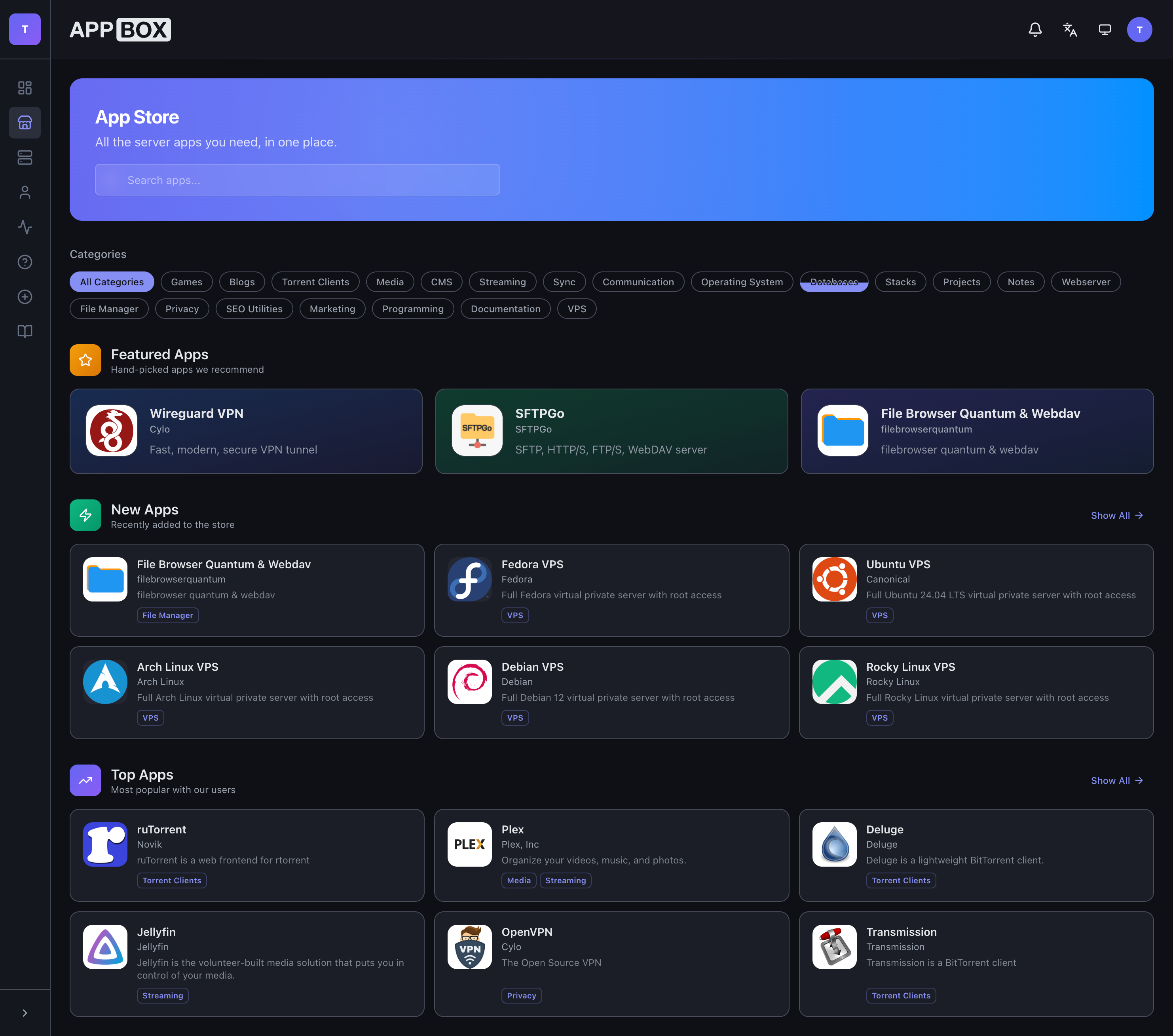
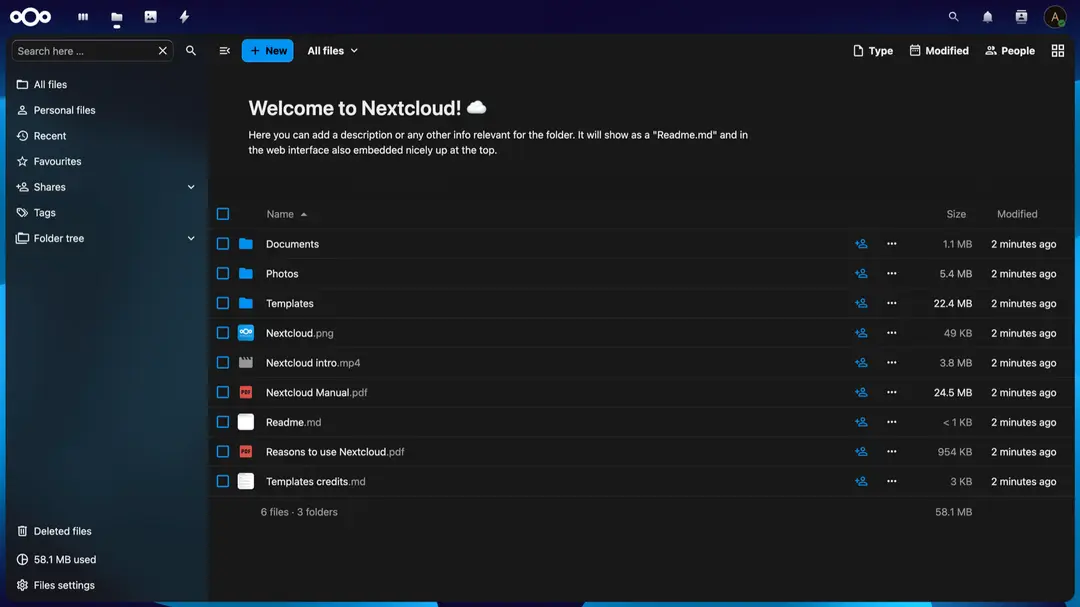
That model is useful when the app is the point. If you want a private media server, file sync, password vault, Git server, web app, or dashboard tool, you probably do not want to spend the first afternoon assembling plumbing.
You want the app running.
What a VPS Is
A VPS, or virtual private server, gives you a full virtual machine. You usually pick a Linux distribution, connect over SSH, and manage the machine like any other server.
That extra control is real. You can install custom packages, run Docker Compose, configure systemd services, tune the firewall, manage users, and shape the server exactly how you want it.
Appbox also supports full KVM VPSes for cases where you need that level of control. We covered the launch and use cases in Launch Week Day 3 - Virtual Private Servers.
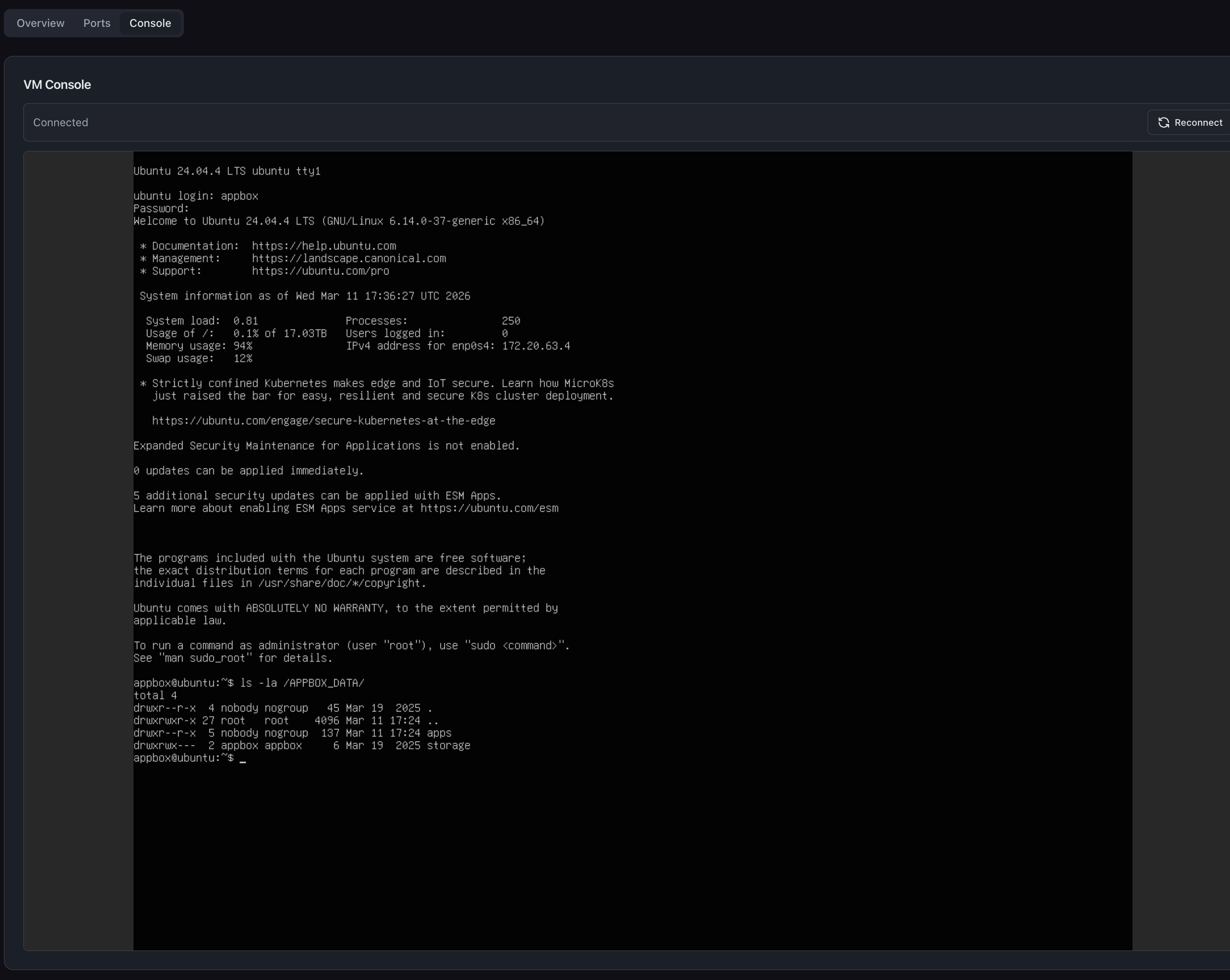
The trade-off is that a VPS gives you the operating system, not the finished app stack. That can be perfect if you enjoy or require that control. It can be a distraction if your real goal is simply running a few hosted apps.
Where a Hosted App Server Wins
A hosted app server is usually the better fit when your requirements look like this:
- You want to install known apps quickly.
- You want app URLs, credentials, storage, and restarts in one dashboard.
- You would rather avoid maintaining a reverse proxy by hand.
- You want to run several apps that share the same storage environment.
- You want app-level controls instead of SSH-first operations.
- You care more about using the app than customizing the server underneath it.
For example, if you are setting up Plex, Nextcloud, GitLab, and WordPress, a hosted app server keeps the workflow focused on apps. You install each one from the same place and manage them through the same control panel.
That matters over time. The first install is only one part of hosting. The day-to-day experience is restarts, updates, resource checks, credentials, domains, file access, support, and remembering how everything is connected.
Where a VPS Wins
A VPS is usually the better fit when your requirements look like this:
- You need root access.
- You need custom system packages or kernel-level behavior.
- You want to run your own Docker Compose stack.
- You need a custom network layout or firewall.
- You want to manage systemd services yourself.
- You are building something that does not fit a one-click app model.
This is why Appbox has both paths. One-click hosted apps are best when the application workflow is known. VPSes are best when the environment itself needs to be open-ended.
If you are building a custom application stack, running unusual dependencies, or experimenting with infrastructure, a VPS can be the right tool.
The Hidden Cost Is Operations
The biggest difference is not the monthly line item. It is operations.
With a VPS, you own the whole chain:
- operating system updates
- package repositories
- firewall rules
- Docker or service configuration
- reverse proxy configuration
- SSL certificate renewal
- app backups
- process monitoring
- disk cleanup
- log inspection
- security hardening
Some people want that. Some teams need it. But many app-hosting projects do not.
With a hosted app server, the platform removes a lot of that repeated setup work. You still need to choose your apps, understand your storage, and keep an eye on resources, but you are not starting from a blank shell every time.
A Practical Decision Checklist
Ask these questions before choosing:
Do you need root access? If yes, choose a VPS. If not, hosted app server is probably simpler.
Are you running a known app from the app library? If yes, start with hosted app hosting. You can always add a VPS later if the setup outgrows the app model.
Do you want to manage SSL, proxy rules, and service files yourself? If yes, VPS. If no, hosted apps.
Will several apps use the same files? Hosted apps on Appbox are useful here because app data and shared storage are part of the platform model.
Are you experimenting with custom infrastructure? Use a VPS. It is the right shape for open-ended systems work.
Are you trying to get Plex, Nextcloud, GitLab, or WordPress running quickly? Use the app library first.
How Appbox Combines Both
The useful thing about Appbox is that you do not have to treat this as a permanent identity decision. You can run hosted apps for the things that fit the app model and use VPSes for the cases where you need full machine control.
The especially useful part is that an Appbox VPS can access the files from your hosted apps. VPSes mount your Appbox data under /APPBOX_DATA/, including:
/APPBOX_DATA/apps/- data from your installed hosted apps/APPBOX_DATA/storage/- your shared Appbox storage
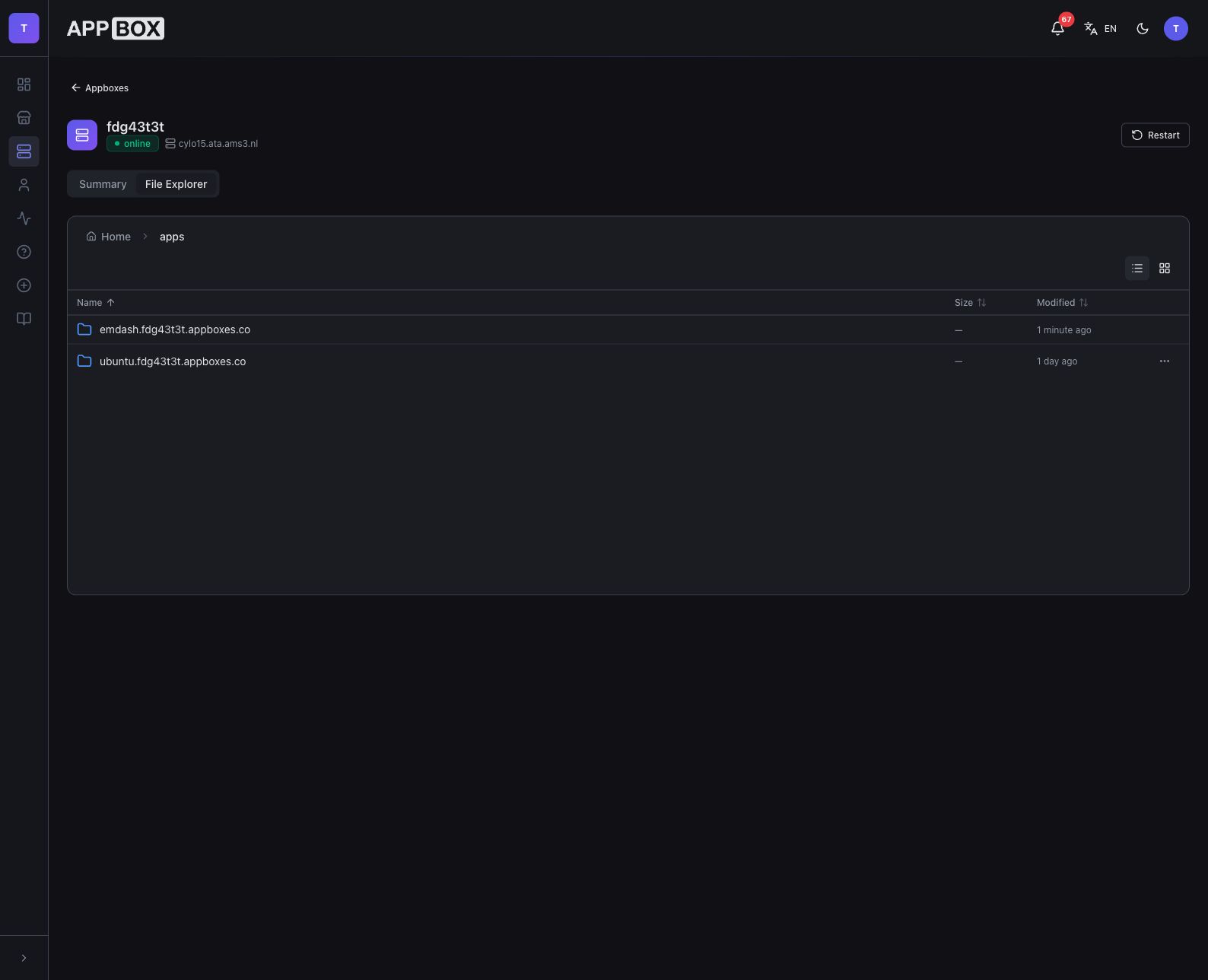
That means your media apps, file sync, dashboards, password vault, and web tools can live in the managed app flow, while custom services or development environments can live on a VPS that still sees the same files.
For example, you could run Plex or Nextcloud as hosted apps, then use an Ubuntu VPS for custom scripts, batch processing, backups, development tools, or anything else that benefits from full Linux control. The VPS does not have to be a separate island. It can work with the same Appbox data your hosted apps use.
For many people, that hybrid setup is calmer than forcing everything into one model.
Start with the Workflow
The easiest way to choose is to start with the workflow, not the server type.
If the workflow is "I want to run this app," begin with the Appbox app library.
If the workflow is "I want to control this machine," use a VPS.
Both are valid. The right choice is the one that lets you spend more time on the thing you actually wanted to run.
Questions about hosted app servers, VPSes, or choosing the right Appbox setup? Reach out at support@appbox.co or open a ticket at billing.appbox.co.