Launch Week రోజు 3 - Virtual Private Servers
Launch Week Day 3. Full KVM virtual private servers ఇప్పుడు Appbox లో అందుబాటులో ఉన్నాయి. Ubuntu, Debian, Arch Linux, Fedora, Rocky Linux, లేదా AlmaLinux నుండి ఎంచుకుని నిజమైన VM కు root access పొందండి.
Launch Week రోజు 3: Virtual Private Servers
Day 3. ఇదే పెద్దది.
ప్రారంభం నుంచే, self-hosted apps ను సులభం చేయడమే Appbox లక్ష్యం. app install చేయండి, URL పొందండి, అయిపోయింది. ఆ model చాలా విషయాలకు అద్భుతంగా పనిచేస్తుంది. కానీ ఎప్పుడూ ఒక class of use case ఉంటుంది, అందులో మీకు full machine కావాలి. మీ స్వంత kernel, మీ స్వంత init system, మీ స్వంత rules.
ఈ రోజు మేము Appbox పై Virtual Private Servers launch చేస్తున్నాము.
Containers కాదు, నిజమైన VMs
ఇది ఏమిటో స్పష్టంగా చెప్పుకుందాం. ఇవి dedicated hardware పై నడిచే full KVM virtual machines; వాటికి స్వంత kernel, స్వంత systemd, మరియు full root access ఉంటుంది. ఇది OS లా నటించే Docker container కాదు. ఇది నిజమైనది.
ఆ తేడా ముఖ్యం, ఎందుకంటే containers చేయలేనివన్నీ ఇది unlock చేస్తుంది:
- మీ VPS లో Docker - ఏ server లో చేసినట్లే
docker compose upనడపండి - Snaps మరియు Flatpaks - desktop software install చేయాల్సిన విధంగా install చేయండి
- Systemd services - పూర్తి service management, timers, journal, అన్నీ
- Custom kernels మరియు modules - మీకు root ఉంది, మీకు కావాల్సింది చేయండి
- Nested virtualization - అవసరమైతే, అది ఉంది
మా Docker-based OSes లేదా webtops లో container limitations వల్ల ఏదైనా పనిచేయక గోడను ఢీకొన్నట్లైతే, ఆ గోడ ఇప్పుడు లేదు.
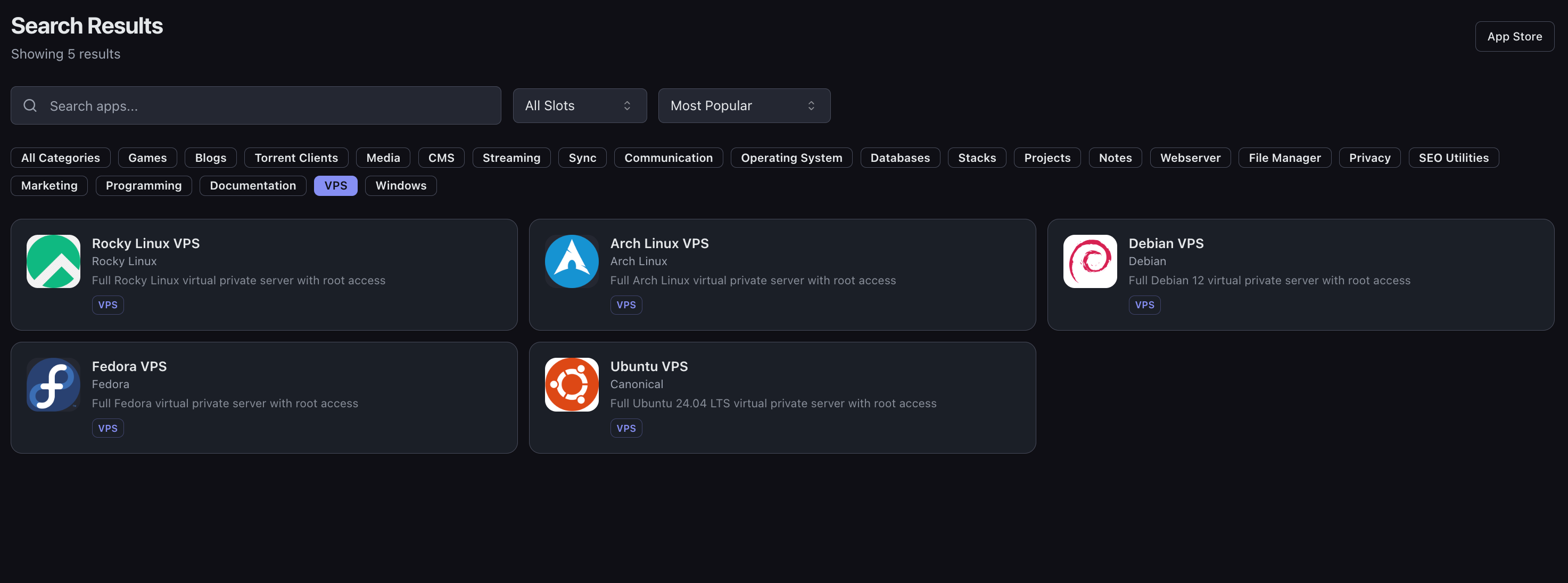
ఆరు Linux OSes అందుబాటులో
ఇప్పుడు మీరు ఆరు Linux distributions నుండి ఎంచుకోవచ్చు:
| OS | Description |
|---|---|
| Ubuntu VPS | Full Ubuntu 24.04 LTS |
| Debian VPS | Full Debian 12 and 13 |
| Arch Linux VPS | Rolling release, always up to date |
| Fedora VPS | Fedora 43 with latest packages |
| Rocky Linux VPS | Enterprise-grade RHEL compatibility |
| AlmaLinux VPS | RHEL-compatible enterprise Linux with long-term support |
మీకు తెలిసినదాన్ని ఎంచుకోండి, లేదా నేర్చుకోవాలనుకునేదాన్ని ఎంచుకోండి. Appbox లో అన్నింటికీ అదే feature set ఉంటుంది.
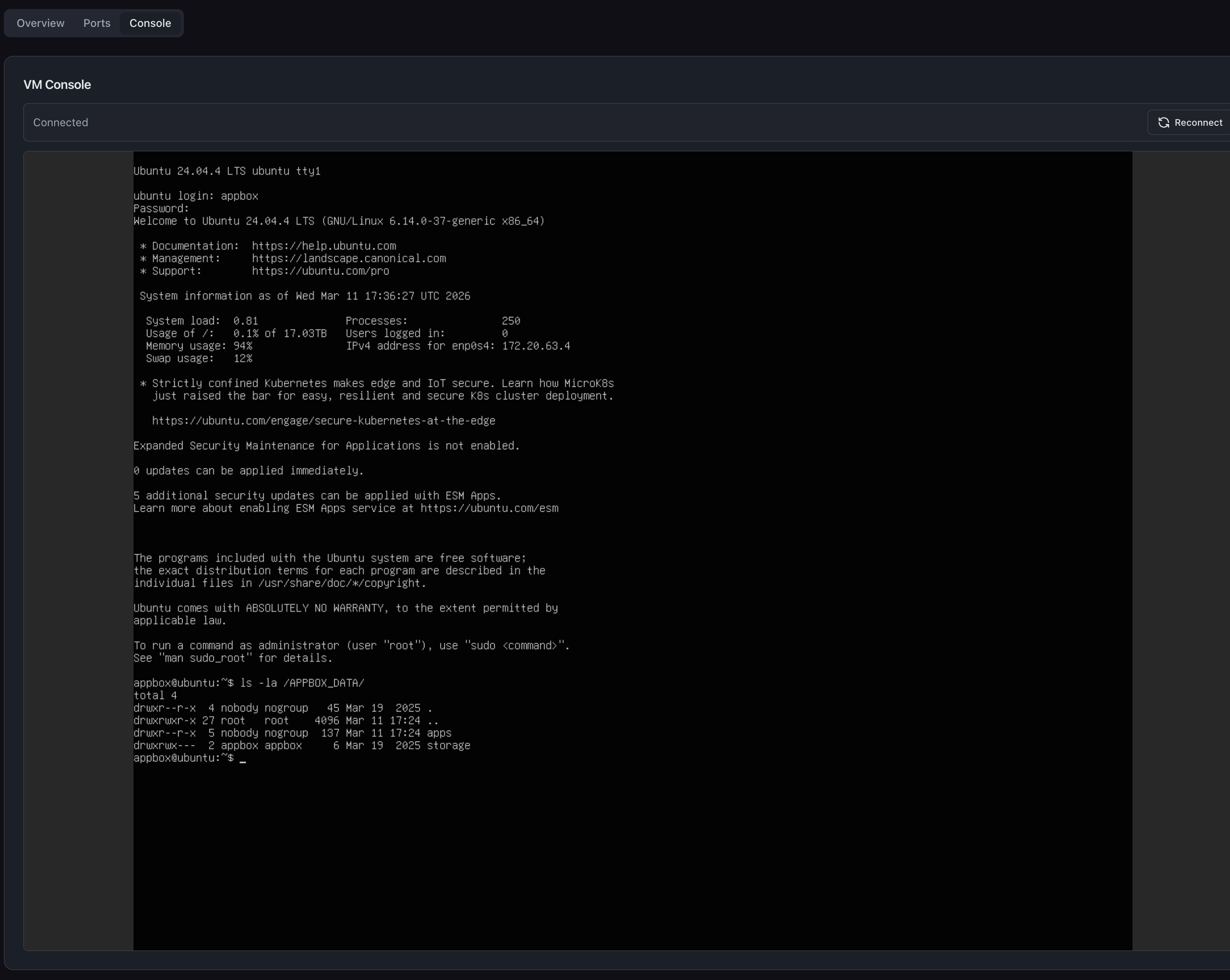
Built-in Web Console
ప్రతి VPS Appbox dashboard లోనే built-in browser-based console తో వస్తుంది. ఏ VPS లోనైనా Console tab క్లిక్ చేస్తే, మీ browser లోనే live terminal session లభిస్తుంది.
దీంతో మీ server నుండి మీరు ఎప్పుడూ lock out కాలేరు. Misconfigured SSH? network config పాడైందా? సమస్య లేదు. web console VM virtual display కు నేరుగా connect అవుతుంది, guest network stack కు పూర్తిగా independent. లోపలికి వెళ్లడానికి మీకు ఎప్పుడూ మార్గం ఉంటుంది.
Selkies తో Ubuntu Desktop
ఇక్కడే విషయం ఆసక్తికరంగా మారుతుంది. మా Ubuntu VPS కు Selkies ఆధారిత desktop variant ఉంది; ఇది hardware-accelerated streaming, full audio output, మరియు microphone input తో browser నుంచే పూర్తి graphical Linux desktop అందిస్తుంది.
KVM virtual machines లో ఇది నడవడానికి మేము Selkies team తో నేరుగా పని చేశాము, మరియు integration ను github.com/appbox-co/vm-webtop వద్ద open-source చేశాము.
ప్రాక్టికల్ గా దీని అర్థం ఏమిటి? browser లో real applications తో full desktop environment నడపవచ్చు. VS Code, Discord, Spotify, Slack - అన్నీ ఒకేసారి నడుస్తాయి, అన్నీ audio తో, web browser ఉన్న ఏ device నుంచైనా accessible.
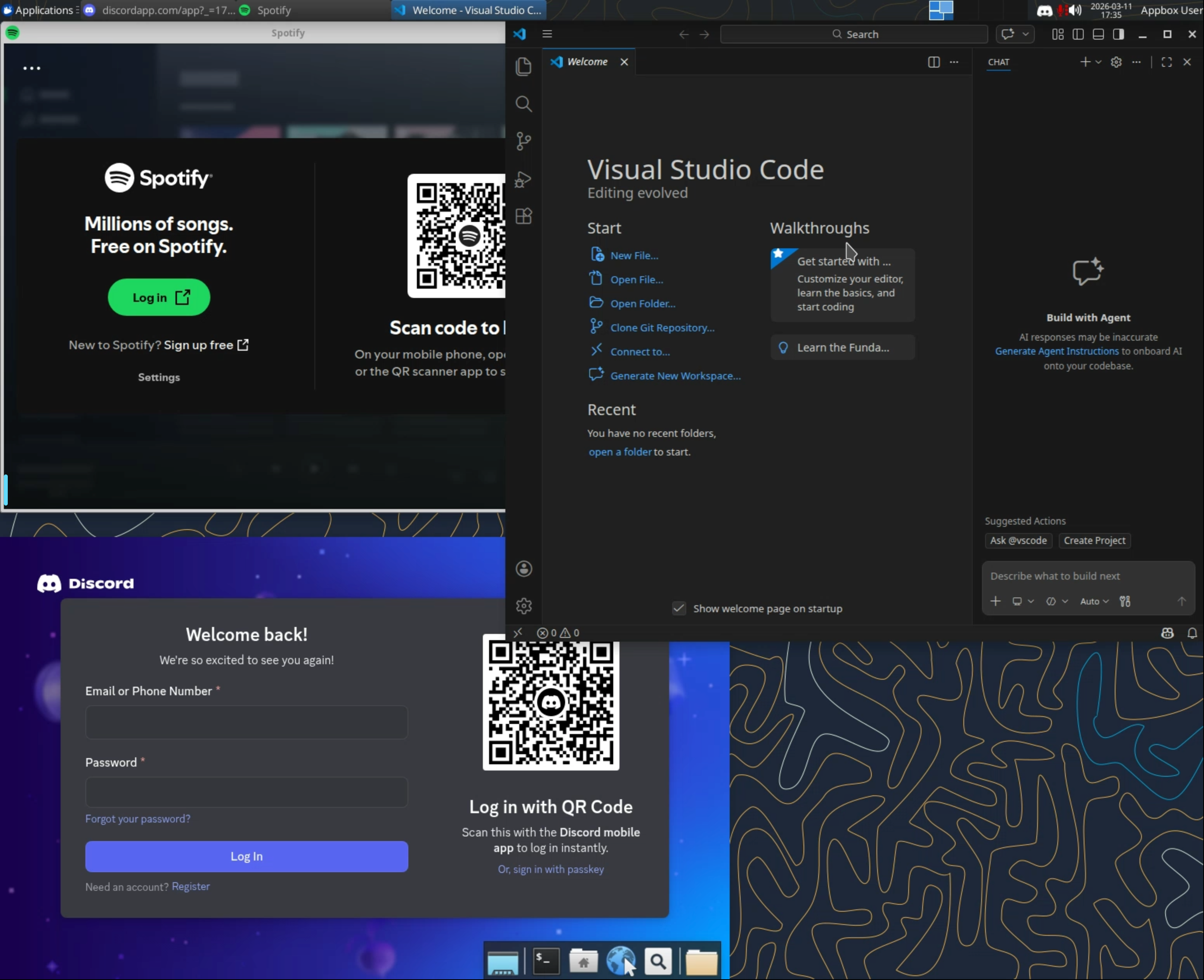
ఒక్కసారి ఆలోచించండి. మీ projects కోసం Docker containers తో VS Code నడుస్తూ, team chat కోసం Discord open గా, music కోసం Spotify play అవుతూ, ఎప్పుడూ on లో ఉండే persistent remote development environment మీకు ఉండవచ్చు. అన్నీ ఒక browser tab లో. మీ laptop నుంచి, tablet నుంచి, లేక వేరెవరైనా computer నుంచి. మీ entire workspace ఒక URL దూరంలో ఉంటుంది.
మీ Data మీతోనే ఉంటుంది
ప్రతి VPS కు /APPBOX_DATA/ directory ద్వారా మీ Appbox storage కు automatic access ఉంటుంది. లోపల ఇవి కనిపిస్తాయి:
/APPBOX_DATA/apps/- మీ ఇతర installed Appbox apps నుండి data/APPBOX_DATA/storage/- మీ general Appbox storage
ఇది virtiofs ఉపయోగించి share చేయబడుతుంది; ఇది near-native file access speeds ఇచ్చే high-performance filesystem passthrough. మీ VPS మీ ఇతర apps కూడా ఉపయోగించే files ను read మరియు write చేయగలదు, కాబట్టి ఉదాహరణకు, streaming apps నుండి media files process చేయవచ్చు లేదా మీ VPS లోపల నుంచే databases back up చేయవచ్చు.
App Boost తో పనిచేస్తుంది
VPSes Day 2 న launch చేసిన అదే App Boost system ఉపయోగిస్తాయి. మీ VM కు మరింత RAM లేదా CPU కావాలా? boost level పైకి slide చేసి, మీ plan slots లో ఎక్కువ భాగాన్ని దానికి dedicate చేయండి. Resources hypervisor level వద్ద allocate అవుతాయి, కాబట్టి మీ VM కు నిజంగా ఎక్కువ compute లభిస్తుంది, కేవలం higher cgroup limit కాదు.
గమనించాల్సింది: Docker-based OS apps తో పోలిస్తే VPSes కు కొంచెం ఎక్కువ base slot cost ఉంటుంది. host kernel share చేసే container కంటే full virtual machine ఎక్కువ real-world resources consume చేస్తుందనే విషయాన్ని ఇది ప్రతిబింబిస్తుంది. trade-off సూటిగా ఉంది: మీకు ఎక్కువ capability లభిస్తుంది, slot cost దాన్ని నిజాయితీగా చూపిస్తుంది.
VPS కోసం తర్వాత ఏమి రాబోతోంది
మేము ఈ రోజు full functionality తో VPSes launch చేస్తున్నాము, కానీ roadmap లో ఇంకా ఉంది. VPS instances కోసం resource usage graphs సమీప భవిష్యత్తులో జోడించబడతాయి, కాబట్టి ఇతర apps లాగానే dashboard నుంచే CPU, RAM, మరియు disk usage ను కాలక్రమంలో monitor చేయగలరు.
ఇది ఎందుకు ముఖ్యం
Appbox లోని Docker-based OSes మరియు webtops చాలా మందికి బాగా సేవ చేశాయి, అవి ఎక్కడికీ వెళ్లడం లేదు. కానీ container లోపల నడవడంలో నిజమైన పరిమితులు ఉన్నాయి. Docker నడపలేరు. snaps ఉపయోగించలేరు. kernel modules load చేయలేరు. full init system నడపలేరు. ఎప్పుడూ వేరొకరి namespace constraints లోనే పని చేయాలి.
VPSes ఆ constraints పూర్తిగా తొలగిస్తాయి. మీకు నిజమైన machine లభిస్తుంది. ఏ ఇతర provider నుండి rent చేసిన server పై మీరు చేయగలిగితే, ఇక్కడ కూడా చేయగలరు - అంతేకాదు మీ data ఇప్పటికే mounted, మీ web console ఇప్పటికే ఉంది, resources slider తో scale అవుతాయి.
రోజు 3 ఇప్పుడు Live
VPSes ఇప్పుడు App Store లో అందుబాటులో ఉన్నాయి. VPS category కి వెళ్లండి, మీ OS ఎంచుకోండి, install చేయండి. full VM provision చేయడం container app కంటే కొంచెం ఎక్కువ సమయం పడుతుంది, కాబట్టి మీ VPS ready కావడానికి 15 minutes వరకు పట్టవచ్చు.
రేపు Day 4. మేము నెమ్మదించడం లేదు.
Feedback ఉందా లేదా issue కనుగొన్నారా? support@appbox.co వద్ద సంప్రదించండి లేదా billing.appbox.co వద్ద ticket తెరవండి.