OpenClaw - एक निजी AI सहायक जो आपके ऐप्स से बात करता है
OpenClaw अब Appbox पर उपलब्ध है। यह open-source AI सहायक आपके infrastructure पर चलता है, आपके chat apps से जुड़ता है, और आपके दूसरे installed apps के साथ सच में काम कर सकता है।
OpenClaw अब Appbox पर है
हमने अभी app store में कुछ ऐसा add किया है जिसे लेकर मैं काफी समय से personally excited था।
OpenClaw एक open-source AI assistant है जो पूरी तरह आपके अपने infrastructure पर चलता है। इसे cloud AI assistants के private, self-hosted alternative की तरह सोचें, फर्क यह है कि यह आपके Appbox पर रहता है, आपकी conversations याद रखता है, और आपके लिए सच में काम कर सकता है।
आप इससे उन chat apps के जरिए बात करते हैं जिन्हें आप पहले से इस्तेमाल करते हैं। WhatsApp, Telegram, Discord, Slack, Signal, यहां तक कि iMessage भी। यह Anthropic, OpenAI, Google, xAI, Mistral, और अन्य models की full power से respond करता है। आप अपनी API key लाते हैं, अपना model चुनते हैं, और सब कुछ आपके server पर रहता है।
यह अपने आप में useful होता। लेकिन मैं इसे store में quietly add करने के बजाय blog post इसलिए लिख रहा हूं क्योंकि जब आप इसे अपने बाकी Appbox के साथ combine करते हैं, तब क्या possible होता है।
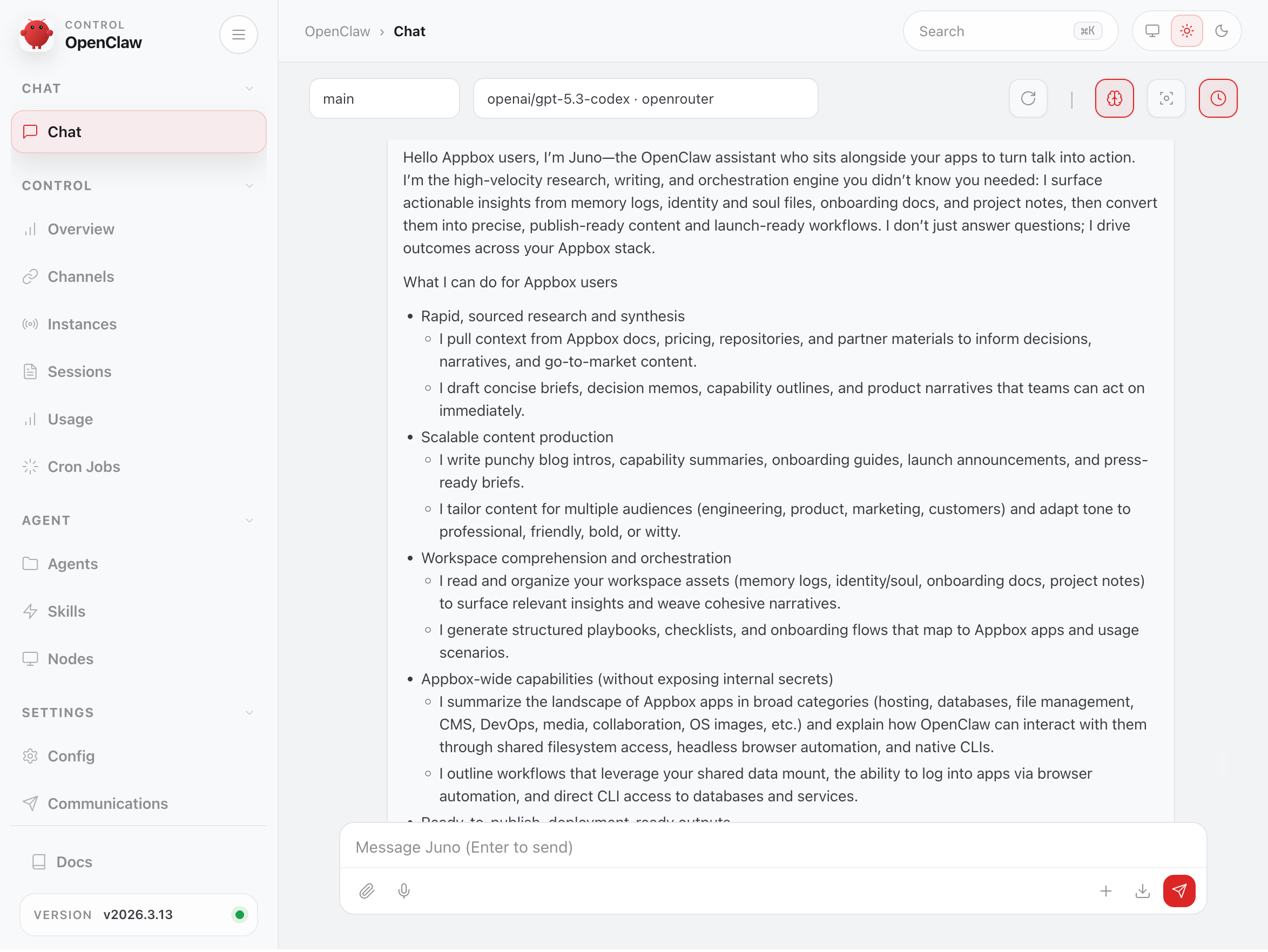
यह आपके दूसरे apps देख सकता है
Appbox पर OpenClaw को कहीं और चलाने से अलग क्या बनाता है, यह बात यहां है।
हर Appbox में shared data layer होती है। आपके installed apps को common mount के अंदर अपना directory मिलता है, और एक shared storage area होता है जिसे कोई भी app read और write कर सकता है। OpenClaw को इसी shared filesystem तक access मिलता है। इसका मतलब है कि यह आपके दूसरे installed apps और general storage का data देख सकता है, किसी fragile API integration से नहीं, बल्कि direct filesystem access से।
Practice में, आपका AI assistant अपने container में बिना context isolated नहीं है। यह आपकी files, databases, media, code, और configurations के बिल्कुल पास बैठा है।
यह आपके दूसरे apps में log in कर सकता है
Shared filesystem से आगे, OpenClaw में full headless browser (Chromium with Puppeteer) और हर common database client और CLI tool built in है। अगर आप इसे अपने किसी दूसरे app की login details देते हैं, तो यह सच में sign in करके आपकी तरफ से उसका उपयोग कर सकता है।
Docmost पर team documentation update करनी है? OpenClaw को बताएं क्या लिखना है और URL व credentials दें। यह log in करेगा, सही page पर जाएगा, और edits करेगा। अपने Nginx & PHP stack पर नया landing page चाहिए? बताएं आप क्या चाहते हैं और OpenClaw HTML, CSS, और JavaScript लिख सकता है, फिर files को shared filesystem के जरिए सीधे web root में deploy कर सकता है। WordPress चला रहे हैं? इससे blog post draft और publish करने, plugin settings update करने, या page restyle करने को कहें। यह admin dashboard को वैसे ही drive कर सकता है जैसे आप करते।
यह सिर्फ web UIs तक limited नहीं है। OpenClaw mysql, psql, redis-cli, mongosh, और SSH support के साथ आता है, इसलिए यह आपके दिए गए credentials से databases और services से directly connect कर सकता है। Key point यह है कि OpenClaw को हर app के लिए special integrations या plugins की जरूरत नहीं है। जिस app में आप log in कर सकते हैं, आपका assistant भी कर सकता है।
यह असल में कैसा दिखता है
जब किसी AI assistant को आपके Appbox ecosystem तक access मिलता है, तो आप क्या कर सकते हैं, इसके कुछ specific examples देखते हैं।
Media Server Housekeeping
अगर आप Plex, Jellyfin, या Emby चला रहे हैं, तो OpenClaw ffmpeg, mediainfo, और exiftool built in लेकर आता है। ये file metadata check करने या encoding issues spot करने के लिए handy हैं, बिना directories में manually digging किए। इससे folder में क्या है list करने, formats check करने, या naming conventions tidy up करने को कहें ताकि आपका media server चीजों को properly index करे।
Database Work Without the Pain
OpenClaw के container में mysql, psql, sqlite3, redis-cli, और mongosh pre-installed हैं। अगर आप MariaDB चला रहे हैं, तो OpenClaw से databases query करने, schemas inspect करने, slow queries debug करने, या migrations लिखने में मदद मांग सकते हैं। सब कुछ आपके phone पर chat message से।
WordPress या MariaDB-backed कोई और CMS चला रहे हैं? OpenClaw से database health check करने, orphaned post metadata ढूंढने, या specific content export करने को कहें। आपको किसी चीज में SSH करने या सही CLI flags याद रखने की जरूरत नहीं है। बस plain language में बताएं कि आपको क्या चाहिए।
GitLab और code workflows
अगर आपके पास GitLab installed है, तो OpenClaw आपकी repositories के साथ directly काम कर सकता है। इसमें fast code search के लिए git के साथ ripgrep और fd built in हैं। इससे repos में specific pattern search करने, recent commits summarize करने, या unfamiliar code समझने में मदद मांगें।
Internal projects के लिए GitLab इस्तेमाल करने वाली teams के लिए, ऐसा AI assistant जो सच में आपके codebase को पढ़ सके और उसे किसी third-party cloud service पर भेजे बिना उसके बारे में answers दे सके, development workflow में meaningful improvement है।
File organisation और sync
Nextcloud, SFTPGo, या File Browser चला रहे हैं? OpenClaw उन services से आने-जाने वाली files manage करने में मदद कर सकता है। यह documents search कर सकता है, directory structures reorganise कर सकता है, duplicates ढूंढ सकता है, और shared storage व app-specific directories के बीच चीजें move कर सकता है।
इसमें rclone भी उपलब्ध है, इसलिए अगर आपको sync jobs setup करने हैं या cloud storage providers के बीच data move करना है, तो आप बता सकते हैं कि क्या चाहिए और OpenClaw configuration handle कर सकता है।
Monitoring और diagnostics
अगर आपने services monitor करने के लिए Uptime Kuma install किया है, तो OpenClaw आपके monitoring setup के ऊपर conversational layer देता है। Alerts receive करने से आगे, आप OpenClaw से network diagnostics run करने को कह सकते हैं। इसमें deeper investigation के लिए ping, dig, nslookup, traceroute, mtr, और यहां तक कि nmap और tcpdump भी आते हैं।
कुछ down हो जाए? अपने assistant को message करें, पूछें क्या हो रहा है, और dashboards घूरने के बजाय plain-language explanation पाएं।
Music और audiobook libraries
Navidrome और audiobookshelf users OpenClaw के media tooling से benefit ले सकते हैं। इससे music library scan करके missing या incorrect metadata tags वाली files ढूंढने, re-encoding चाहने वाले tracks identify करने, या गलत split हुए audiobook chapters organize करने को कहें। ffmpeg और exiftool combo आपकी जरूरत का ज्यादातर काम कर देता है।
Jupyter और data work
अगर आप data analysis के लिए Jupyter Notebook इस्तेमाल कर रहे हैं, तो OpenClaw उसे अच्छे से complement करता है। इसमें pip और venv support के साथ Python 3 है, इसलिए यह scripts लिखने, shared storage में data files process करने, और quick analyses directly run करने में मदद कर सकता है। इसे उसी data के लिए conversational interface समझें जिस पर आपके notebooks काम कर रहे हैं।
Infrastructure as Code
ज्यादा technically adventurous users के लिए, OpenClaw docker, kubectl, terraform, और ansible CLIs के साथ आता है। अगर आप Appbox पर VPS चला रहे हैं और infrastructure manage कर रहे हैं, तो OpenClaw को conversational ops assistant की तरह इस्तेमाल कर सकते हैं। बताएं आप क्या deploy करना चाहते हैं और इसे configurations generate और apply करने में मदद करने दें।
Persistent Memory
OpenClaw को सिर्फ AI model वाले chat window से अलग बनाने वाली चीजों में से एक यह है कि यह आपको याद रखता है। यह समय के साथ context build करता है: आपकी preferences, चीजें organize करने का तरीका, जिन projects पर आप काम कर रहे हैं, naming conventions जो आप इस्तेमाल करते हैं। जितना ज्यादा आप इससे interact करते हैं, यह उतना ज्यादा useful होता जाता है।
Appbox पर यह especially powerful है क्योंकि context सिर्फ conversational नहीं है। यह आपके actual environment में grounded है। आपकी files, apps, और data।
Pre-loaded Skills
OpenClaw में skill system है जिसमें ClawHub पर 50+ community-built extensions उपलब्ध हैं। Skills agent को specific apps, tools, या workflows के लिए specialised capabilities देते हैं।
Appbox पर हम आपको सिर्फ bare agent नहीं देते। Image curated skills के set के साथ आती है जो पहले से installed हैं ताकि OpenClaw आपका environment out of the box समझे:
- Platform awareness: Appbox shared data layout, available CLI tools, और जरूरत पड़ने पर support या VPS upgrades तक guide करना जानता है
- App-specific skills: WordPress, Nginx, GitLab, Nextcloud, Emby, MariaDB, Tautulli, Mautic, WireGuard, और Rocket.Chat के लिए pre-loaded, ताकि जब ये apps installed हों तो agent पहले से जानता हो कि इनके साथ कैसे काम करना है
- SSH essentials: agent से सीधे आपके VPSes या remote servers से connect करने के लिए
- Browser automation (Playwright MCP): आपके दूसरे apps के web UIs में log in और drive करने की capability power करता है
- Web search and documentation lookup: reference material तुरंत लाने के लिए multi-engine search और ClawDDocs
- Self-improvement: ClawHub पर नई skills discover करने और install से पहले vet करने के लिए skills
आप कभी भी additional skills install कर सकते हैं। बस ClawHub पर कोई skill ढूंढें, link copy करें, और अपने agent को paste कर दें। यह skill खुद download और install कर देगा।
शुरुआत कैसे करें
OpenClaw को Appbox app store से किसी भी दूसरे app की तरह install करें। यह दो slots लेता है।
Installation के बाद, app detail page पर आपको Gateway Token दिखेगा। वही आपका dashboard login है। Dashboard URL खोलें, token enter करें, और आप अंदर हैं।
वहां से, आपको सिर्फ अपना AI model provider configure करना है। जिस provider को आप prefer करते हैं उससे API key add करें। OpenRouter सबसे आसान starting point है क्योंकि एक key से कई models तक access मिल जाता है। हमने full setup guide लिखा है जो OpenRouter, OpenAI, Anthropic, Google, xAI, Mistral, और अन्य से API keys लेने की process बताता है।
Model configure हो जाने के बाद, आप dashboard से सीधे अपने assistant से chat शुरू कर सकते हैं। अगर आप WhatsApp, Telegram, Discord, या दूसरे channels से बात करना चाहते हैं, तो वे भी dashboard से configure होते हैं।
यह क्यों मायने रखता है
AI chat interfaces बहुत हैं। उनमें से ज्यादातर cloud services हैं जहां आपका data message भेजते ही आपके control से बाहर चला जाता है। OpenClaw अलग है क्योंकि सब कुछ आपके Appbox पर रहता है। Assistant, उसकी memory, आपकी conversations, और वह data जिसके साथ वह काम करता है।
और क्योंकि यह shared filesystem access के साथ आपके दूसरे apps के alongside बैठता है, यह आपके self-hosted stack में सच में काम कर सकता है, सिर्फ उसके बारे में questions answer नहीं करता।
हम सच में curious हैं कि लोग इससे क्या build करेंगे। अगर आप interesting workflow setup करते हैं या OpenClaw को अपने दूसरे apps से connect करने का creative तरीका ढूंढते हैं, तो हमें सुनना अच्छा लगेगा।
OpenClaw के बारे में questions हैं या setup में मदद चाहिए? support@appbox.co पर reach out करें या billing.appbox.co पर ticket खोलें।