Launch Week Day 4 - VPS Apps के लिए कई domains
Launch Week का Day 4। VPS apps अब कई domains support करते हैं - जितने custom domains और Appbox subdomains चाहिए जोड़ें, सब automatic SSL के साथ।
Launch Week Day 4: VPS Apps के लिए Multiple Domains
Day 4। कल हमने आपको full virtual machines दिए। आज हम उन्हें proper domain support दे रहे हैं।
जब हमने Day 3 पर VPSes launch किए, हर VM को single domain मिला। बहुत use cases के लिए यह ठीक है, लेकिन अगर आप अपने VPS के अंदर web server चला रहे हैं - और आप में से कई चला रहे हैं - तो single domain काफी नहीं। आपको same machine की ओर point करते multiple domains चाहिए, हर एक अपने SSL certificate और web server configuration के साथ।
आज, VPS apps multiple domains support करते हैं। जितने चाहें *.user.appboxes.co subdomains जोड़ें, अपने custom domains लाएं, या दोनों mix करें। हर एक को SSL और ready-to-use web server configuration मिलता है।
यह कैसे काम करता है
कोई भी running VPS app खोलें और detail page पर Custom Domains card मिलेगा। यहीं आपके सारे domains रहते हैं - searchable, sortable table जो उस VPS से जुड़े हर domain, primary कौन है और कब add हुआ, सब दिखाता है।
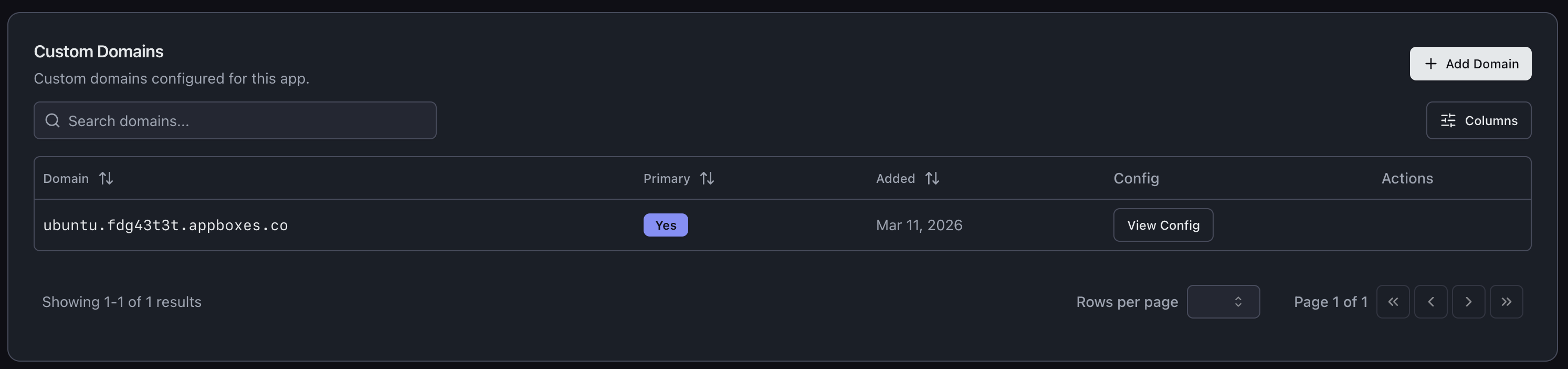
नया domain जोड़ने के लिए Add Domain क्लिक करें। आप parent domain चुनेंगे और subdomain enter करेंगे, बाकी system संभाल लेगा।
Appbox Subdomains
Domain add करने का सबसे तेज तरीका आपका existing Appbox domain इस्तेमाल करना है। Parent के रूप में अपना user.appboxes.co domain चुनें, subdomain type करें, और done। DNS पहले से आपके लिए handled है, और domain instantly verified हो जाता है।
यह quick project URLs, staging environments spin up करने, या VPS पर different services को अपनी address देने के लिए बढ़िया है। Backend के लिए api.user.appboxes.co और frontend के लिए app.user.appboxes.co चाहिए? दोनों एक minute से कम में add करें।
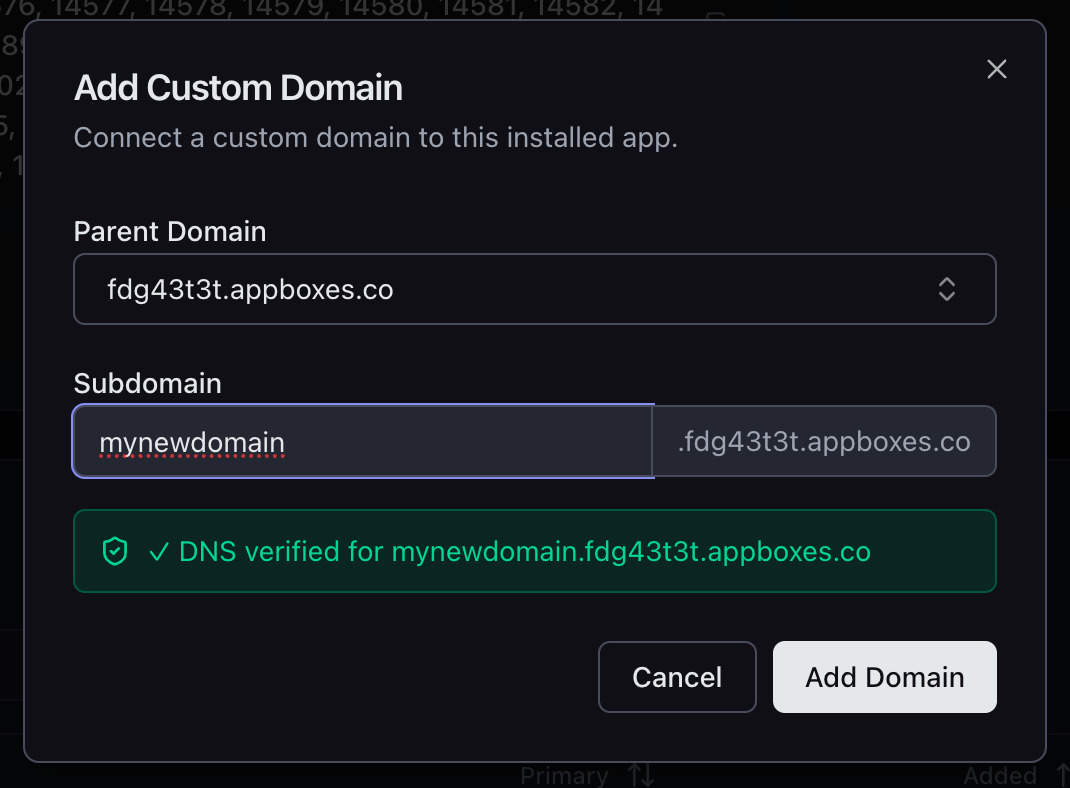
क्योंकि ये आपके existing Appbox wildcard certificate के नीचे sit करते हैं, SSL automatic है। कोई waiting नहीं, कोई certificate generation नहीं, कोई configuration नहीं।
Custom Domains
आप अपने domains को भी VPS की ओर point कर सकते हैं। अपना custom base domain चुनें (या dialog से ही नया add करें), subdomain enter करें, और UI आपको DNS setup के through guide करता है।
Dialog exact A record दिखाता है जिसे create करना है - hostname, IP address, सब कुछ। इसमें Cloudflare और other popular DNS providers के लिए provider-specific instructions भी हैं, इसलिए A record add करने का तरीका ढूंढने की जरूरत नहीं।
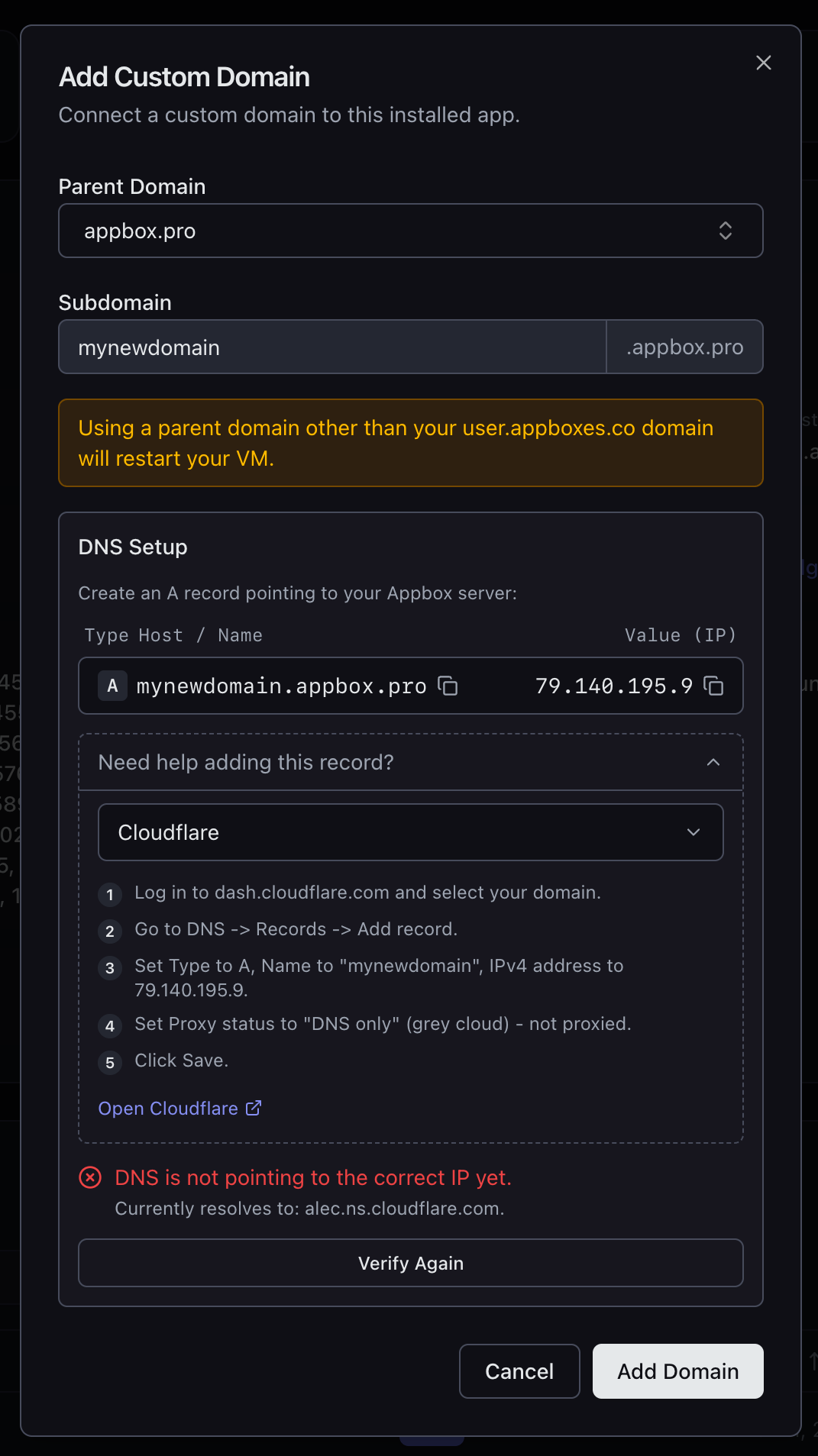
जब आपका DNS right IP की ओर point कर रहा हो, Verify Again दबाएं और system domain add करने से पहले confirm करेगा कि record correct है।
SSL और Web Server Config
आप जो भी domain add करते हैं, उसे SSL मिलता है। Appbox subdomains के लिए यह existing wildcard certificate इस्तेमाल करता है। Custom domains के लिए certificate automatically provision होता है।
यहां वह हिस्सा है जो इसे VPS users के लिए सच में useful बनाता है: हर domain के साथ View Config button आता है जो Nginx और Apache दोनों के लिए ready-to-paste configuration snippets देता है। Config में correct server_name, SSL certificate paths, cipher suites और protocol settings शामिल हैं। Snippet copy करें, VM के अंदर अपने web server config में drop करें, reload करें, और आप उस domain पर traffic serve कर रहे हैं।
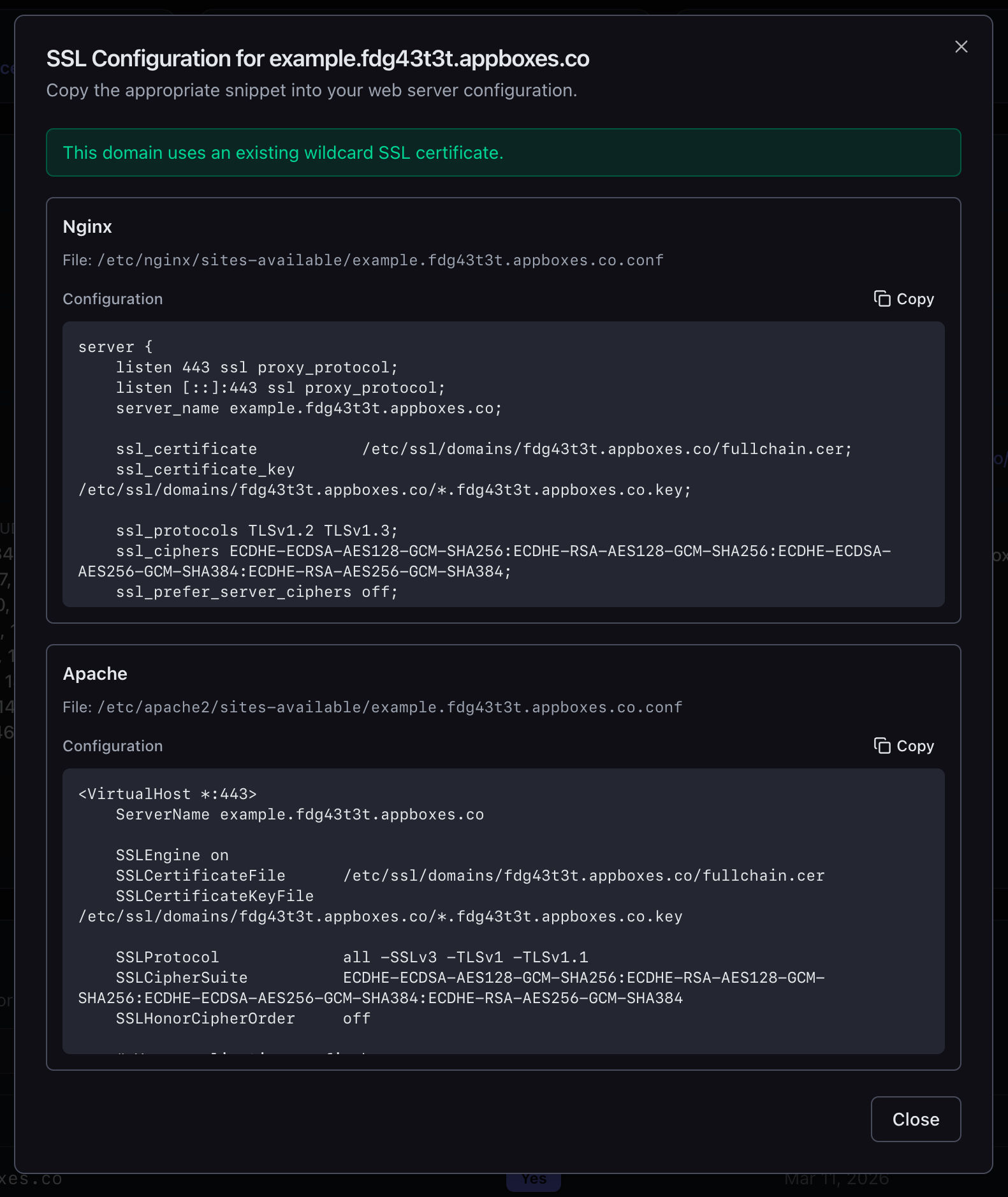
File paths guess नहीं करने। Certificate locations ढूंढने नहीं। Cipher strings figure out नहीं करने। सब वहीं है, copy करने के लिए ready।
VPS Users के लिए यह क्यों मायने रखता है
Multi-domain support के बिना VPS बस एक address वाला server है। यह बहुत जल्दी limiting हो जाता है:
- Separate API के साथ web app चला रहे हैं? आपको कम से कम दो domains चाहिए।
- VM में multiple sites host कर रहे हैं? हर एक को अपना domain चाहिए।
- Production के साथ staging environment चाहते हैं? एक और domain।
- Locally develop कर रहे हैं और real domain से test करना चाहते हैं? एक और।
Day 4 अब Live है
Multiple domain support अभी सभी VPS apps के लिए available है। अपना VPS खोलें, Custom Domains तक scroll करें और जोड़ना शुरू करें।
कल Day 5 है, और हमारे पास surprise है। आपको इसका अंदाजा नहीं होगा।
Feedback है या issue मिला? support@appbox.co पर contact करें या billing.appbox.co पर ticket खोलें।