Appbox पर n8n का परिचय
Appbox पर n8n deploy करें और apps, APIs, webhooks, और internal tools के लिए self-hosted workflow automations बनाना शुरू करें।
Appbox पर n8n का परिचय
n8n अब Appbox पर उपलब्ध है।
इसका मतलब है कि आप एक private workflow automation workspace deploy कर सकते हैं, visual editor खोल सकते हैं, और server को हाथ से manage किए बिना apps, APIs, schedules, webhooks, और custom code को जोड़ना शुरू कर सकते हैं।
Appbox App Store से n8n install करें।
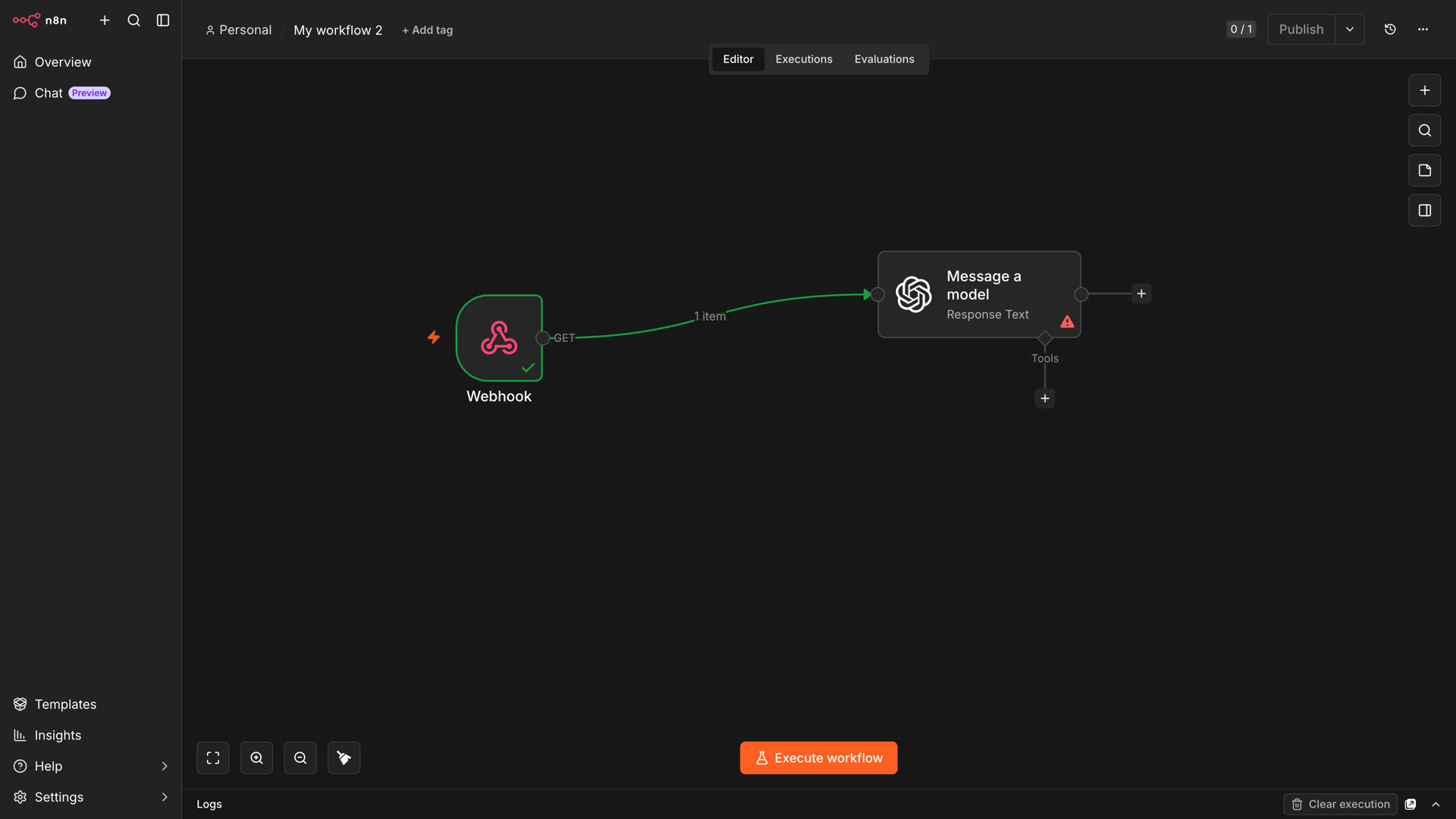
आप क्या बना सकते हैं
जब भी एक app को दूसरे app पर react करना हो, data clean करना हो, API call करनी हो, notification भेजनी हो, या scheduled task चलाना हो, n8n काम आता है।
Appbox पर यह उन apps के लिए natural companion बन जाता है जिनमें webhooks, APIs, notification hooks, WebDAV, RPC, या scriptable interfaces होते हैं।
AI, support, और business workflows के लिए:
- OpenClaw आपकी automations के लिए AI layer की तरह काम कर सकता है। जब support ticket, monitor alert, या file upload को summarize करना हो, n8n से webhook भेजें, फिर OpenClaw से reply draft करवाएं, request classify करवाएं, या event को task में बदलवाएं।
- Chatwoot customer support के लिए inbox events और APIs expose करता है। Urgent conversations को tag करें, दूसरे system से नए contacts enrich करें, VIP के message पर team channel को notify करें, या conversation close होने के बाद follow-up task बनाएं।
- Mautic में REST API और campaign automation surface है। Forms से leads sync करें, product events के बाद contacts score करें, webhook submissions से लोगों को campaigns में जोड़ें, या lead threshold cross करे तो sales को notify करें।
- ERPNext APIs के जरिए business records expose करता है। Form submissions से invoices बनाएं, payment आने पर deals update करें, stock low होने पर operations को notify करें, या customer records को किसी दूसरे Appbox app में push करें।
- Plane और OpenProject task destinations के रूप में अच्छे काम आते हैं। Incidents, form submissions, failed jobs, या customer requests को सही assignee और context के साथ issues और work packages में बदलें।
- Rallly scheduling workflows में फिट बैठता है। Request forms से polls बनाएं, meeting time select होने के बाद guests को notify करें, या availability deadline से पहले reminders भेजें।
- OnlyOffice और Jitsi document और meeting workflows के लिए उपयुक्त हैं। Document ready होने पर reviewers को notify करें, approval के बाद meeting link बनाएं, या post-meeting follow-up tasks को Plane या OpenProject में भेजें।
Content, publishing, और developer workflows के लिए:
- EmDash forms, short links, plugins, और autobuild hooks वाला structured CMS देता है। Form submissions को n8n में भेजें, content publish होने पर editors को notify करें, draft live होने के बाद rebuild trigger करें, या नए posts को Mattermost, Rocket.Chat, और social queues में भेजें।
- WordPress में REST API और hook ecosystem है। Form submissions से posts draft करें, content live होने पर announcements publish करें, media को किसी दूसरे storage app में back up करें, या scheduled posts से पहले editorial reminders भेजें।
- GitLab, Gogs, और अन्य Git apps repository, project, और system hooks expose करते हैं। Tags पर release notifications चलाएं, merges के बाद deployment checklists बनाएं, failed pipeline summaries chat में post करें, या bug-report templates से project-management issues खोलें।
- Hugo Git Git-based publishing flow में बैठ सकता है। Content commits के बाद rebuild notifications trigger करें, नया tag आने पर changelog publish करें, या हर pull request के लिए n8n से review task बनवाएं।
- Docmost documentation destination के रूप में उपयोगी है। नया customer sign up करे तो onboarding checklist बनाएं, monitoring events से incident notes post करें, या workflow outputs से internal runbooks updated रखें।
- Jupyter Notebook data और reporting workflows को support कर सकता है। Scheduled notebooks चलाएं, database update के बाद reports export करें, या long-running analysis खत्म होने पर channel को notify करें।
- Serposcope SEO workflows को feed कर सकता है। Rank-change alerts भेजें, weekly search-position digest बनाएं, या important keyword drop हो तो content task खोलें।
- MySQL/MariaDB, Nginx & PHP, और LAMP Stack internal tools के लिए उपयोगी हैं। n8n से rows लिखें, private admin endpoints call करें, scheduled maintenance checks चलाएं, या custom app में new submission आने पर team को notify करें।
Files, storage, sync, और backup के लिए:
- Nextcloud WebDAV और बड़ा app ecosystem expose करता है। Uploaded files को review folders में move करें, client upload आने पर team को notify करें, calendar follow-ups बनाएं, या approved documents को project spaces में copy करें।
- SFTPGo में REST API, event actions, और login hooks शामिल हैं। Client report upload करे तो file-processing workflows trigger करें, completed exports को Nextcloud में move करें, partner transfer आने पर channel को notify करें, या deadline के बाद temporary users disable करें।
- File Browser Quantum, File Browser WebDAV, और Kodbox REST APIs, WebDAV, command hooks, या storage plugins जैसी file-management surfaces expose करते हैं। Shared folders watch करें, metadata generate करें, finished assets को archive storage में copy करें, या publish करने से पहले files को approval के लिए route करें।
- Rclone object storage, SFTP, WebDAV, और cloud remotes पर scriptable है। n8n से sync jobs schedule करें, large migrations के बाद transfers verify करें, processed media को long-term storage में move करें, या failure summaries chat में भेजें।
- Restic REST Server restic clients को HTTPS backup target देता है। Scheduled backup checks fail हों तो admins को notify करें, missed snapshots के बाद incident खोलें, या daily backup health summary Docmost में लिखें।
- Syncthing और Resilio Sync file event pipelines के लिए उपयोगी हैं। Folder sync finish हो तो react करें, completed drops को media library में copy करें, या expected files न आएं तो user को alert करें।
- Pure-FTPd और अन्य FTP/SFTP-style endpoints legacy file workflows में बैठ सकते हैं। New partner files poll करें, उन्हें SFTPGo या Nextcloud में move करें, फिर processing complete होने पर सही team को notify करें।
Security, access, और infrastructure के लिए:
- Vaultwarden Bitwarden-compatible API और optional SMTP notifications expose करता है। Vault reviews के लिए reminders बनाएं, onboarding या offboarding tasks due हों तो admins को notify करें, या teams के बीच password-rotation checklists coordinate करें।
- OpenVPN और WireGuard VPN access workflows का हिस्सा हो सकते हैं। Credentials rotate करने हों तो operators को notify करें, नए VPN users के लिए checklist tasks बनाएं, या n8n के जरिए scheduled connectivity checks चलाएं।
- Ubuntu, Debian, Fedora, Rocky Linux, AlmaLinux, Arch Linux, और Windows VPS apps आपको scriptable environments देते हैं। n8n से SSH commands trigger करें, health checks चलाएं, report files collect करें, या scheduled jobs के बाद maintenance summaries post करें।
- Ubuntu, Debian, और Firefox remote desktop apps browser या desktop tasks को support कर सकते हैं। Manual review work के reminders schedule करें, scripts से outputs capture करें, या completed desktop exports को file storage में hand off करें।
Monitoring, chat, और notifications के लिए:
- Uptime Kuma rich notification targets और webhooks support करता है। Downtime events को Mattermost या Rocket.Chat alerts में बदलें, OpenProject incidents बनाएं, OpenClaw से छोटा incident summary मांगें, या हर recovery को status spreadsheet में log करें।
- Mattermost और Rocket.Chat notification और approval endpoints के रूप में उपयोगी हैं। किसी भी workflow से human-readable updates भेजें, team से request approve करवाएं, फिर किसी के respond करने पर automation continue करें।
- RocketChat Hubot chat commands के लिए उपयोगी है। Teammates को chat से n8n webhooks trigger करने दें, deployment status पूछने दें, या audit trail के साथ scripted maintenance workflow शुरू करने दें।
- Matterbridge IRC, Matrix, XMPP, Slack, Discord, Microsoft Teams, Telegram, और अन्य systems को जोड़ता है। n8n से operational events को एक बार format करें, फिर उन्हें उन communities या rooms तक relay करें जिन्हें उन्हें देखना चाहिए।
- ZNC और The Lounge chat-ops workflows का हिस्सा हो सकते हैं। Important IRC events को modern team channels में forward करें, highlights archive करें, या watched keyword दिखाई दे तो operators को notify करें।
Media और download automation के लिए:
- Tautulli Plex activity, notification scripts, और JSON API expose करता है। Newly added media digests भेजें, stream error हो तो alert करें, usage reports export करें, या storage limit cross हो तो cleanup tasks बनाएं।
- Plex, Jellyfin, Emby, Navidrome, Audiobookshelf, Calibre, Madsonic, और SeAT library या community workflows को feed कर सकते हैं। New media announce करें, imports के बाद libraries refresh करें, listening या reading digests बनाएं, metadata dashboard में sync करें, या tracked activity change हो तो community को notify करें।
- Immich photo workflows में फिट हो सकता है। Shared album change हो तो family को notify करें, exported albums को archive storage में copy करें, या बड़े mobile upload के बाद backup check trigger करें।
- AzuraCast में REST API और webhooks शामिल हैं। Track या live-show changes announce करें, website widget update करें, scheduled broadcasts से पहले hosts को notify करें, या show के बाद playlist metadata archive करें।
- Icecast broadcast status workflows को support कर सकता है। Stream availability watch करें, now-playing updates post करें, या source disconnect हो तो channel को alert करें।
- Flood, ruTorrent, qBittorrent, Transmission, और Deluge RPC या web APIs expose करते हैं। Completed downloads watch करें, finished files को सही library में move करें, media scans trigger करें, या requested item ready हो तो users को notify करें।
- PufferPanel, TeamSpeak 3, और game/chat servers भी operational workflows में फिट हो सकते हैं। Server को attention चाहिए तो admins को notify करें, maintenance reminders बनाएं, या scheduled changes के बाद player-facing announcements post करें।
आप built-in nodes, webhooks, HTTP requests, database connections, और code nodes के जरिए n8n को external services के साथ भी use कर सकते हैं।
n8n install करें
n8n App Store page खोलें, अपना Appbox चुनें, और install शुरू करें।
Setup के दौरान, Appbox आपसे n8n के लिए पहला owner account बनाने को कहता है। उस account के लिए admin email address, password, first name, और last name enter करें।
App ready हो जाने पर, installed app page पर दिख रहा Login URL खोलें और अभी बनाए owner account से sign in करें।
अपना पहला Workflow बनाएं
n8n के अंदर जाने के बाद, Overview पर जाएं और Create Workflow चुनें। Editor एक canvas पर खुलता है जहां आपकी automation का हर step node के रूप में दिखता है।
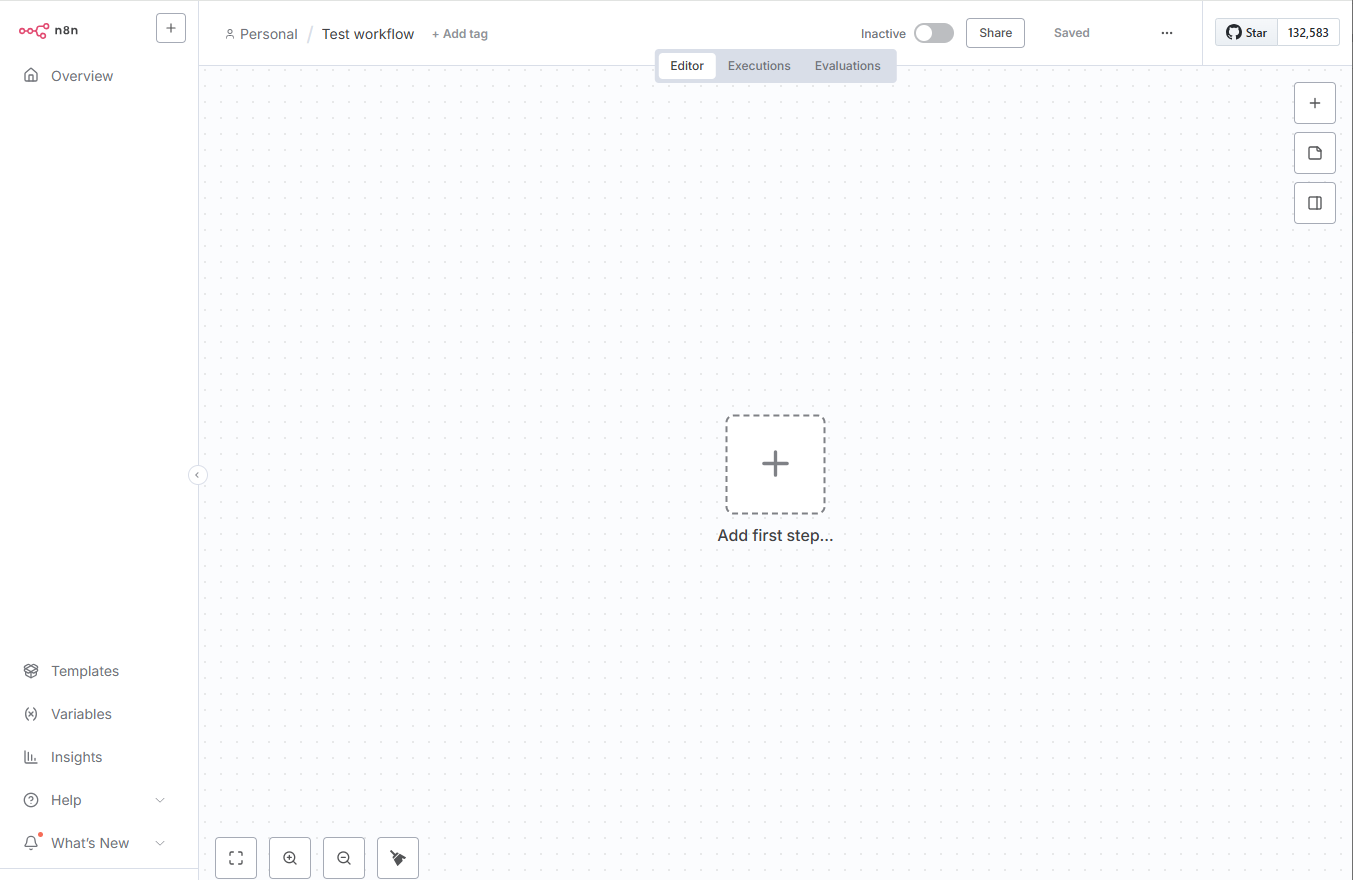
एक simple manual workflow से शुरू करें:
- Add first step पर click करें।
- Manual Trigger search करें और add करें।
- Trigger node पर plus button click करें।
- दूसरा node add करें, जैसे Edit Fields, HTTP Request, या कोई app-specific node।
- Side panel में node configure करें।
n8n में main workspace canvas है। यहीं आप nodes add करते हैं, उन्हें connect करते हैं, workflow tidy करते हैं, और test executions run करते हैं।
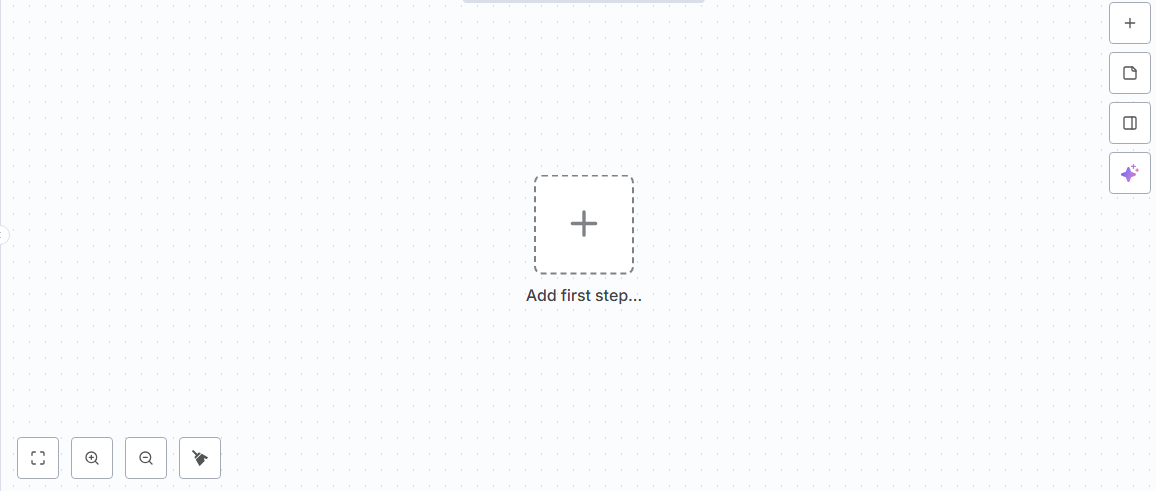
Workflow test करें
Workflow manually run करने के लिए Execute Workflow click करें।
Run complete होने के बाद, हर node पर click करके देखें कि उसने कौन सा data receive और return किया। Real app, webhook, या scheduled trigger connect करने से पहले यह समझने का सबसे तेज तरीका है कि आपके workflow में क्या चल रहा है।
Apps और Credentials connect करें
App integrations के लिए, जिस node की जरूरत है उसे add करें और n8n जब कहे तब credentials बनाएं।
Appbox-hosted apps के लिए common pattern यह है:
- जिस app को automate करना है उसमें API token या webhook बनाएं।
- Matching n8n node add करें, या dedicated node न हो तो HTTP Request node use करें।
- Token को n8n credentials में store करें।
- Branching, retries, या और steps जोड़ने से पहले एक small action से test करें।
Incoming events के लिए Webhook trigger use करें। n8n आपको production webhook URL देता है जिसे external services HTTPS पर call कर सकती हैं।
एक simple पहली automation
इसे अपने पहले real workflow की तरह try करें:
- Webhook trigger add करें।
- किसी दूसरे service या Appbox app API को call करने के लिए HTTP Request node add करें।
- Response के आधार पर branch करने के लिए IF node add करें।
- Mattermost, Rocket.Chat, या किसी और notification channel को message भेजें।
इससे आपको कई n8n automations का core pattern मिल जाता है: event receive करें, data fetch या transform करें, decision लें, फिर किसी व्यक्ति को notify करें या दूसरे system को update करें।
Scale पर एक note
Appbox package persistent storage के साथ compact single-container n8n deployment के रूप में design किया गया है। यह personal, team, और internal automations के लिए बेहतरीन starting point है।
अगर आप बहुत high execution volume, large payloads, या business-critical automation hub चलाने की planning कर रहे हैं, तो workload को carefully test करें और installed app page से app resources boost करने पर विचार करें।
बनाना शुरू करें
अगर आपके पास Appbox है, तो n8n आपके बाकी tools को connected महसूस करवाने के सबसे तेज तरीकों में से एक है।
Appbox पर n8n deploy करें, एक workflow बनाएं, उसे एक बार manually run करें, फिर उसे उस automation में बदल दें जो आप चाहते थे कि आपके apps में पहले से हो।
