Launch Week Day 4 - Multiple Domains for VPS Apps
Day 4 of Launch Week. VPS apps now support multiple domains - add as many custom domains and Appbox subdomains as you need, all with automatic SSL.
Launch Week Day 4: Multiple Domains for VPS Apps
Day 4. Yesterday we gave you full virtual machines. Today we're giving them proper domain support.
When we launched VPSes on Day 3, every VM got a single domain. That's fine for a lot of use cases, but if you're running a web server inside your VPS - and many of you are - a single domain doesn't cut it. You need multiple domains pointing at the same machine, each with their own SSL certificate and web server configuration.
Today, VPS apps support multiple domains. Add as many *.user.appboxes.co subdomains as you want, bring your own custom domains, or mix both. Each one gets SSL and a ready-to-use web server configuration.
How It Works
Open any running VPS app and you'll find a Custom Domains card on the detail page. This is where all your domains live - a searchable, sortable table showing every domain attached to that VPS, which one is primary, and when it was added.
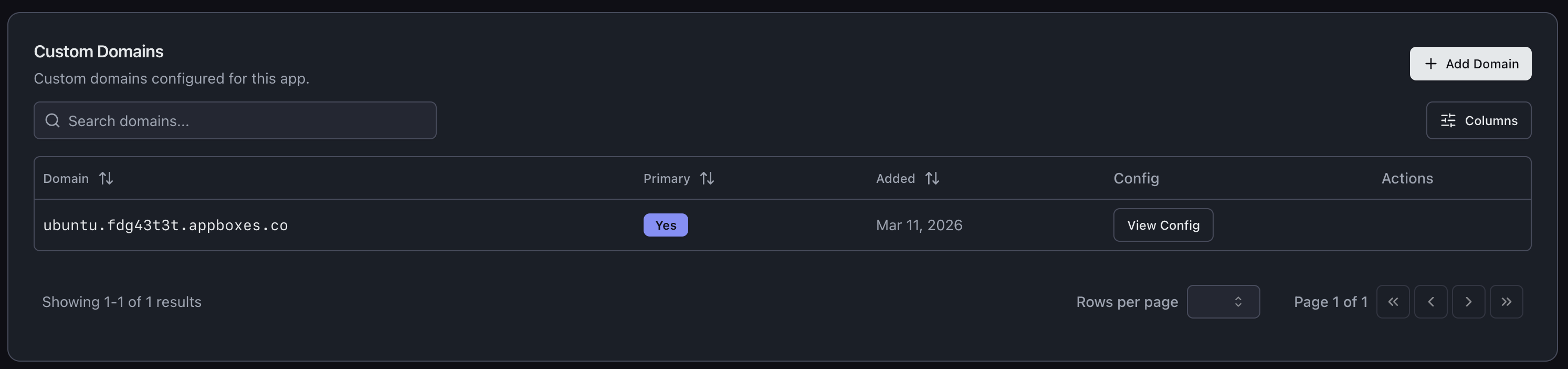
To add a new domain, click Add Domain. You'll pick a parent domain and enter a subdomain, and the system takes care of the rest.
Appbox Subdomains
The fastest way to add a domain is using your existing Appbox domain. Pick your user.appboxes.co domain as the parent, type a subdomain, and you're done. DNS is already handled for you, and the domain is verified instantly.
This is great for spinning up quick project URLs, staging environments, or just giving different services on your VPS their own address. Need api.user.appboxes.co for your backend and app.user.appboxes.co for your frontend? Add both in under a minute.
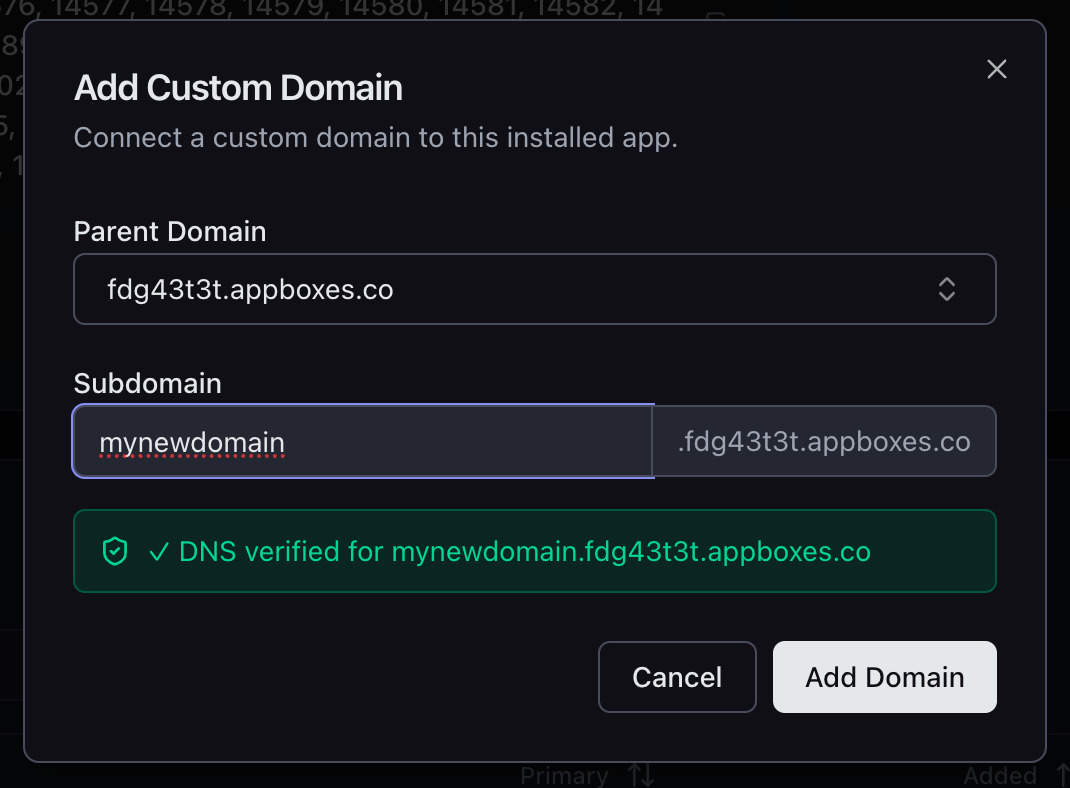
Since these sit under your existing Appbox wildcard certificate, SSL is automatic. No waiting, no certificate generation, no configuration.
Custom Domains
You can also point your own domains at your VPS. Select your custom base domain (or add a new one right from the dialog), enter the subdomain, and the UI walks you through DNS setup.
The dialog shows you the exact A record to create - the hostname, the IP address, everything. It even has provider-specific instructions for Cloudflare and other popular DNS providers, so you don't need to go looking up how to add an A record.
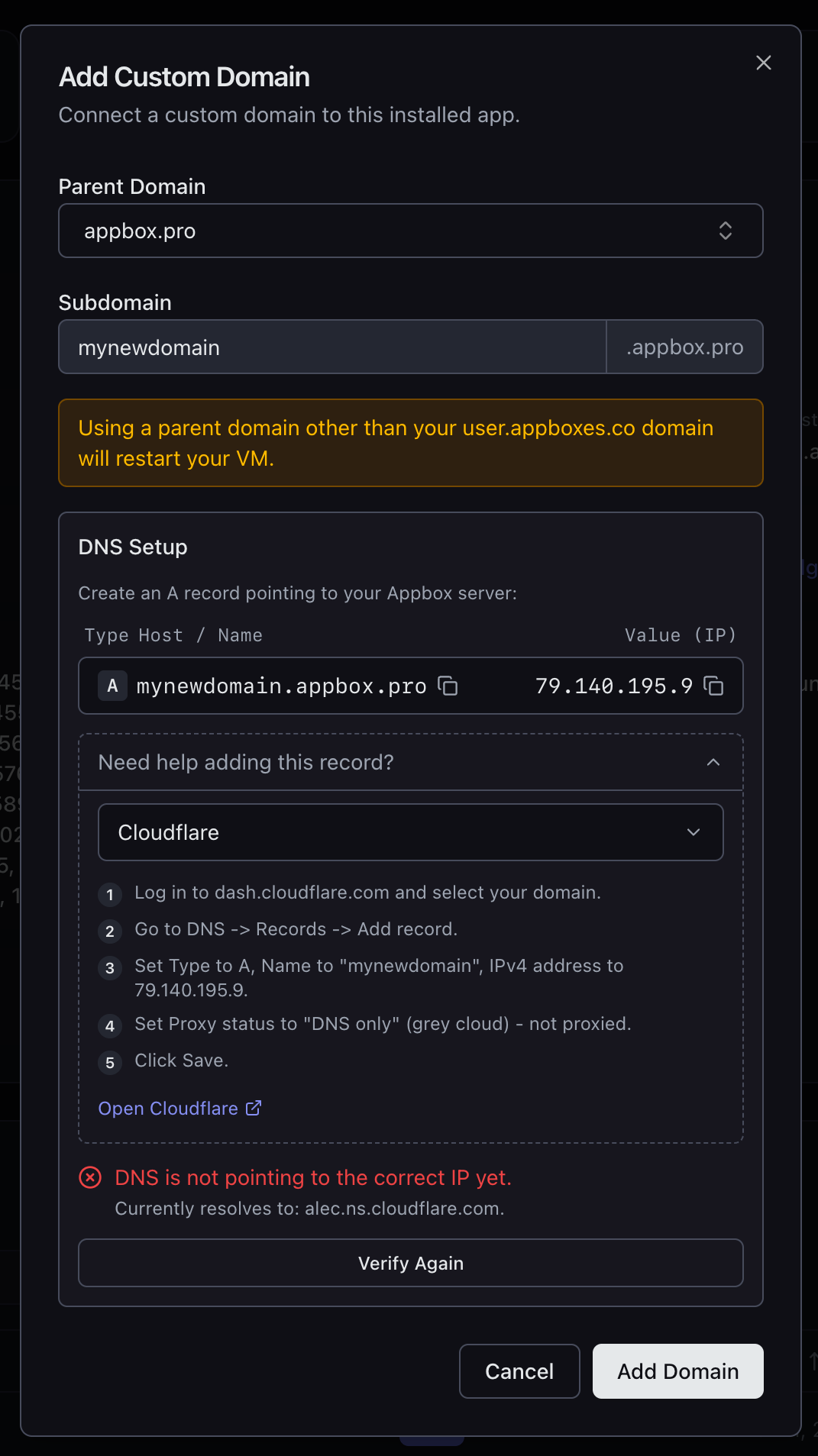
Once your DNS is pointing to the right IP, hit Verify Again and the system confirms the record is correct before adding the domain.
SSL and Web Server Config
Every domain you add gets SSL. For Appbox subdomains, this uses the existing wildcard certificate. For custom domains, a certificate is provisioned automatically.
Here's the part that makes this genuinely useful for VPS users: each domain comes with a View Config button that gives you ready-to-paste configuration snippets for both Nginx and Apache. The config includes the correct server_name, SSL certificate paths, cipher suites, and protocol settings. Copy the snippet, drop it into your web server config inside the VM, reload, and you're serving traffic on that domain.
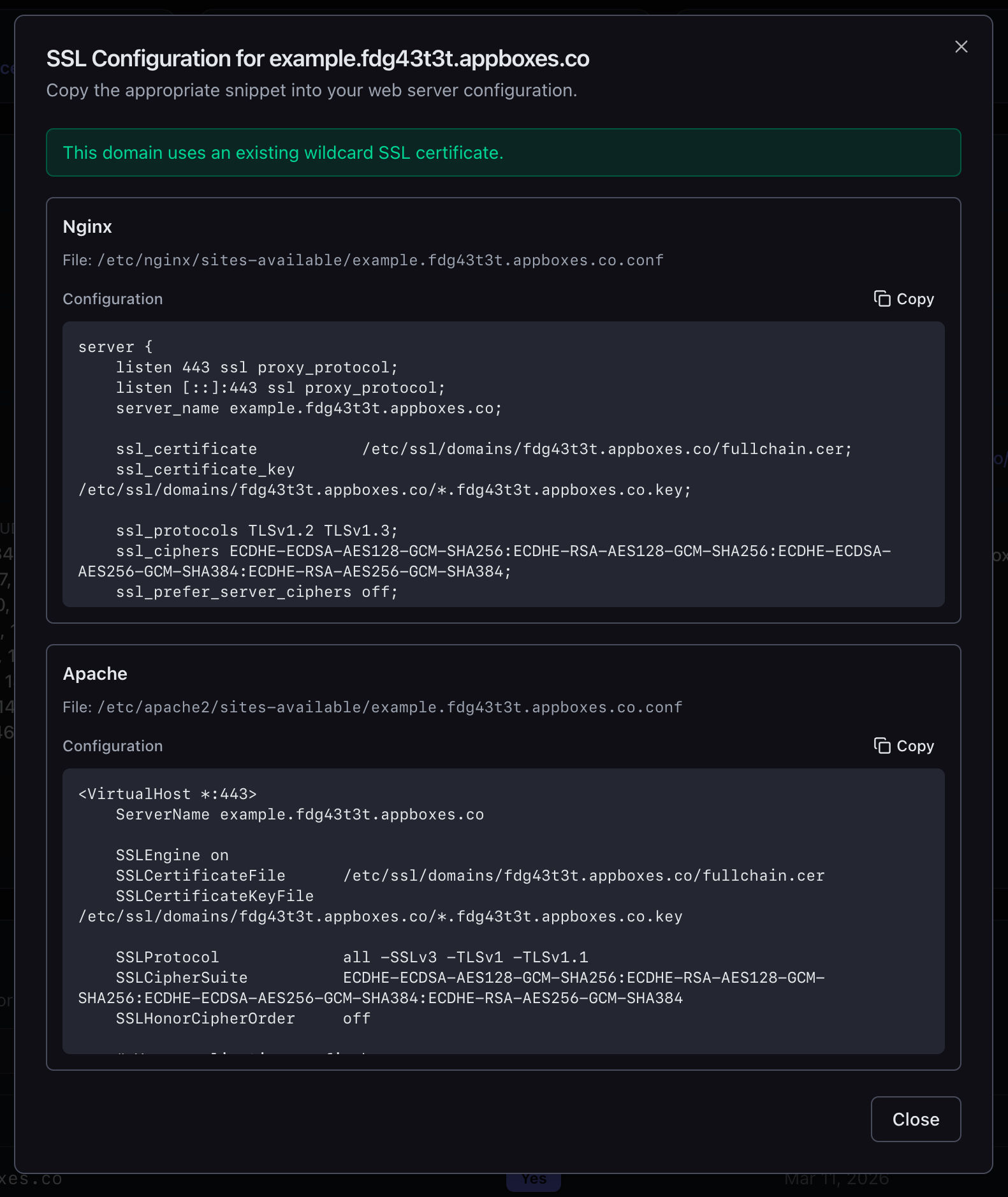
No guessing at file paths. No hunting for certificate locations. No figuring out cipher strings. It's all there, ready to copy.
Why This Matters for VPS Users
A VPS without multi-domain support is just a server with one address. That's limiting in ways that become obvious fast:
- You're running a web app with a separate API? You need at least two domains.
- You're hosting multiple sites in your VM? Each one needs its own domain.
- You want a staging environment alongside production? That's another domain.
- You're developing locally and want to test with a real domain? One more.
Day 4 Is Live Now
Multiple domain support is available right now for all VPS apps. Open your VPS, scroll to Custom Domains, and start adding.
Tomorrow is Day 5, and we have a surprise. You're not going to see it coming.
Got feedback or found an issue? Reach out at support@appbox.co or open a ticket at billing.appbox.co.