Launch Week Day 3 - Virtual Private Servers
Day 3 of Launch Week. Full KVM virtual private servers are now available on Appbox. Choose from Ubuntu, Debian, Arch Linux, Fedora, Rocky Linux, or AlmaLinux and get root access to a real VM.
Launch Week Day 3: Virtual Private Servers
Day 3. This is the big one.
Since the very beginning, Appbox has been about making self-hosted apps easy. Install an app, get a URL, done. That model works incredibly well for most things. But there's always been a class of use case where you just need a full machine. Your own kernel, your own init system, your own rules.
Today we're launching Virtual Private Servers on Appbox.
Real VMs, Not Containers
Let's be clear about what this is. These are full KVM virtual machines running on dedicated hardware with their own kernel, their own systemd, and full root access. This is not a Docker container pretending to be an OS. This is the real thing.
That distinction matters because it unlocks everything containers can't do:
- Docker inside your VPS - run
docker compose uplike you would on any server - Snaps and Flatpaks - install desktop software the way it's meant to be installed
- Systemd services - full service management, timers, journal, everything
- Custom kernels and modules - you have root, do what you want
- Nested virtualization - if you need it, it's there
If you've ever hit the wall with our Docker-based OSes or webtops where something just wouldn't work because of container limitations, that wall is gone.
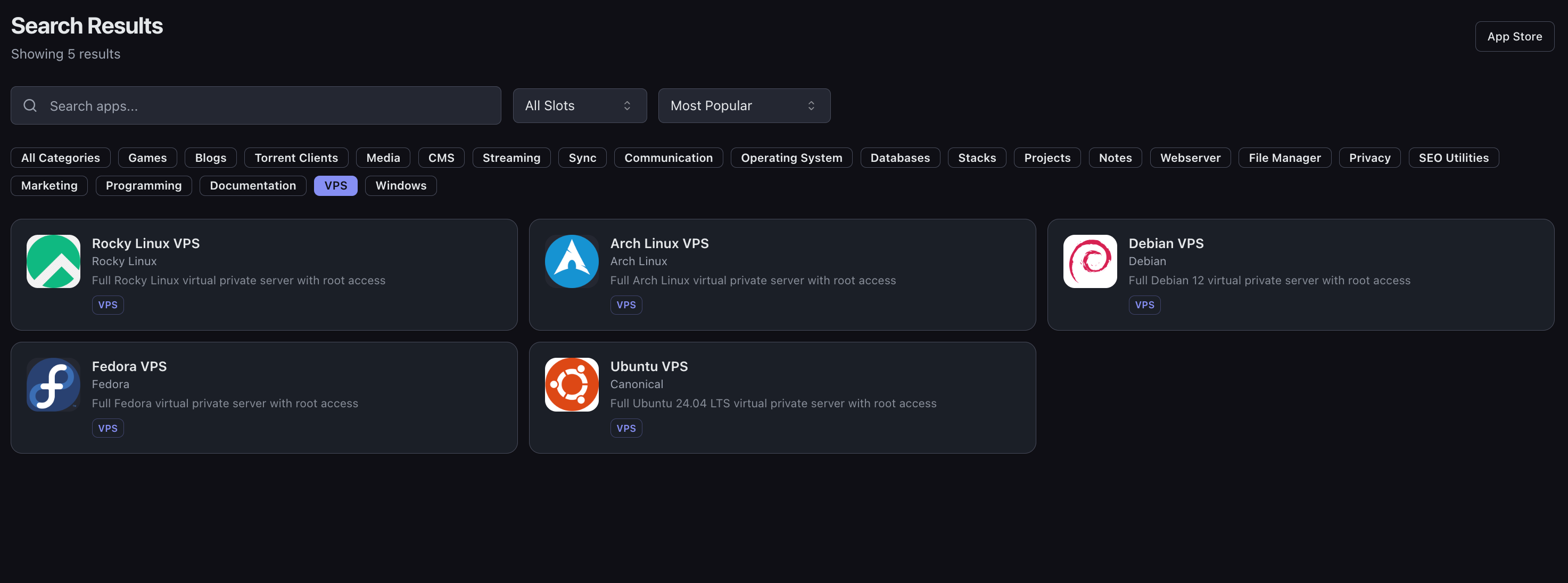
Six Linux OSes Available
You can now choose from six Linux distributions:
| OS | Description |
|---|---|
| Ubuntu VPS | Full Ubuntu 24.04 LTS |
| Debian VPS | Full Debian 12 and 13 |
| Arch Linux VPS | Rolling release, always up to date |
| Fedora VPS | Fedora 43 with latest packages |
| Rocky Linux VPS | Enterprise-grade RHEL compatibility |
| AlmaLinux VPS | RHEL-compatible enterprise Linux with long-term support |
Pick the one you know, or the one you want to learn. They all have the same feature set on Appbox.
Built-in Web Console
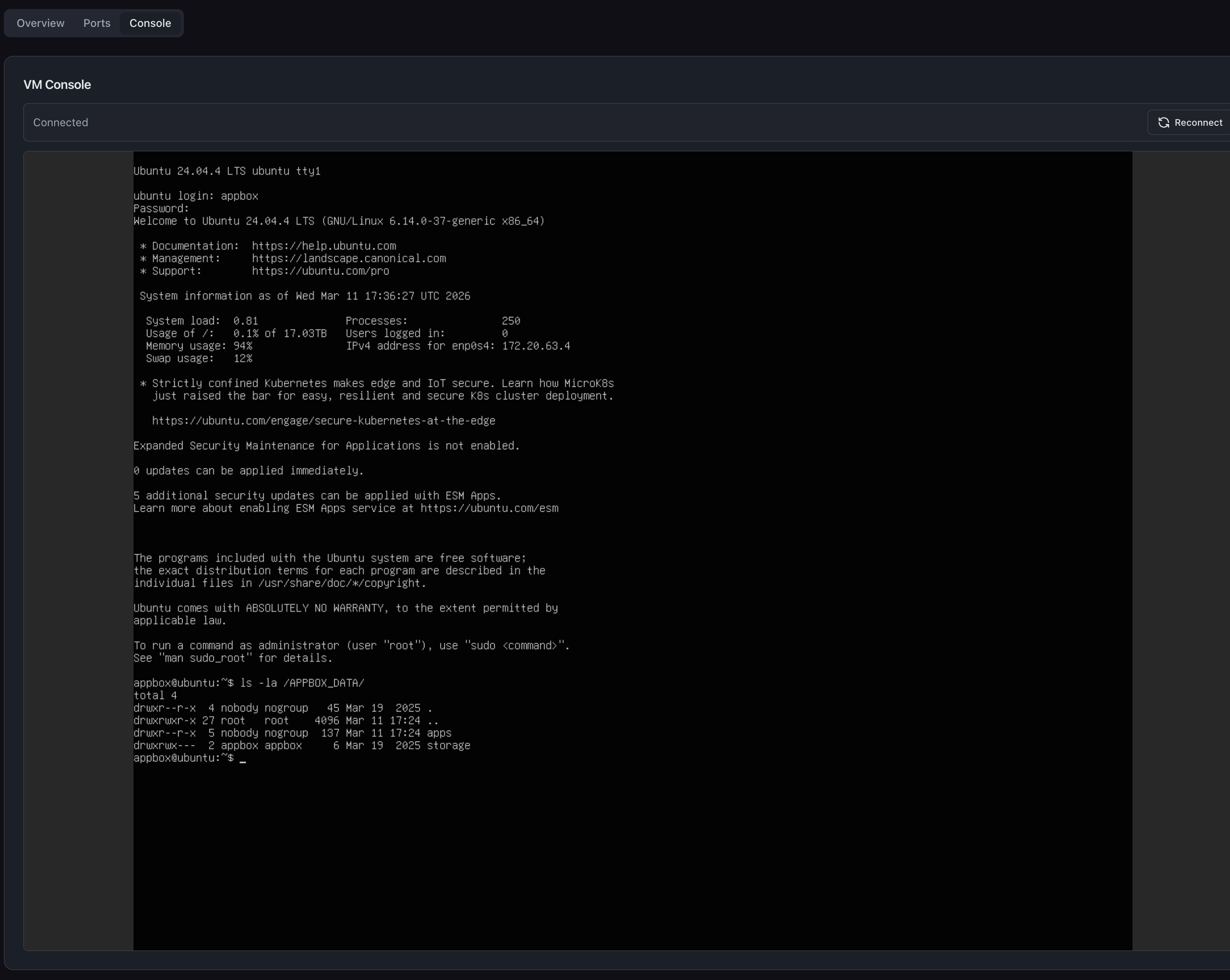
Every VPS comes with a browser-based console built right into the Appbox dashboard. Click the Console tab on any VPS and you get a live terminal session directly in your browser.
This means you can never get locked out of your server. Misconfigured SSH? Broke your network config? Doesn't matter. The web console connects directly to the VM's virtual display, completely independent of the guest network stack. You always have a way in.
Ubuntu Desktop with Selkies
Here's where it gets interesting. Our Ubuntu VPS has a desktop variant powered by Selkies, which gives you a full graphical Linux desktop accessible from your browser with hardware-accelerated streaming, full audio output, and microphone input.
We worked directly with the Selkies team to get this running inside KVM virtual machines, and we've open-sourced the integration at github.com/appbox-co/vm-webtop.
What does this actually mean in practice? You can run a full desktop environment in your browser with real applications. VS Code, Discord, Spotify, Slack - all running simultaneously, all with audio, all accessible from any device with a web browser.
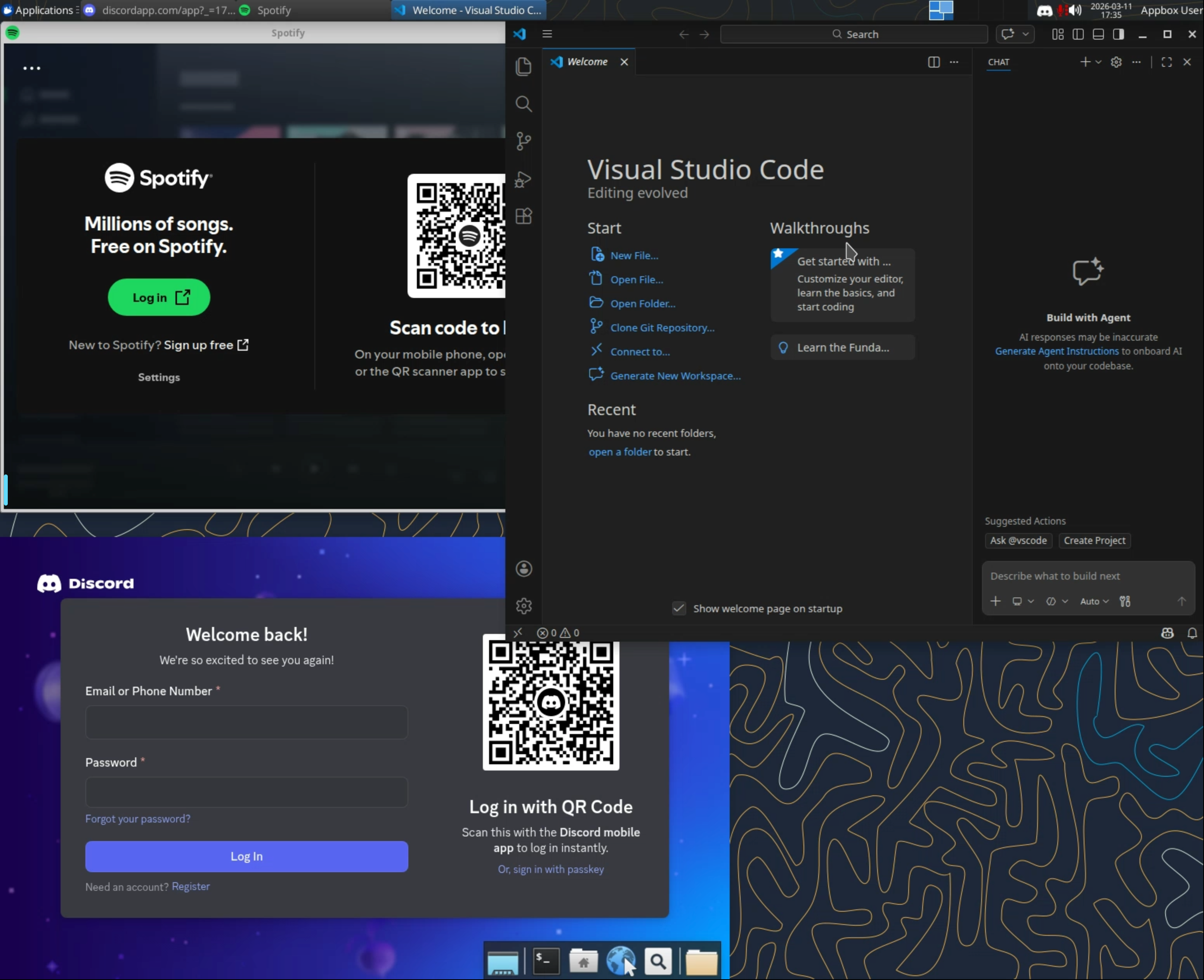
Think about that for a second. You can have a persistent remote development environment that's always on, running VS Code with Docker containers for your projects, while also having Discord open for team chat and Spotify playing music. All in a browser tab. From your laptop, your tablet, or someone else's computer. Your entire workspace is just a URL away.
Your Data Follows You
Every VPS has automatic access to your Appbox storage via the /APPBOX_DATA/ directory. Inside you'll find:
/APPBOX_DATA/apps/- data from your other installed Appbox apps/APPBOX_DATA/storage/- your general Appbox storage
This is shared using virtiofs, a high-performance filesystem passthrough that gives you near-native file access speeds. Your VPS can read and write files that your other apps also use, so you can, for example, process media files from your streaming apps or back up databases from within your VPS.
Works with App Boost
VPSes use the same App Boost system we launched on Day 2. Want more RAM or CPU for your VM? Slide the boost level up and dedicate more of your plan's slots to it. Resources are allocated at the hypervisor level, so your VM genuinely gets more compute, not just a higher cgroup limit.
Worth noting: VPSes have a slightly higher base slot cost than the Docker-based OS apps. This reflects the fact that a full virtual machine consumes more real-world resources than a container sharing the host kernel. The trade-off is straightforward: you get more capability, and the slot cost reflects that honestly.
What's Coming Next for VPS
We're launching VPSes today with full functionality, but there's more on the roadmap. Resource usage graphs for VPS instances will be added in the near future, so you'll be able to monitor CPU, RAM, and disk usage over time directly from the dashboard, just like you can with other apps.
Why This Matters
The Docker-based OSes and webtops on Appbox have served a lot of people well, and they're not going anywhere. But there are real limitations to running inside a container. You can't run Docker. You can't use snaps. You can't load kernel modules. You can't run a full init system. You're always working within the constraints of someone else's namespace.
VPSes remove those constraints entirely. You get a real machine. If you can do it on a server you rented from any other provider, you can do it here - except your data is already mounted, your web console is already there, and your resources scale with a slider.
Day 3 Is Live Now
VPSes are available in the App Store right now. Head to the VPS category, pick your OS, and install. Provisioning a full VM takes a bit longer than a container app, so expect up to 15 minutes for your VPS to be ready.
Tomorrow is Day 4. We're not slowing down.
Got feedback or found an issue? Reach out at support@appbox.co or open a ticket at billing.appbox.co.