Launch Week Day 2 - App Boost
Day 2 of Launch Week. Introducing App Boost, a new way to give your apps more resources without upgrading your plan.
Launch Week Day 2: Introducing App Boost
Day 2. Let's talk about resources.
One of the most common questions we get is some variation of "how do I give this app more RAM?" or "can I make this one app faster without upgrading my whole plan?" Until today, the answer was always: upgrade your plan or live with what you've got.
That changes now. Today we're launching App Boost.
What Is App Boost?
App Boost lets you allocate more resources to individual apps using your available app slots. Instead of every app getting a fixed share of your Appbox's resources, you can now slide a boost level on any app to increase its CPU and RAM allocation.
The idea is simple: you probably have apps that need more power and apps that are perfectly fine with the minimum. Boost lets you take unused capacity from your plan and direct it where it actually matters.
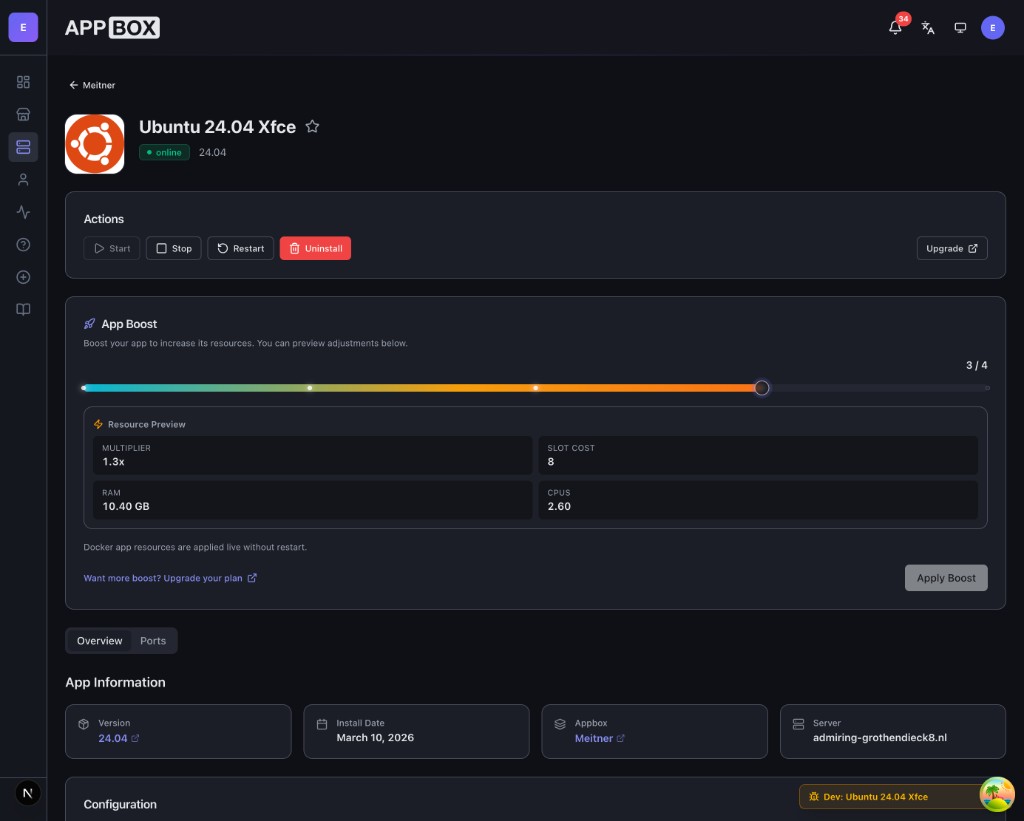
How It Works
Every Appbox plan comes with a number of app slots. Each app you install uses some of those slots. With App Boost, you can assign additional slots to an app to increase its resource multiplier.
Here's what you're actually controlling:
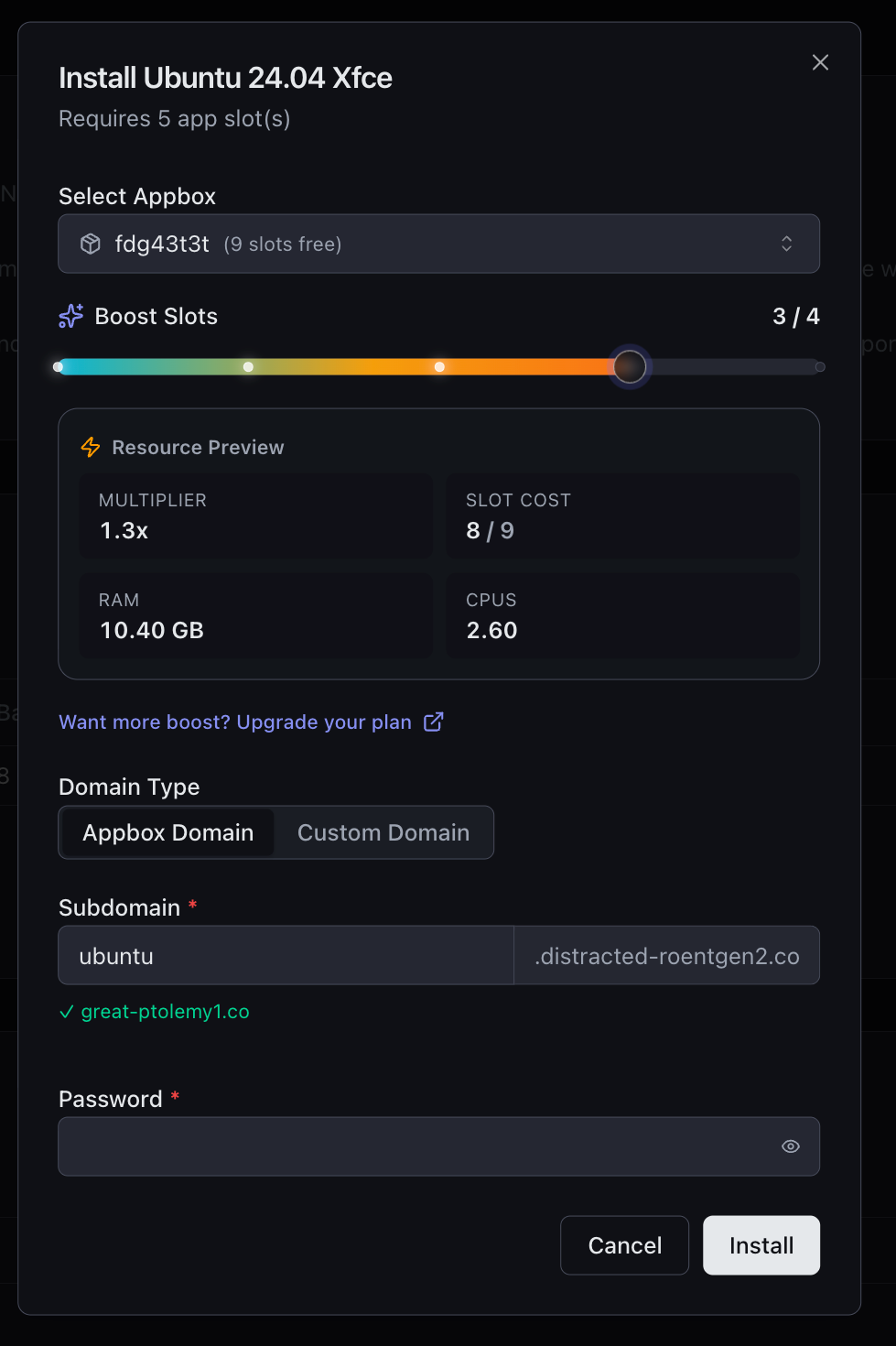
- Boost Slots: the number of extra slots you're dedicating to this app. Each slot increases the resource multiplier by a fixed increment (typically 0.1x per slot).
- Multiplier: this is the resulting resource scaling factor. At 0 boost slots, you're at 1.0x (baseline). Slide it up and you can push an app to 1.3x, 2x, or even higher depending on your plan.
- RAM and CPUs: these update in real time as you drag the slider, so you can see exactly how much memory and CPU the app will get before you commit.
- Slot Cost: shows you how many total slots the app will consume (base cost plus boost slots), so you always know the trade-off.
The slider shows milestone markers at whole multiplier values (2x, 3x, etc.) and even fires off a little confetti when you hit them. We couldn't resist.
Boost at Install Time
You don't have to wait until after an app is installed to boost it. The boost slider is built right into the install dialog, so you can choose your resource level before the app even starts.
This is especially useful for heavier apps like OSes or media servers where you know upfront that they'll benefit from extra resources.
Boost After Install
Already have apps running? Open any app's detail page and you'll find the App Boost card right there. Drag the slider, preview the resources, hit Apply Boost.
Resource changes are applied live without a restart.
What About Existing Apps?
If you already have apps installed before today, they'll continue using the previous resource multiplier system exactly as before. App Boost is enabled for newly installed apps going forward. We wanted to roll this out cleanly without disrupting anything that's already running.
Want More Boost?
The maximum boost you can apply depends on your plan's available slots. If you're running out of room and want to push things further, upgrading your plan gives you more slots to work with. There's an upgrade link right in the boost UI that takes you straight to your billing area.
Resource Preview
One of the details I'm most pleased with is the Resource Preview panel that sits below the slider. It shows multiplier, slot cost, RAM, and CPUs all updating in real time as you drag. No guessing, no surprises. You know exactly what your app will get before you apply anything.
Day 2 Is Live Now
App Boost is available right now for all newly installed apps. Log in, install an app, and try the slider.
Tomorrow is Day 3, and we've got something big. See you then.
Got feedback or found an issue? Reach out at support@appbox.co or open a ticket at billing.appbox.co.