App Boost
Give one app more memory and CPU by spending spare app slots, without changing your plan.
⚠️ Αυτό το περιεχόμενο δεν είναι ακόμη διαθέσιμο στη γλώσσα σας.
Every app starts with its own share of memory (RAM) and CPU. App Boost raises that share for one app at a time. You pay for it with app slots from your plan that you aren't using, so a busy app can get more room without a plan change.
How boost works
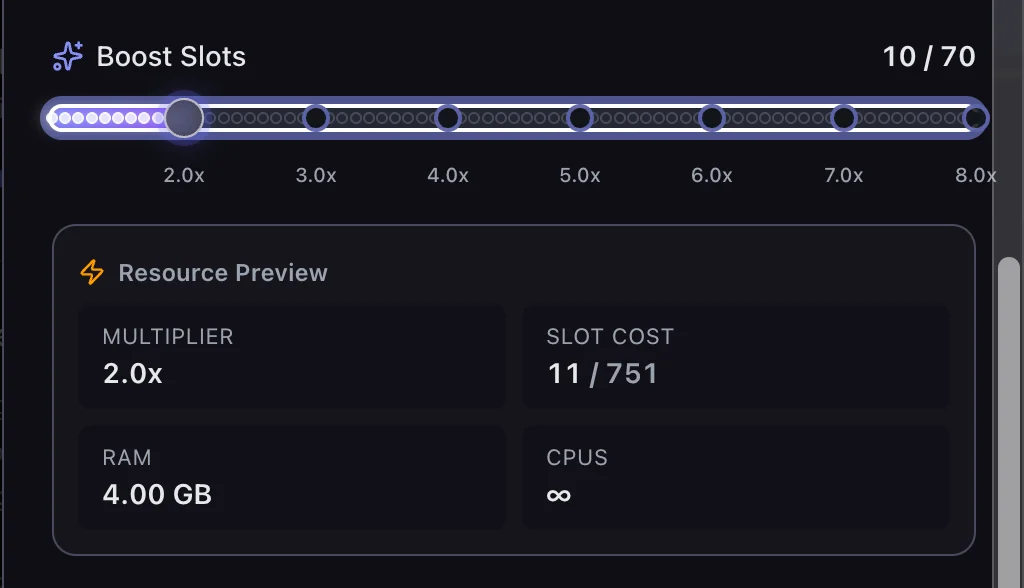
- Each boost slot adds 0.1× to the app's resources, so 10 boost slots double its RAM and CPU (2.0×).
- An app can go up to 8.0×, which takes 70 boost slots.
- A boosted app uses its own app slots plus its boost slots. An app that needs 1 slot uses 11 with 10 boost slots.
- Boost slots come from your Appbox's free app slots, so the slider stops at the number you have free.
The Resource Preview shows the result before you commit to it:
| Tile | What it shows |
|---|---|
| Multiplier | How many times the app's starting resources it gets |
| Slot Cost | The app's slots plus its boost slots. In the install dialog it also shows your free slots. |
| RAM | The app's memory after the boost |
| CPUs | The app's CPU limit after the boost. ∞ means the app has no CPU limit. |
Boost an app when you install it
- Open the app in the App Store and select Get.
- Choose your Appbox.
- Drag the Boost Slots slider. You can also select the slider and use the arrow keys to move one slot at a time.
- Check the Resource Preview, fill in the rest of the dialog and select Install.
Change the boost on an installed app
- Go to Appboxes > Installed Apps and open the app.
- In the App Boost card, drag the slider to the boost you want.
- Select Apply Boost.
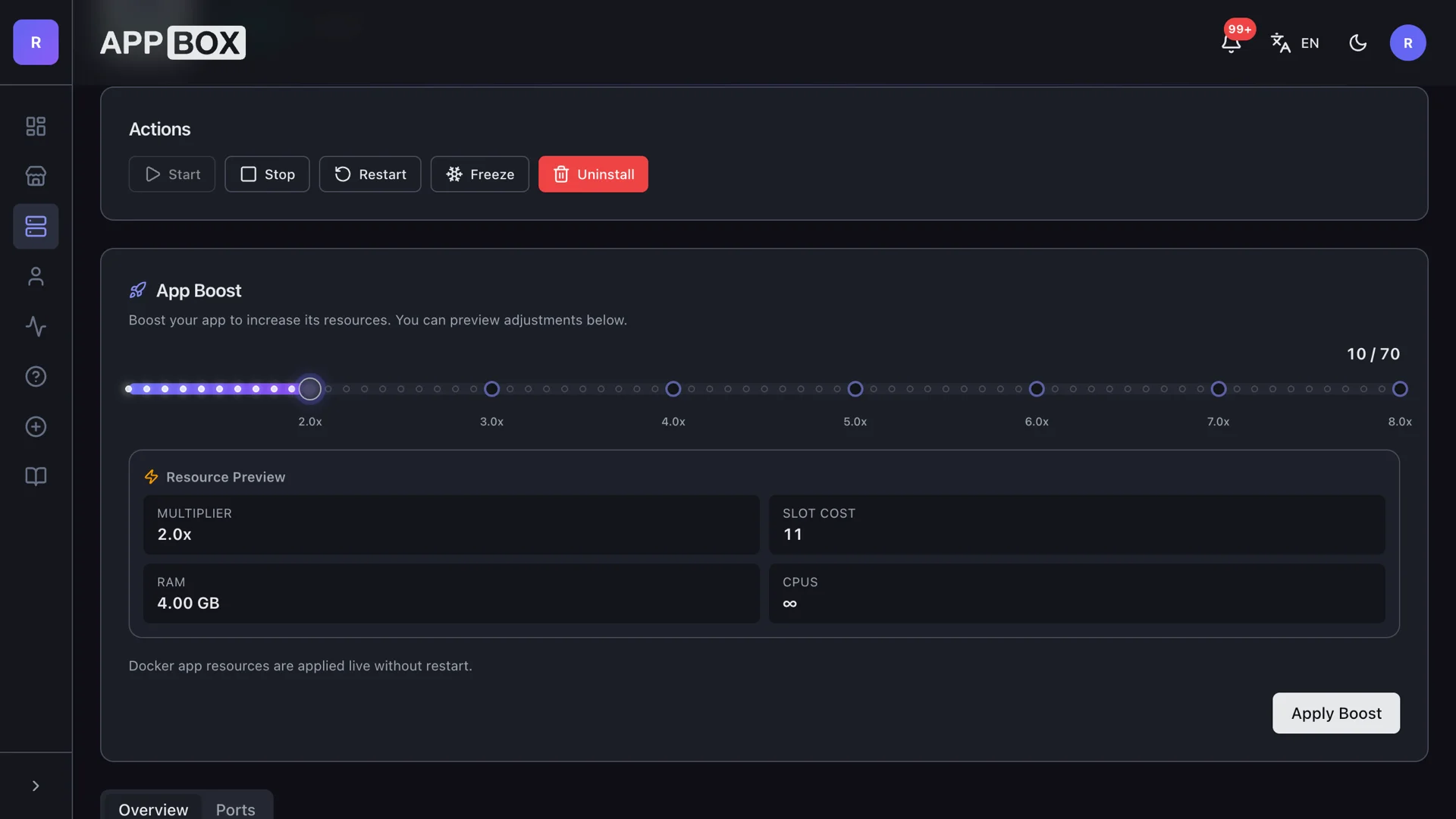
Docker apps get the new resources straight away and keep running. A VPS has to restart before it uses them.
To remove a boost, drag the slider back to 0 and select Apply Boost. The boost slots go back to your free slots.
Troubleshooting
| What you see | What to check |
|---|---|
| The app has no App Boost card | Apps installed before App Boost launched use an older resource system and can't be boosted. A new install can be, but uninstalling the old one deletes its data. |
| The slider is greyed out | The app has to be running. You can't change its boost while it's installing, updating, stopped or frozen. |
| The slider stops before 70 | Your Appbox doesn't have that many free app slots. Free some by uninstalling or freezing apps you don't use, or select Want more boost? Upgrade your plan. |